
After you create a club, add membership plans and configure eligibility criteria for customers to enroll.
Required Editions
| Available in: Lightning Experience |
| Available in: Enterprise, Performance, Unlimited, and Developer Editions with Loyalty Management - Advanced |
Membership Plans
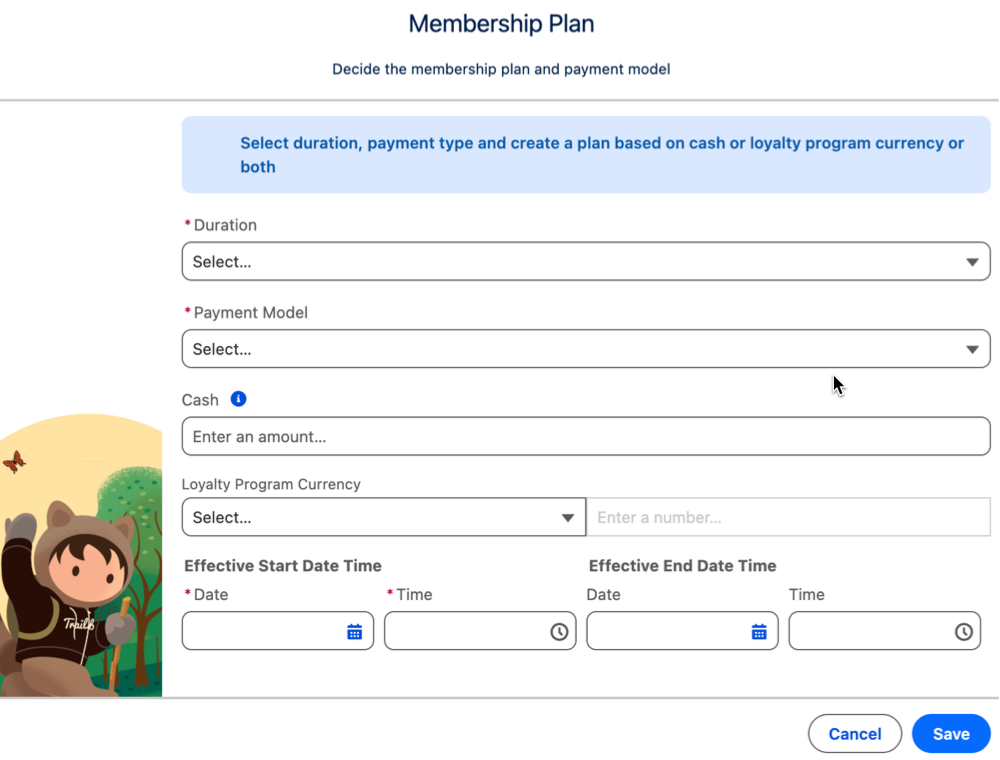
Attract potential members by choosing the right plan and payment structure for your club.
| OPTION | WHAT PROGRAM MANAGER CAN DO |
|---|---|
| Duration | Select the timeframe within which a customer must pay the club membership fees. For example, the timeframe can be monthly, quarterly, or annual. |
| Membership Fee Type | Select the type of payment that a customer can do for club membership. For example, a customer can pay the membership fee by cash, or loyalty program points, or a combination of both. |
| Cash and Loyalty Program Currency | Select the amount of cash and the loyalty program points that a customer can pay as membership fees. |
| Effective Start and End Date | Select a date that falls between the start and end date time of the club. |
Membership Criteria
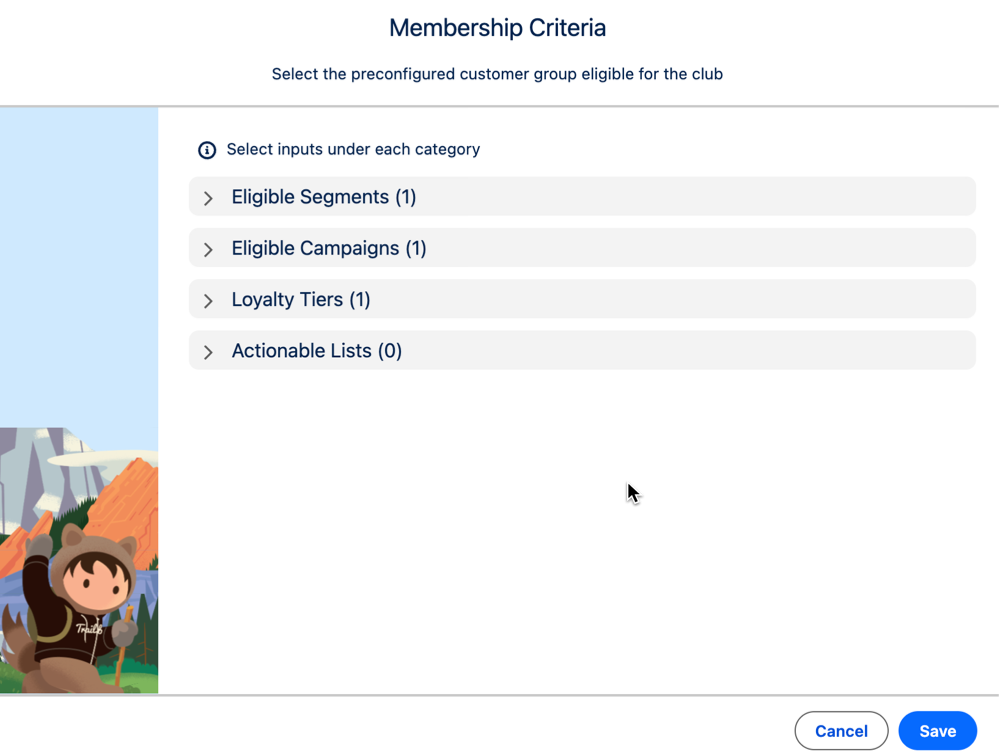
Select the preconfigured customer group that is eligible for the club. Ensuring that the right group is selected helps you tailor the club's benefits and promotions. A member can join a club if they meet at least one of the defined criteria.
| OPTION | WHAT PROGRAM MANAGER CAN DO |
|---|---|
| Loyalty Tier | If your club is linked to a loyalty program, for each tier group, you can select the loyalty tiers whose members are eligible for the club. |
| Eligible Segments | Select the Data Cloud segments that consist of customers eligible for club membership. To configure this eligibility criteria, ensure that you have Data Cloud license. |
| Eligible Campaigns | Select the campaigns that consist of customers eligible for club membership. |
| Actionable Lists | Select the actionable lists that consist of customers eligible for club membership. |