
To hone your Lightning Experience chops, learn where to find key Salesforce features.
Required Editions
| Available in: Lightning Experience |
| Available in: All Editions except for Database.com |

Rather learn about Lightning Experience with a video? Check out Lightning Experience: Take it for a Spin.
The Basics
The top of each Lightning Experience page provides the navigation bar, with tabs and links for accessing major Salesforce features.

Salesforce Foundations augments the default interface with an additional, vertical navigation bar along the left side of the user interface.
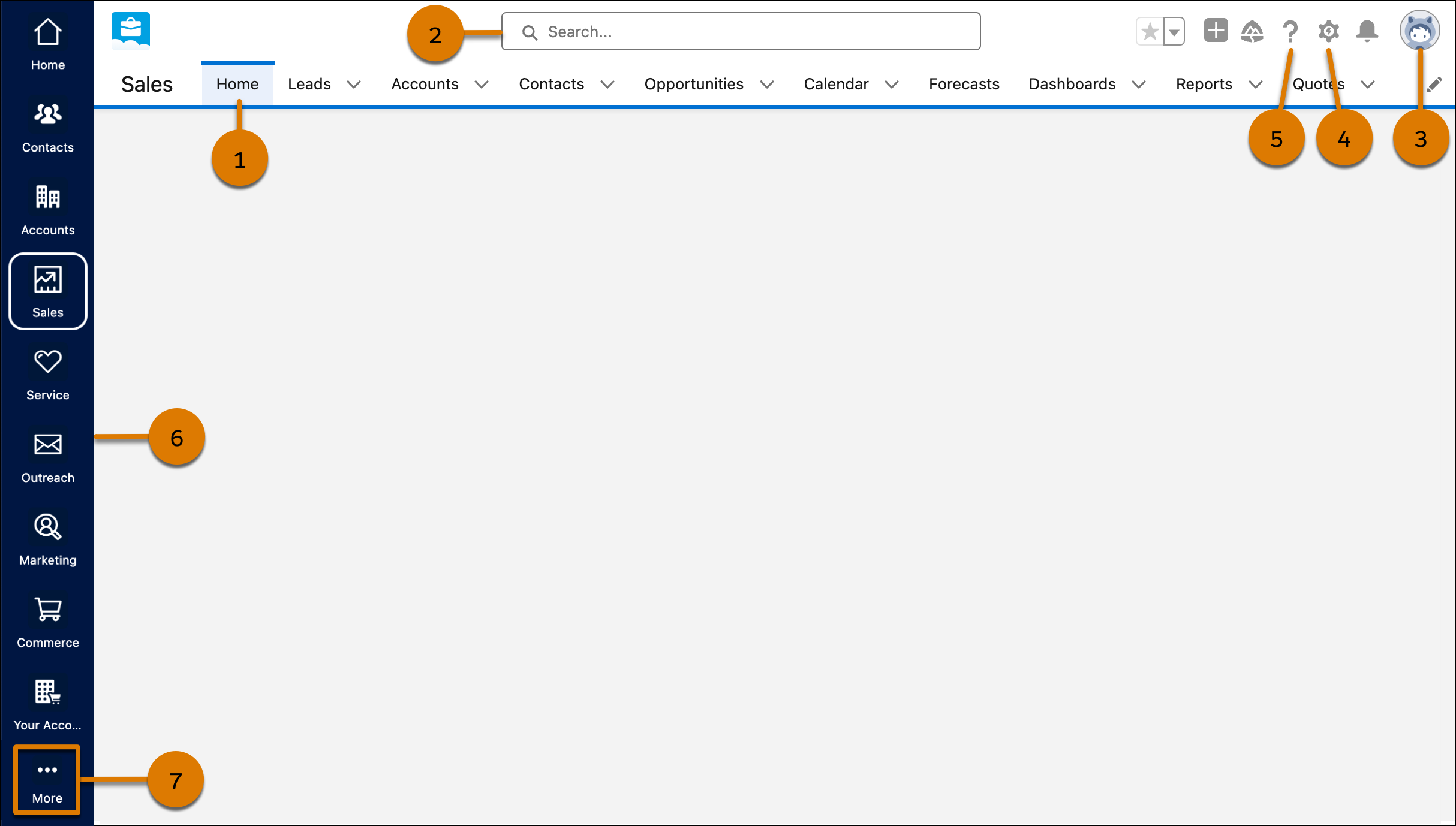
- Select a tab in the navigation bar to switch among objects and features (1).
- Search to find a record (2).
- Access user-specific customizations from your profile (3).
- If you have administrator privileges, use the Setup menu or Quick Settings to customize Salesforce for your organization (4).
- Access help resources and training (5).
- View and access other apps within Salesforce from the App Launcher (6). Each app contains different features and tabs.
- View more tabs that aren’t visible on the navigation bar or the vertical navigation bar in Salesforce Foundations (7).
Home Page
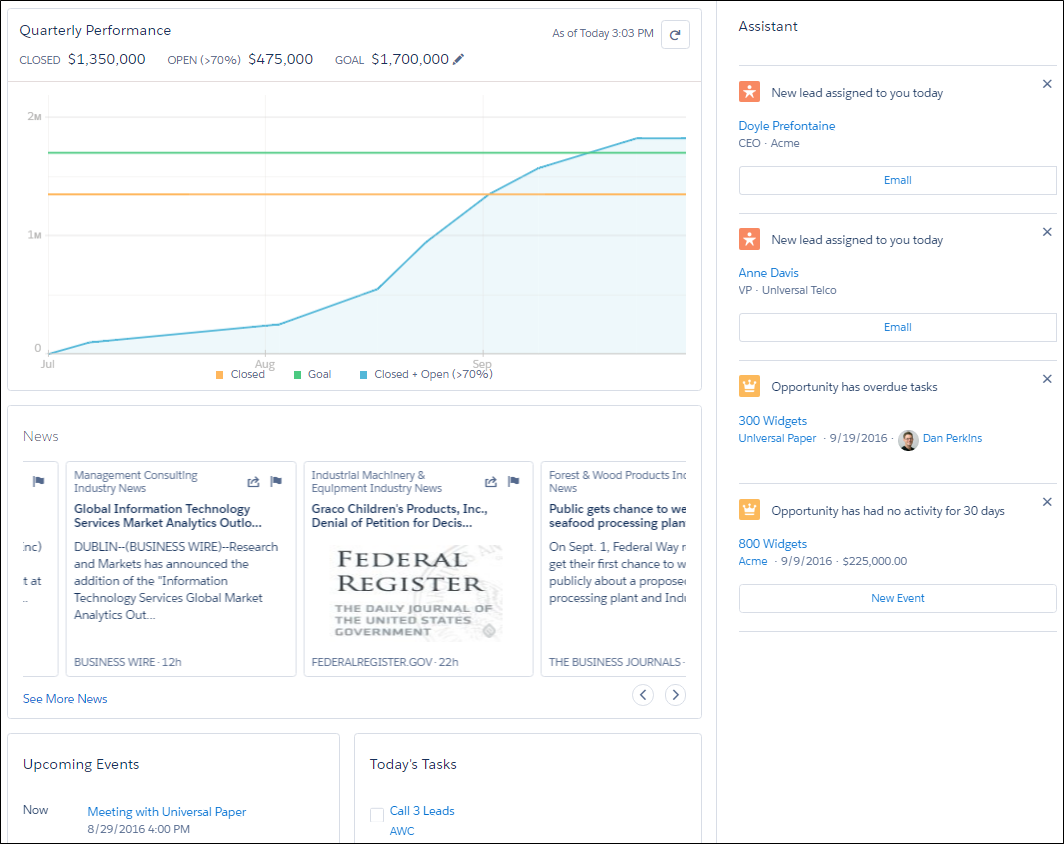
The Lightning Experience home page provides a variety of tools to help you start your day fast. For sales reps, the focus is on top priorities, including quarterly sales performance and insights on key accounts. There’s even an Assistant, your action list of things to do.
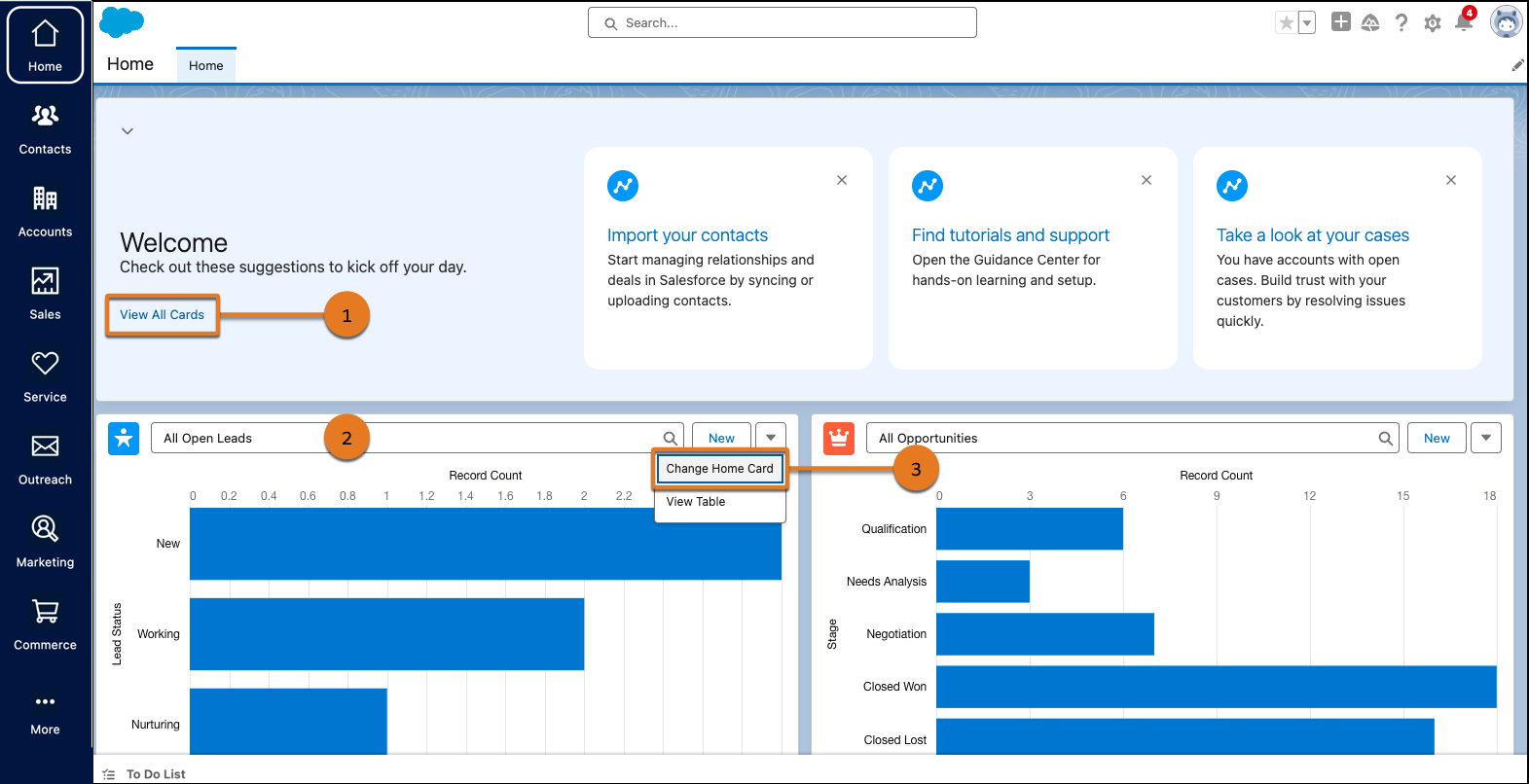
Salesforce Foundations provides a different home page experience with the unified
Home app. Start working right away with suggestions that are recommended to you based on
your business needs and processes. Select View All Cards to explore
more suggestions (1). Keep up with recent activity and quickly access the most important
things to you (2). Stay informed about business data that’s relevant to your company by
personalizing what appears on the Home app. Click  on the top-right corner of a card and select Change Home Card
(3).
on the top-right corner of a card and select Change Home Card
(3).
And Much More
We’ve covered the fundamentals for getting started with Lightning Experience. When you’re ready to go deeper on features specific to your role, take a look at the Lightning Experience Features module in Trailhead.
- Sales Features: Complete your sales processes from an action-first workspace that helps you work deals faster and smarter. For a quick review, see Explore the New Sales Tools.
- Service Features: Manage service processes more efficiently and boost service team productivity. Check out the benefits of Lightning Console and more in Explore the New Service Tools.
- Analytics: Gain insights, track performance, and make data-driven decisions with interactive, easy-to-navigate reports and dashboards. See Explore Reports and Dashboards.