If you install a managed package that has an associated namespace permission set
license, you can use it to entitle users access to one or more packages in that namespace.
Namespace permission set licenses function in a similar way to managed package
licenses.
Required Editions
| Available in: Salesforce Classic (not available in all orgs) and Lightning
Experience |
| The availability of each permission set license depends on the edition requirements for
permission sets and the related feature. |
Namespace permission set licenses appear on the Company Information page along with other
permission set licenses. You assign them in the same manner as other permission set licenses. You
can entitle access to an entire package or multiple packages, respectively, within a single
namespace.
To view the properties and permissions of your namespace permission set license, from Setup, in
the Quick Find box, enter Users, and then select
Users. Select a user and from the Permission Set License Assignments
related list, click Edit Assignments. Here you can view the contents of a
permission set license, the package namespace, and license expiration policy details.
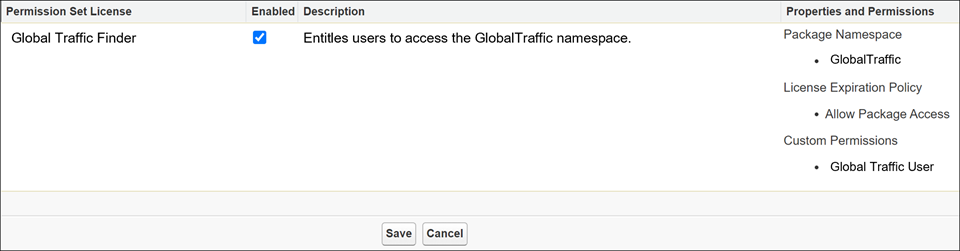
License Expiration Policy indicates whether package access is blocked for existing users when
all namespace permission set licenses expire.

