---
schema_version: "1"
id: 189737bad4e7cb26fa0d1a556a85b5ecb80b345303a3fb1f2093c8d54d39088b
title: Customize Deal Approval Notifications
collection: admin
version: current
locale: en-us
portal_url: https://docs.salesforce.com/admin/current/en-us/xcloud/264-0-0/customize-approval-notifications.md
canonical_url: https://help.salesforce.com/s/articleView?id=xcloud.customize-approval-notifications.htm&release=264.0.0&type=5
source_site: help.salesforce.com
content_type: documentation
content_hash: 5665ff529ea34bc1c99de324bb0ad9fe5f1e0140170d8a0bea708bd58f397b0c
description: To change notification recipients or message content, create and activate your own version of the Notify Approvers of a Deal flow.
products:
- Partner Cloud
- Cross Cloud
release: "264"
---
# Customize Deal Approval Notifications
To change notification recipients or message content, create and activate your own version of the Notify Approvers of a Deal flow.
### Required Editions
Available in: Lightning Experience
Available in: Partner Cloud with Deal Registration for Partners enabled in Salesforce Go.
User Permissions Needed
Edit and activate flows
Manage Flow
1. In Setup, open **Flows** and select **Partner Deal Approval**.
2. Click **Save As** to create an editable copy.
3. Update message actions and recipient query logic for your org requirements.
4. Save and activate your version of the flow.
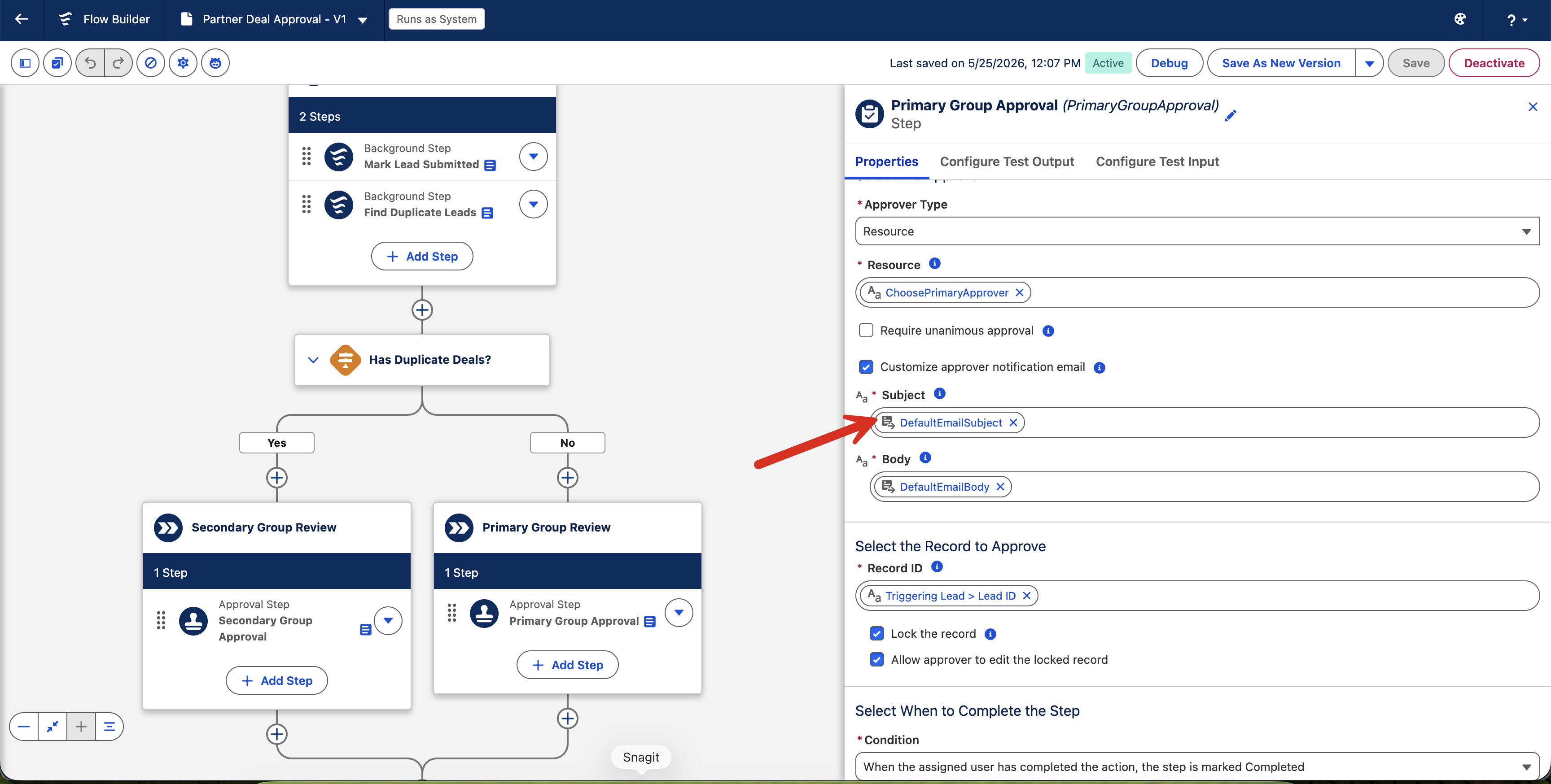
New submissions use your active flow version for approval notifications.