---
schema_version: "1"
id: cb811c5cebc5c0500f247305f768d49743ee20a11d8c93a64365e04b2b505141
title: Confirm Successful Execution Using Run Logs Tab
collection: admin
version: current
locale: en-us
portal_url: https://docs.salesforce.com/admin/current/en-us/xcloud/264-0-0/confirm_successful_execution.md
canonical_url: https://help.salesforce.com/s/articleView?id=xcloud.confirm_successful_execution.htm&release=264.0.0&type=5
source_site: help.salesforce.com
content_type: documentation
content_hash: 9cb6b8177bd4c5bec6b5e10e088125f04d38c646a61ba58240b8369891dc39dd
description: Use the Run Logs tab to check that an execution was successful, identify missed steps, and resolve errors.
products:
- Security
- Cross Cloud
release: "264"
---
# Confirm Successful Execution Using Run Logs Tab
Use the Run Logs tab to check that an execution was successful, identify missed steps, and resolve errors.
### Required Editions
Available in: all editions
User Permissions Needed
To view Run Logs:
ModifyAllData and PrivacyCenter
The Run Logs tab provides key information for every policy run, including the Run Log Name, Status, Message, Created Date, Execution ID, and Configuration ID. Run logs track important steps in the masking process.
- _Run Log Name_: a 6-digit number unique to each run log within your org that represents a single step in the process
- _Status_: states that the run was successful (Success) or encountered an error (Error)
- _Message_: describes the outcome of the run and details the nature of any errors
- _Created Date_: the date when the run log was created and usually the date when the policy was run
- _Execution ID_: a 13-digit number unique to each masking process

Note Because a run log is generated for each step in the process, multiple run logs can have the same execution ID.
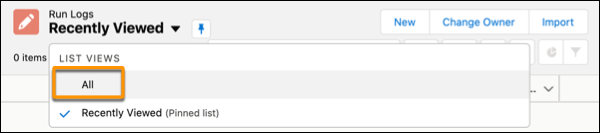
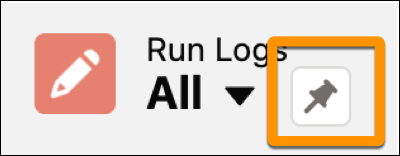
By default, the Recently Viewed list is pinned. To view all run logs, click the dropdown arrow next to Recently Viewed and select **All** as your list view.To pin or unpin a list view, select the pin icon.