Embed video in rich text fields to enliven your content with product reviews, promotional videos, instructional walk-throughs, and more.
Required Editions
| Available in: Lightning Experience |
| Available in: Enterprise, Performance, Unlimited, and Developer Editions |
| User Permissions Needed | |
|---|---|
| To create, edit, or clone content: | Any CMS workspace contributor role |
| To publish or unpublish content: | A CMS workspace contributor role of content admin or content manager |
| To tag or untag content: |
View Content Taxonomy AND any CMS workspace contributor role |
Video domains must be configured with https and hosted on an approved site.
Approved video hosting domains:
- scormanywhere.secure.force.com
- scormanywhere.secure.force.com
- youtube.com
- youtube-nocookie.com
- youtube.ca
- youtube.jp
- youtube.com.br
- youtube.co.uk
- youtube.nl
- youtube.pl
- youtube.es
- youtube.ie
- youtube.fr
- player.vimeo.com
- play.vidyard.com
- players.brightcove.net bcove.video
- player.cloudinary.com
- fast.wistia.net
- i1.adis.ws
- s1.adis.ws
To add video from the rich text editor:
- In the RTE toolbar, click
 to add a video.
 - Enter the URL of the video on your hosting domain.
- Adjust width and height of your video, if needed.
- Click Save.

Tip
- If your video doesn’t show in the editor, add the URL link to the Cross-Origin Resource Sharing (CORS) allowed programs list so Salesforce can access the link and show the video.
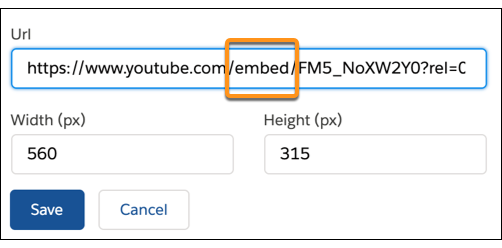
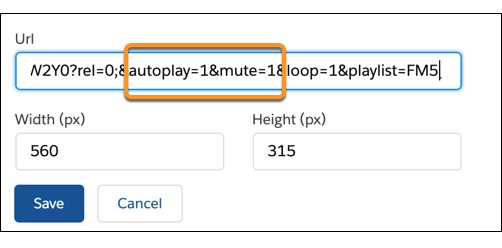
- To set up your video to play automatically, replace watch with
embed in the video URL. Type autoplay=1 and
mute=1 in the URL to give your users a better video experience.