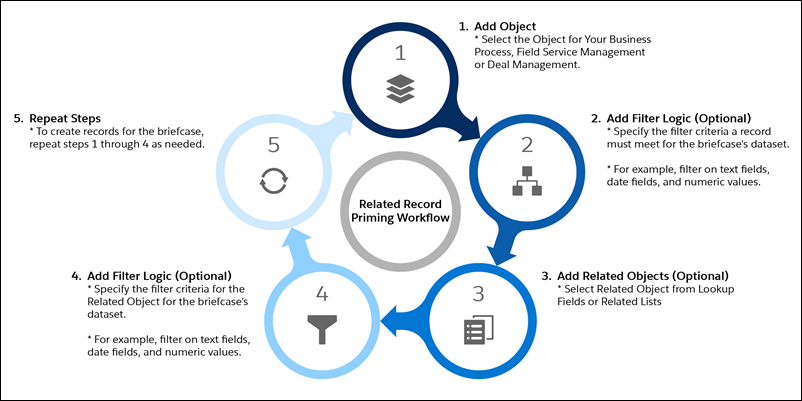
To give your briefcase users access to related records across different objects, set up related object rules.
Required Editions
| Available in: Lightning Experience |
| Available in: Enterprise, Performance, Unlimited, and Developer Editions |
With related object rules, your mobile workers can access information that’s stored in different, related objects. For example, your briefcase users want to see all their assigned service appointments and the associated quotes. The service appointment information is stored in the Service Appointment object, and the quote information is stored in the Asset object. You can use related object rules to make the related object records viewable offline.
To set up related object rules, select a top-level object, then add an object that has a common field with the top-level object. You can configure a hierarchy of up to three levels for related object rules.