
In Experience Builder, you can customize the User Profile menu to include a menu item for your Mobile Publisher app’s privacy policy page.
Required Editions
| User Permissions Needed | |
|---|---|
| To customize an Experience Cloud site: |
|
| To publish an Experience Cloud site: |
|
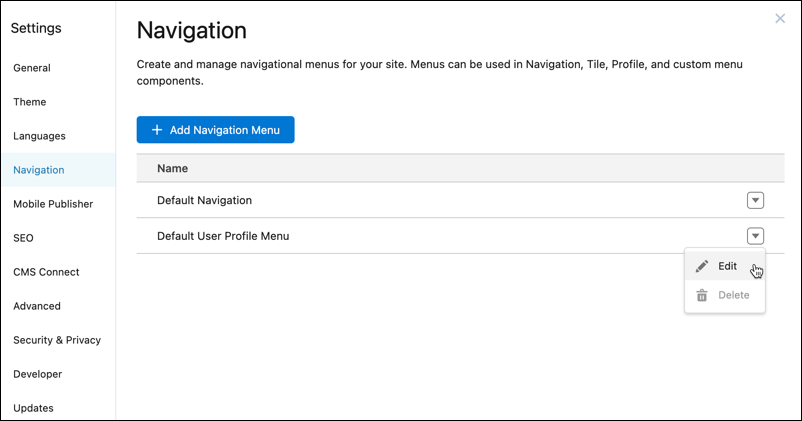
- In Builder, click Settings, and then select Navigation.
- Click the dropdown at the end of Default User Profile Menu, and then select
Edit.
- From the Menu Editor dialog, click Add Menu Item.
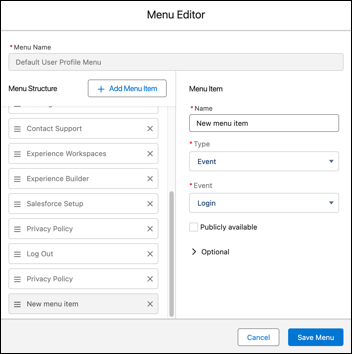
- In the Name field, enter Privacy Policy.
- From the Type field, select one of these options.
- If you created a privacy policy page in Builder, select Site Page, and then from the corresponding Page field, select your privacy policy page.
- If you use an externally hosted privacy policy page, select External URL, and then in the corresponding URL field, enter the external page’s URL.
- Select the Publicly available checkbox.
- Save your menu item.
- Click Preview.
- From the User Profile menu, select Privacy Policy and review the content of your privacy policy page.
- Publish your site.