Configure your Android app and Mobile Publisher project to meet Google’s privacy policy requirements.
To meet Google Play’s privacy policy requirements, complete these privacy policy setup steps.
- Write a privacy policy that contains your app’s name and the disclosures required by Google Play. Make sure to list and describe all the device permissions that you enable in your app’s Setup for Mobile Publisher project.
- Publish your app’s privacy policy to a publicly accessible URL.
- Google requires that links to your privacy policy are accessible from within
your app. We recommend that you add a link to your privacy policy from these
locations in your app.
- The app’s login screen
- The app’s User Profile menu
 Note You can add the privacy policy as a User Profile menu item in two ways. One way is to create a site page for your privacy policy in Experience Builder, and then add the page as a menu item. If your privacy policy is published to a URL that’s outside your Experience Cloud site, another way to include your privacy policy in the User Profile menu is to add the privacy policy’s external URL as a menu item.
 - In your app’s Setup for Mobile Publisher project, add a link to the privacy policy in the URL Management section’s In-App Browser URLs or External Browser URLs fields.
This section determines how links to other sites open from your app.
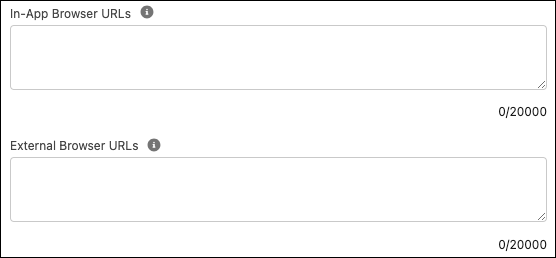
Don’t enter the link in the WebView URLs or In App Shared Cookie Browser URLs fields. Those methods of opening a URL aren’t supported on the login screen.
- Add a link to your privacy policy from your app’s Google Play store listing.
For binary upload Android apps, see Add a Privacy Policy for Binary Uploads.
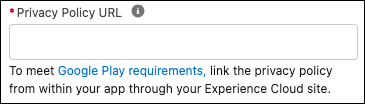
For fully managed Android apps, add the link to your app’s Setup for Mobile Publisher project. Enter the link in the Store Presence section’s Privacy Policy URL field. Mobile Publisher uses this field to add the privacy policy link to your Google Play store listing.