
Before you can beta test your apps, request a managed package for your Android and iOS apps.
Required Editions
| Setup for Mobile Publisher available in: Lightning Experience |
| Setup for Mobile Publisher available in: production only (not sandbox) |
| Available in Lightning Experience in: Enterprise, Performance, and Unlimited Editions |
| User Permissions Needed | |
|---|---|
| To create and modify a Mobile Publisher project: | Manage mySalesforce Apps |

Important This topic only applies to Government Cloud customers, whose apps still use the legacy connected apps framework. The majority of Mobile Publisher
customers, whose apps use the external client apps
framework, don't need to request, install, or maintain managed packages to use Mobile Publisher.
- From Setup, enter Mobile Publisher in the Quick Find box, then select Mobile Publisher.
- Click Continue next to the listing for the iOS app.
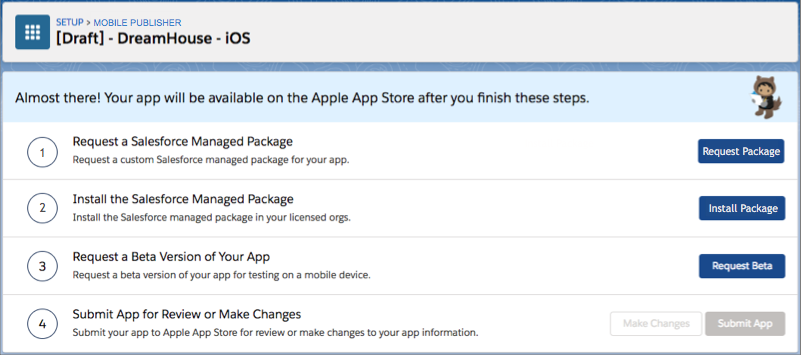
- Click Request Package.
- Click Done.
This sends a request to Salesforce so we can begin generating the managed package.
- Repeat the same steps for the Android app.
The process to generate managed packages takes some time. Salesforce sends you an email when your Android and iOS packages are available and ready to install. Note that you receive two separate emails: one for the Android app and one for the iOS app.