
Before you can distribute your branded app, add your Apple Development Programs Account credentials to Mobile Publisher.
Required Editions
| Setup for Mobile Publisher available in: Lightning Experience |
| Setup for Mobile Publisher available in: production only (not sandbox) |
| Available in Lightning Experience in: Enterprise, Performance, and Unlimited Editions |
| User Permissions Needed | |
|---|---|
| To create and modify a Mobile Publisher project: | Manage mySalesforce Apps |

Important You need an Apple Business Manager (ABM) ID for each country that you want
to privately distribute your app in. For example, if you want to distribute your app in India,
you must have a valid Apple Business Manager (ABM) ID in that country.
- In the Private Distribution Information section, click + Add to
enter your Apple Deployment Programs Account.
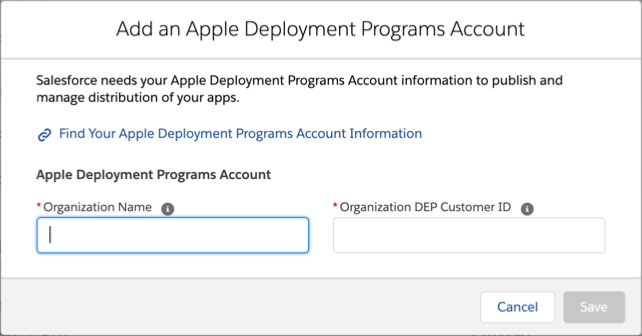
- Organization Name is the registered name of your Apple Business Manager.
- Organization DEP Customer ID is the Organization ID listed in your Apple Business Manager. Sometimes the Organization DEP Customer ID is referred to as Organization ID.
- To find the Organization Name and Organization DEP Customer ID:
- Go to https://business.apple.com and log into your Apple Business Manager account as a user with the Administrator role.
- Click your name in the bottom-left sidebar.
- Navigate to Preferences and select Enrollment Information.
- Under the Organization Info section, locate your Organization Name and Organization DEP Customer ID (Organization ID).
- Enter your Organization Name and Organization DEP Customer ID in the Add an Apple Deployment Programs Account page.
- Save your changes.