
Start the distribution process by selecting your distribution type in Mobile Publisher.
Required Editions
| Setup for Mobile Publisher available in: Lightning Experience |
| Setup for Mobile Publisher available in: production only (not sandbox) |
| Available in Lightning Experience in: Enterprise, Performance, and Unlimited Editions |
| User Permissions Needed | |
|---|---|
| To create and modify a Mobile Publisher project: | Manage mySalesforce Apps |

Note Not sure which distribution type to choose? See App Distribution
Considerations for guidance on public versus private distribution for your
apps.
-
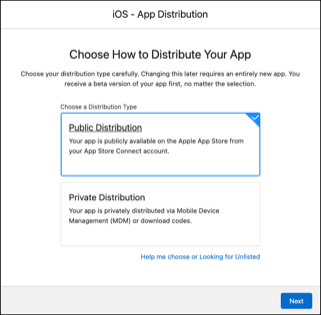
Select Public Distribution or Private
Distribution from the App Distribution menu, and click
Next.
-
Click Copy to copy and save the Salesforce Developer Email onto
your computer for future reference.
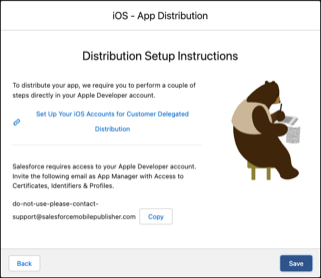
You need the Salesforce Developer Email address when you log into your Apple Developer account to grant Salesforce access to distribute your app.