---
schema_version: "1"
id: 39900986193edcf18fb2757c1e4e15eac5612c1116d0e3b15882d9df7ae7c055
title: Conceal Your App’s Snapshot While in a Device’s Background
collection: admin
version: current
locale: en-us
portal_url: https://docs.salesforce.com/admin/current/en-us/xcloud/264-0-0/branded_apps_exp_conceal_app_snapshot.md
canonical_url: https://help.salesforce.com/s/articleView?id=xcloud.branded_apps_exp_conceal_app_snapshot.htm&release=264.0.0&type=5
source_site: help.salesforce.com
content_type: documentation
content_hash: 9e327bbe0417089924bd2dae5d53f2ea427ecd14cd38f30f765c98f4ef3e4ee8
description: Use Snapshot Prevention to conceal your Mobile Publisher for Experience Cloud app’s information behind a splash screen when in the background.
products:
- Experiences
- Mobile App
- Cross Cloud
release: "264"
---
# Conceal Your App’s Snapshot While in a Device’s Background
Use Snapshot Prevention to conceal your Mobile Publisher for Experience Cloud app’s information behind a splash screen when in the background.
### Required Editions
Available in: Lightning Experience
Available in: Enterprise, Performance, and Unlimited Editions
User Permissions Needed
To modify a Mobile Publisher project:
Manage mySalesforce Apps
When an app user switches between apps on their device without quitting apps entirely, a snapshot of each app is visible when the user pulls up all apps running in the background.
To enable Snapshot Prevention for your Mobile Publisher for Experience Cloud app and hide your app’s sensitive information, follow these steps.
1. From Setup, in the Quick Find box, enter Mobile Publisher, and then select **Mobile Publisher**.
2. Open your app’s project, and scroll to the Security section.
3. Select **Snapshot Prevention**.
4. Submit your change.
After you enable Snapshot Prevention, your app’s information is hidden behind a blank screen (Android) or a splash screen (iOS) when in the background of a device.
| Android | iOS |
| --- | --- |
| 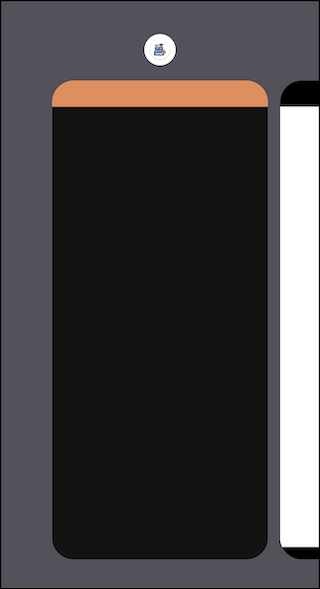 | 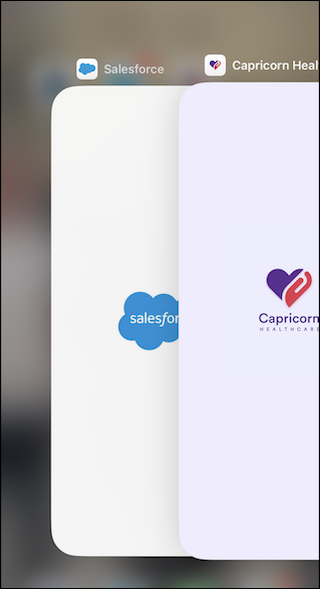 |