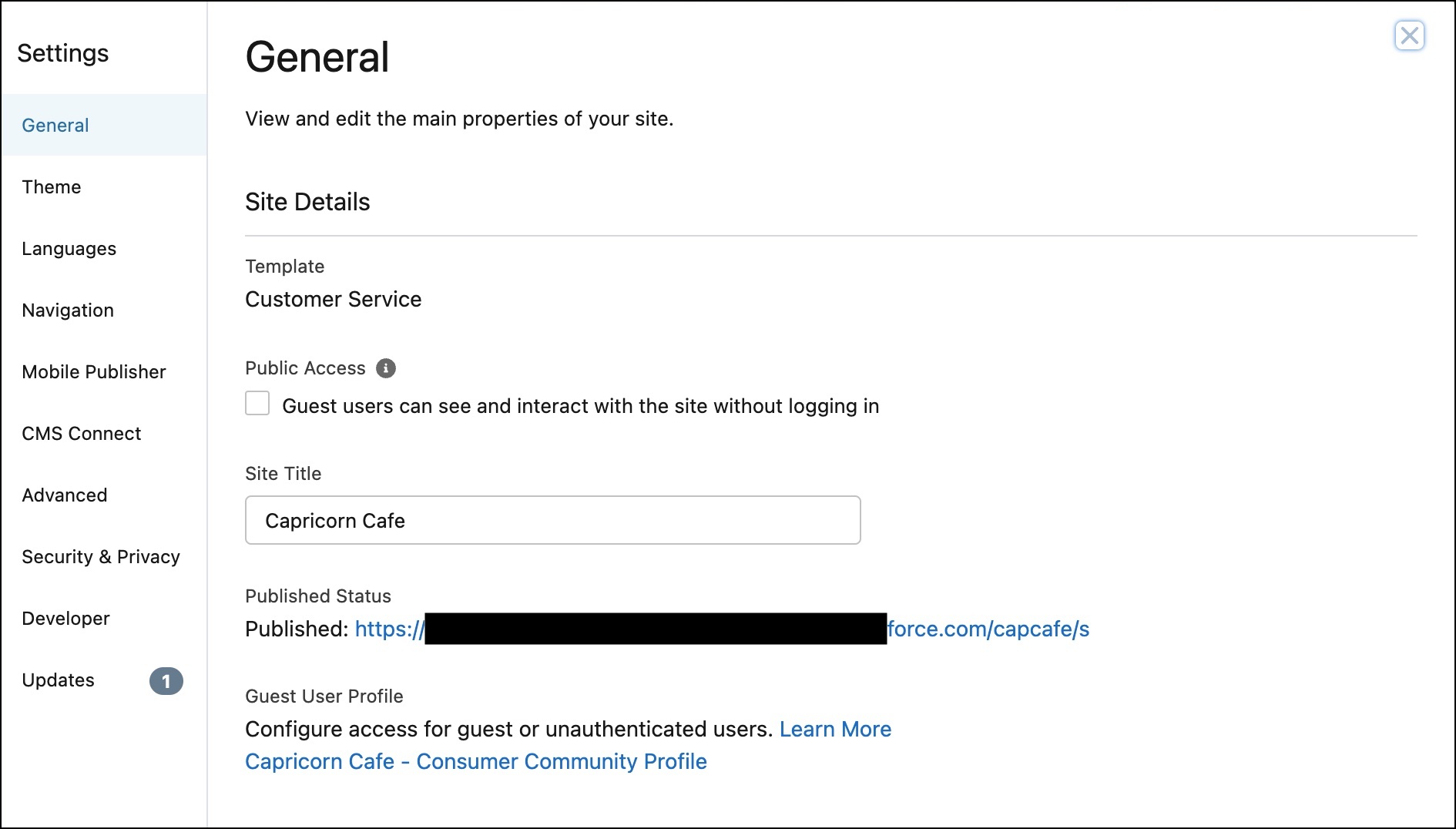
It’s important to know if your Experience Cloud Site URL contains /s at the end the URL. The Mobile Publisher team can build a better
app for your org with this information.
Required Editions
| Setup for Mobile Publisher available in: Lightning Experience |
| Setup for Mobile Publisher available in: production only (not sandbox) |
| Available in Lightning Experience in: Enterprise, Performance, and
Unlimited Editions
|
| User Permissions
Needed |
| To create and modify a Mobile Publisher project: |
Manage mySalesforce Apps |
| To create and modify a site: |
Create and Set Up Experiences |
- Log in to your Salesforce org.
- From Setup, enter All Sites in the Quick Find box, then select
All Sites.
- Find the Experience Cloud site you’re interested in, and select
Builder.
- Click Settings.
- On the General tab, go to the Published Status section to see if
your Experience Cloud site URL ends in
/s.