
After your prep work, return to your Mobile Publisher project and enter your Apple Developer Team Account information.
Required Editions
| Setup for Mobile Publisher available in: Lightning Experience |
| Setup for Mobile Publisher available in: production only (not sandbox) |
| Available in Lightning Experience in: Enterprise, Performance, and Unlimited Editions |
| User Permissions Needed | |
|---|---|
| To create and modify a Mobile Publisher project: | Manage mySalesforce Apps |
- In the Mobile Publisher, go to the App Distribution section.
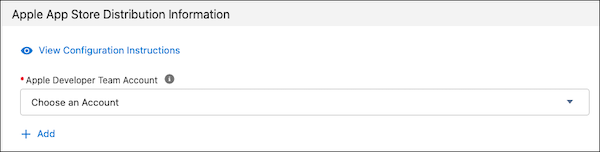
- Click Add to enter your Apple Developer Team Account
information.
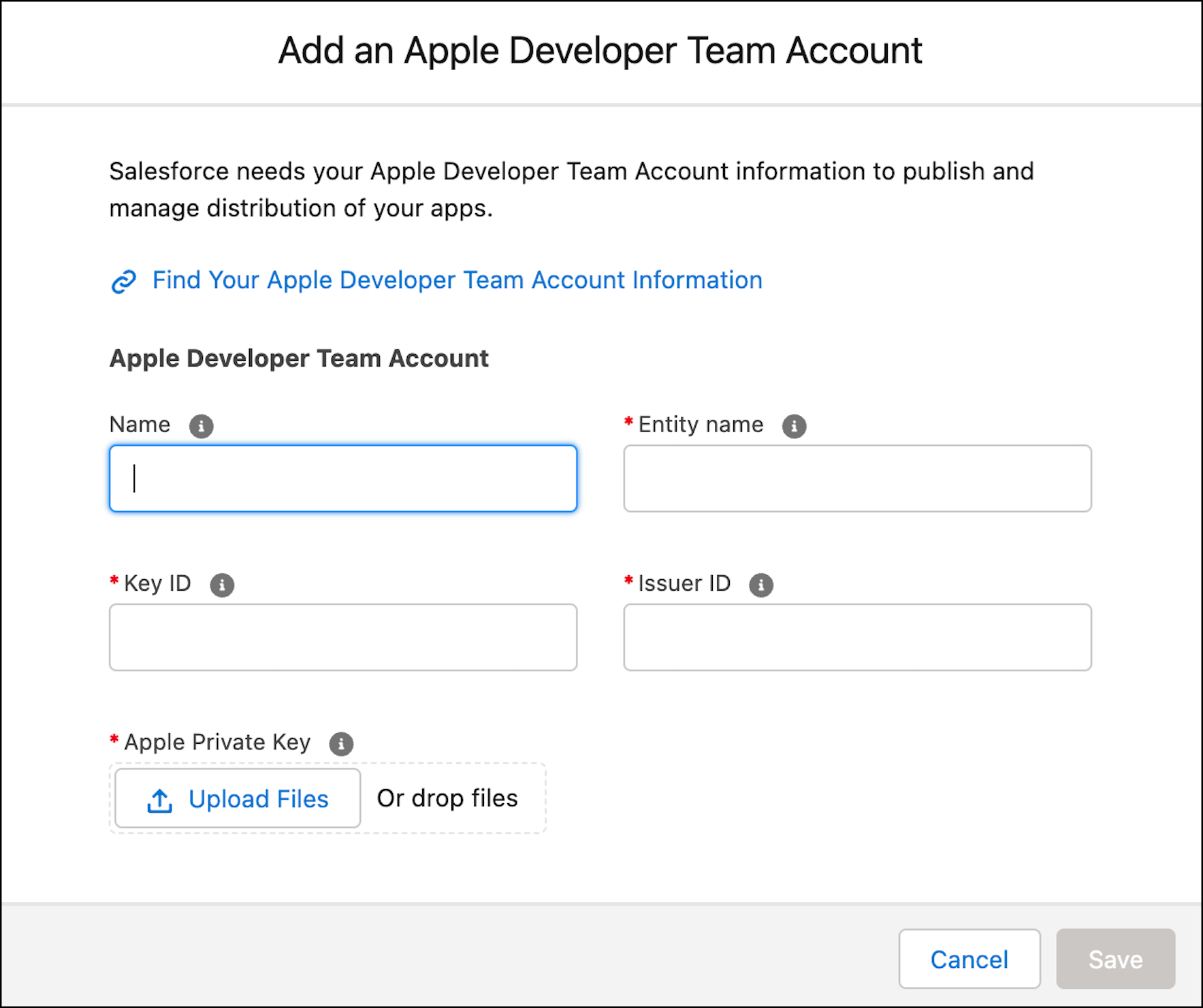
- You recorded these values earlier, on the Record Your Apple Developer
Team Account Info page.
- Name is chosen by you for internal use only.
- Entity Name is the name from your Apple Developer Account.
- Issuer ID is the ID from your App Store Connect.
- Key ID is the ID from your App Store Connect.
- Apple Private Key is the key downloaded from App Store Connect.
- Save your changes.
If all fields are correct, you can distribute your branded app to your users.