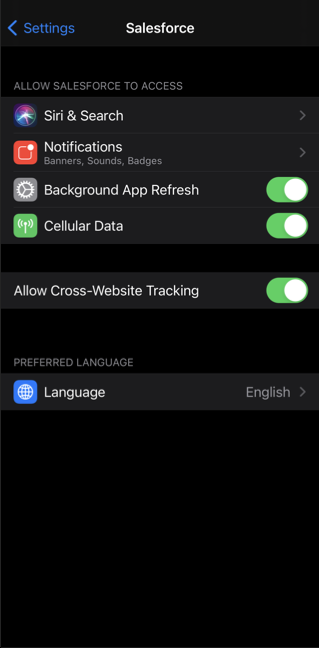
With iOS 14, Apple placed additional tracking restrictions on third-party applications. These tracking restrictions can prevent your custom web content from appearing in your branded app.
These configurations can be affected.
- Visualforce pages
- Third-party content rendered via Canvas, or custom Lightning components using <iframe>
- Third-party applications using cookies, sessionStorage, or localStorage
To unblock third-party content for your branded app on iOS, go to , and turn on Allow Cross-Website Tracking.