
Advanced Authentication (browser-based authentication) allows authentication from an in-app browser instead of an in-app webview. Enable Advanced Authentication in Setup.
Required Editions
| Setup for Mobile Publisher available in: Lightning Experience |
| Setup for Mobile Publisher available in: production only (not sandbox) |
| Available in Lightning Experience in: Enterprise, Performance, and Unlimited Editions |
| User Permissions Needed | |
|---|---|
| To create and modify a Mobile Publisher project: | Manage mySalesforce Apps |
| To view the settings: | View Setup and Configuration |
| To edit the settings: |
Customize Application AND Manage Auth. Providers |
Advanced Authentication is required in the following situations:
- Display reCAPTCHA on the login page
- Login with Google

Note Salesforce strongly recommends testing this feature in Sandbox before enabling in
Production. If this feature is enabled in Production, existing users could be impacted and
experience different authentication behavior.
- From Setup, enter Domain in the Quick Find search box, then select My Domain.
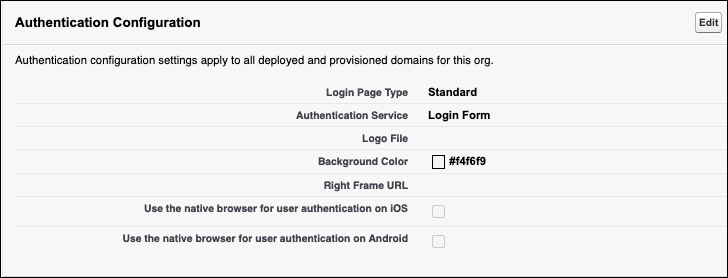
- Go to Authentication Configuration and click Edit.
- Select the configuration options for your org.
- Click Save.