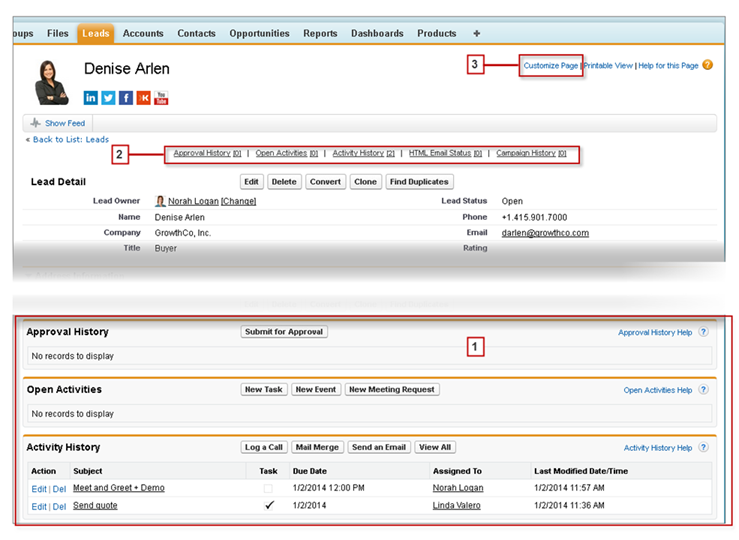
On Salesforce records, links and details for associated records are grouped within
related lists. Some related lists let you perform common tasks for the related object, like
create records or attach files.
Required Editions
| Available in: Salesforce Classic |
| Available in: All editions |
For example, the Lead record offers a number of related lists, including Open Activities,
which lists open activities and key activity fields. On this related list, you can create a
new task, a new activity, or a new meeting request. When a task related to the lead is closed,
a link to that task appears in the Lead record’s Activity History related list, which
displays the same key fields as Open Activities, and offers other common tasks.
It’s easy to arrange and access related lists. Here’s how.
- Scroll the page to find the related list you need (1).
- If related list hover links (2) are enabled in your organization, click a link to view the
list in a pop-up.
- Click Customize Page (3) to select and arrange the available
related lists you want to see.
The related lists you can view and use depend on:
- Your user permissions
- User interface and page layout customizations made by your Salesforce administrator
- Personal customizations you can make