
Salesforce includes many options for setting up, maintaining, and customizing your organization. If you’re a Salesforce administrator or developer, you use the Setup menu frequently.
Required Editions
| Available in: Salesforce Classic and Lightning Experience |
| Available in: all editions except Database.com |
All setup options are all available from the Setup menu. The way you access the Setup menu depends on which Salesforce experience you’re using and on your organization’s user interface settings.
-
Look at the top of any Salesforce page.
- If you’re using Lightning Experience, click
 , then select Setup.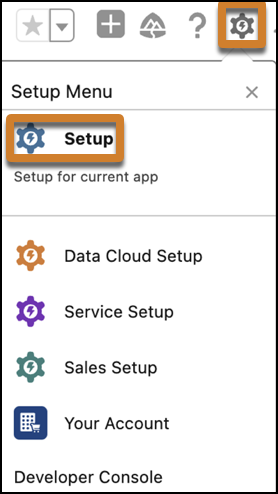
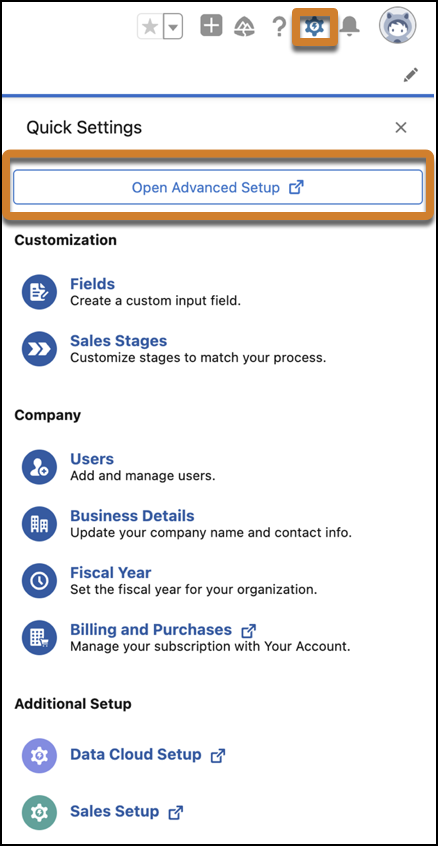
- If you're using Quick Settings in Lightning Experience, click , then select Open Advanced Setup.
- If you’re using Salesforce Classic and you see Setup in the user interface header, click Setup.
- If you’re using Salesforce Classic and you don’t see Setup in the header, click your name, then select Setup.
- If you’re using Lightning Experience, click
-
Enter the name of the Setup page that you want in the Quick Find
box, then select the appropriate page from the menu.
 Tip Type the first few characters of a page’s name in the Quick Find box. As you type, pages that match your search terms appear in the menu. For example, to find the Language Settings page, type lang in the Quick Find box, then select Language Settings.