---
schema_version: "1"
id: 5d22126ac80d28fb828b0dcd9fceeafce79b4303b99bef8e504cb4d184a777b4
title: Turn On Quick Settings
collection: admin
version: current
locale: en-us
portal_url: https://docs.salesforce.com/admin/current/en-us/xcloud/264-0-0/base_quick_settings.md
canonical_url: https://help.salesforce.com/s/articleView?id=xcloud.base_quick_settings.htm&release=264.0.0&type=5
source_site: help.salesforce.com
content_type: documentation
content_hash: 925d089a6fd82a03d81b8fbfdcbf8ad0a4dc1434cbfbafaaeb76f8c8eaef7b5a
description: Easily access important settings such as user management and business details in a few clicks.
products:
- Cross Cloud
release: "264"
---
# Turn On Quick Settings
Easily access important settings such as user management and business details in a few clicks.
### Required Editions
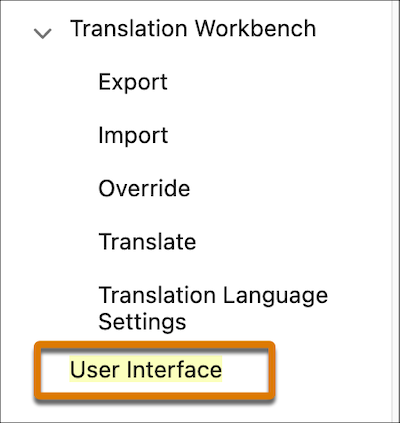
1. From Setup, in the Quick Find box, enter Interface, and then select **User Interface**.
2. Select **Show the Quick Settings Panel** and save.
#### See Also
- [Simplified Navigation and Easy Access to Important Tasks](https://help.salesforce.com/s/articleView?id=xcloud.base_easy_access.htm&release=264.0.0&type=5 "Salesforce Foundations navigation makes it simpler and faster to find the information and tasks you need. It’s important that you understand some key differences between standard Salesforce navigation and Salesforce Foundations navigation.")
- [User Interface Settings Considerations](https://help.salesforce.com/s/articleView?id=xcloud.base_considerations_user_interface.htm&release=264.0.0&type=5 "There are important permission and navigation considerations related to enabling Quick Settings and vertical navigation.")