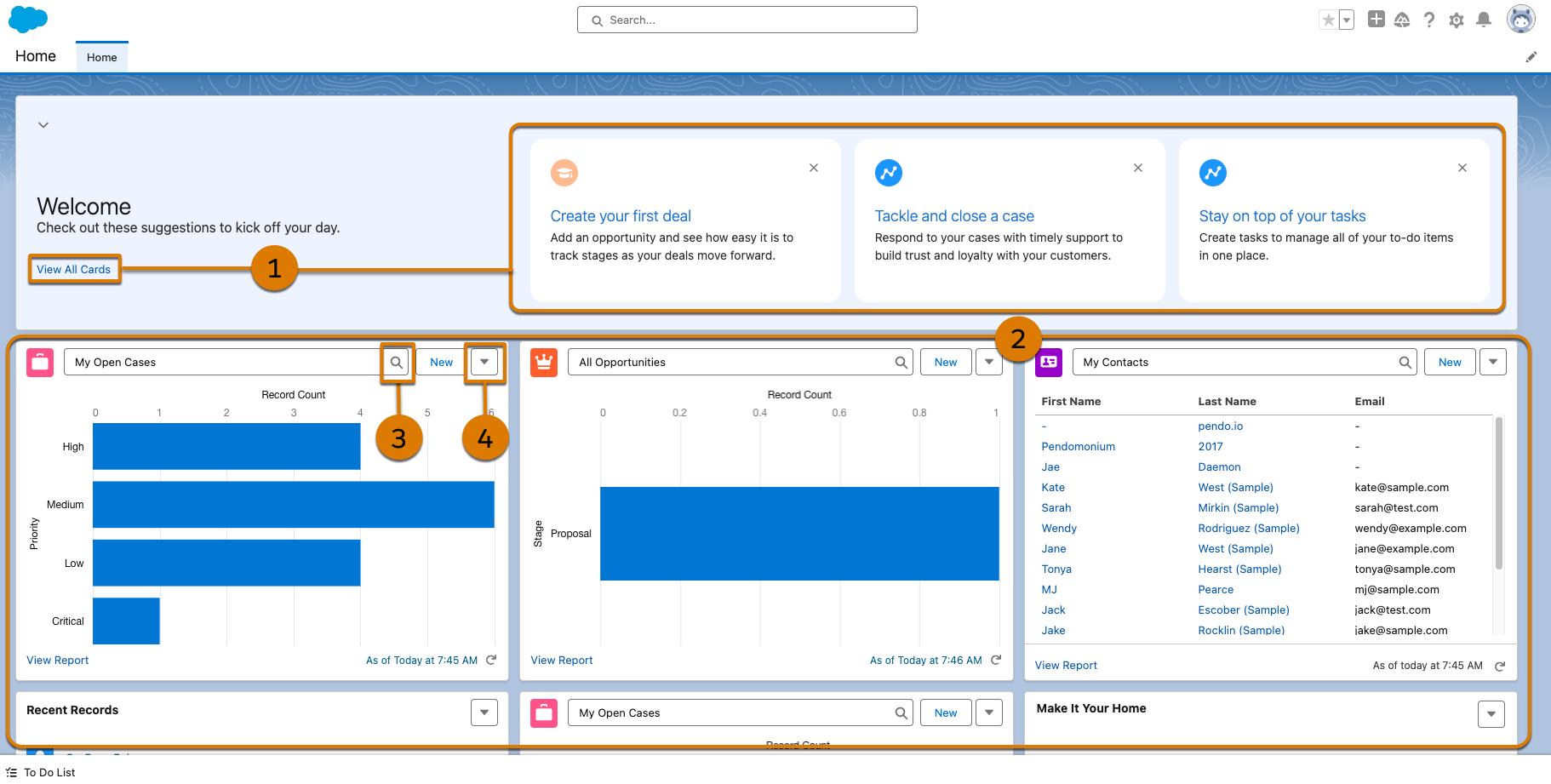
The Home app provides a visually friendly, uncluttered experience that helps you focus on the tasks that are most important to you.
Required Editions
Suggestions are provided to you based on your business needs and processes. These
recommendations make it easy to accomplish tasks such as importing contacts and automating
tasks. Click View All Card (1) to explore more suggestions. Get a
panoramic view of your data (2) and keep up with what’s most important to you. To review other
filter options, click  (3). To change what appears on the Home app, click
  in the top-right corner of a card and select Change Home Card
(4). Unlike other apps, the Home app can't be edited through the Settings Menu.
in the top-right corner of a card and select Change Home Card
(4). Unlike other apps, the Home app can't be edited through the Settings Menu.
To access the Home app, it must be assigned to your profile. See Give Users Access to the Home App.