
To give your users access to your Quip site, add them manually, upload a CSV, or automatically grant access to all users from a Salesforce org.
Required Editions
| Available in: Enterprise, Performance, Professional, Developer, and Unlimited Editions |
Salesforce permissions don’t affect which users can access your Quip site, only which users can use Quip Advanced features in Lightning Experience.
- Go to https://admin.quip.com.
- Log in using your Quip admin email and password.
-
Click Site Members, and then Provision
Members.
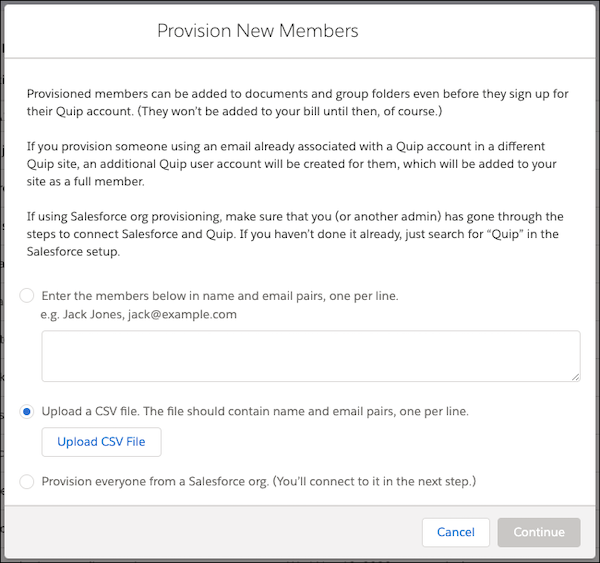
- To add a small number of users to your site, enter the users’ names and emails in the text box.
- To add a large number of users to your site, upload a CSV with name and email pairs.
- To let anyone from a Salesforce org automatically connect to your site, select Provision everyone from a Salesforce org, and log in to the Salesforce org.
- Click Continue.
- Choose whether you want to send your users a welcome email, onboarding emails, and email digests. You can customize the welcome email to help your users get up and running.
After you add users to your Quip site, they can be @mentioned in documents and messages before they even log in for the first time.