
Setting up AI Relationship Research is a four-stage process. The setup process includes preparing your org with the required features and licenses, assigning the correct permission roles to admins and users, configuring the product to research the right objects from the right data sources, and placing the component on the record pages where your users work.
The optional steps such as creating a Data Library and search retrievers are only required if you want to enable web search or Data 360 as research sources.
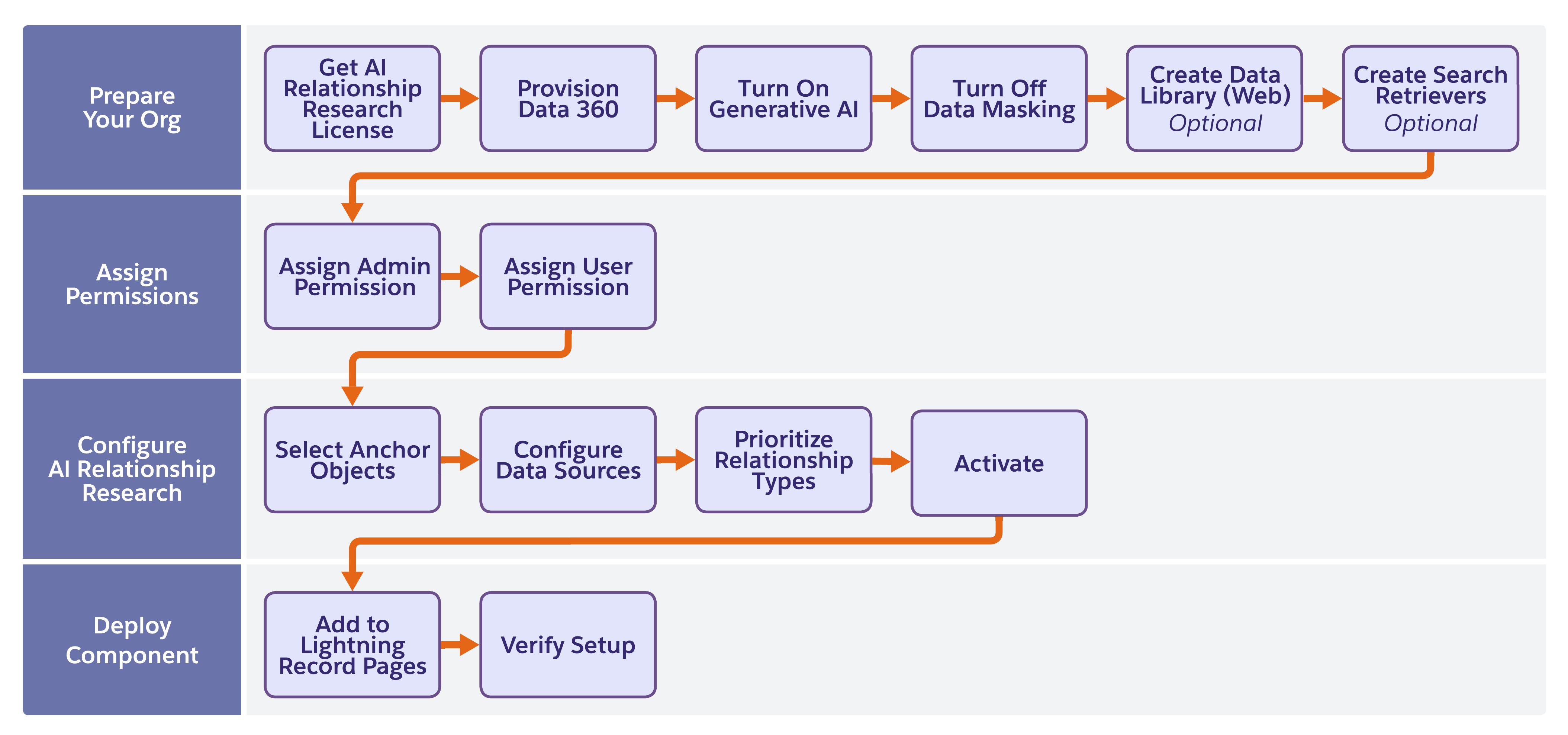
- Prepare Your Org for AI Relationship Research
Before you configure AI Relationship Research, complete these steps to make sure that your org has the required features enabled. - Assign AI Relationship Research Permissions
Assign the correct permission set to each user based on whether they set up AI Relationship Research or use it on record pages. - Configure AI Relationship Research
Configure AI Relationship Research by selecting the Salesforce objects to research, the data sources to use, and the relationship types to prioritize. - AI Relationship Research Source Objects
Source objects define which CRM data AI Relationship Research searches when it generates relationship insights for a research anchor object. Choose from a set of standard source objects delivered for each anchor object, and add your own custom objects to extend research to the data that's unique to your business. - Secondary Research Data Validation for Leads and Contacts
Secondary research data validation checks the employer information on your Contact and Lead records against the employer that AI Relationship Research discovers through research, and flags any discrepancy so that users can keep the current value or apply the discovered one. - Add AI Relationship Research to Lightning Record Pages
After you configure AI Relationship Research, add the relationship graph component to the Lightning Record Pages where your users work.