Rebate Management includes a simpler and more scalable orchestration flow called Rebate
Orchestration Flow 2. Just like the Rebate Orchestration Flow, this flow automates rebate
records aggregation, calculation of rebate amounts, and payout processing. This flow includes a
Calculate Rebate Payout for All Periods batch job that calculates the rebate payouts for
aggregate records of all periods. The last execution date of the batch job is used to determine
which aggregate records are used to calculate the rebate amounts and generate payouts. After
payouts are successfully generated, a Data Processing Engine job closes the payout periods. This
flow includes the other flows as subflows.
Required Editions
| Available in: Enterprise, Unlimited, and Developer Editions
that have Rebate Management enabled. |
Ensure that you activate the Rebate Calculations Post Processing Data Processing Engine
definition before using the Rebate Orchestration Flow 2 for your rebate calculations. To
activate the Data Processing Engine definition:
-
From Setup, in the Quick Find box, enter Data Processing Engine
and then select Data Processing Engine.
-
Click Rebate Calculations Post Processing and then click Save
As.
-
Enter a name for the definition.
-
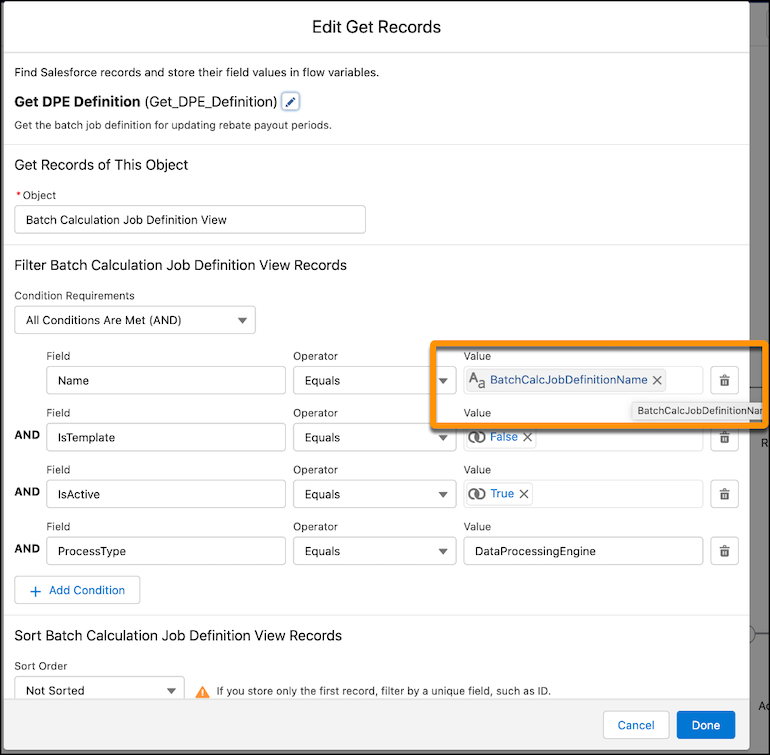
We recommend that you retain the API name Rebate_Calculations_Post_Processing. If you
choose to change it, also update the BatchCalcJobDefintionName variable in the Run Rebate
Post Payout Actions 2 flow with the new API name.
-
Save your work.
The Rebate Orchestration Flow 2 has these components.
| Template |
Purpose |
Additional Details |
| Run Rebate DPE Jobs |
Runs all active data processing engine definitions to generate aggregate
records.
To be included in this flow, the Process Type of a data processing engine
definition must be set to Rebates.
|
Use this flow to automatically run applicable data processing engine
definitions at periodic intervals. |
| Run Rebate Payout Calculations 2 |
This flow calls the Calculate Rebate Payout for All Periods batch job to
calculate the rebate payout amount from aggregated records for active payout
periods. The job updates the rebate payout data in the Program Rebate Type Payout
Source, Program Rebate Type Payout, and Rebate Program Member Payout objects.
|
This batch flow processes aggregates that have changed since the last batch
execution date. If there were failures during the previous batch run, review them
in Monitor Workflow Services in Setup, correct the failures, and resubmit the
failed records. The Failures aren't automatically reprocessed.
|
| Calculate Rebate Amount |
The Calculate Rebate Payout for All Periods batch job calls this flow to
process aggregate records in manageable chunks and generate rebate payouts. |
— |
| Run Rebate Post Payout Actions 2 |
Uses the Rebate Calculations Post Processing Data Processing Engine definition
to update the last calculation date of the rebate payout and close payout periods
with payout calculation dates before the defintion is run. |
When the payout calculation date for a period arrives, the Data Processing
Engine job sets the payout status to Calculated and the payout period to
Closed. |