---
schema_version: "1"
id: 6e856d0558f2cee4c45ca6b58c071a32197f593f8bedb2c909fae355a1e35b16
title: Enable Rebate Management
collection: admin
version: current
locale: en-us
portal_url: https://docs.salesforce.com/admin/current/en-us/xcloud/264-0-0/admin_rebates_enable_rebate_management.md
canonical_url: https://help.salesforce.com/s/articleView?id=xcloud.admin_rebates_enable_rebate_management.htm&release=264.0.0&type=5
source_site: help.salesforce.com
content_type: documentation
content_hash: 91a90ee2f63e7c7b1c2bb38cfe7edc32b877bc480e0326764b9fb931acb0cbc1
description: To access Rebate Management objects in your org, you must enable the feature in Setup. When you enable the feature, the predefined templates for Flow builder, Data Processing Engine, and Batch Management are also available for use. Rebate program managers can create programs and calculate payouts.
products:
- Partner Cloud
- Cross Cloud
- Manufacturing
release: "264"
---
# Enable Rebate Management
To access Rebate Management objects in your org, you must enable the feature in Setup. When you enable the feature, the predefined templates for Flow builder, Data Processing Engine, and Batch Management are also available for use. Rebate program managers can create programs and calculate payouts.
### Required Editions
Available in: Enterprise, Unlimited, and Developer Editions that have Rebate Management enabled.
User Permissions Needed
To enable the feature
Customize Application
1. From Setup, in the Quick Find box, enter Rebates, and then select **Rebates**.
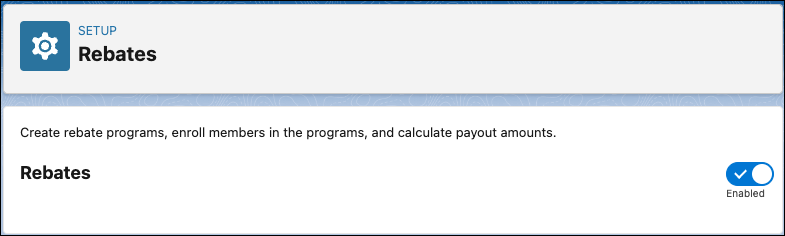
2. Enable **Rebates**.
The admin must assign the Rebate Management Admin permission set to their own user profile after enabling the feature.
#### See Also
- [Permission Sets for Rebate Management](https://help.salesforce.com/s/articleView?id=xcloud.admin_rebates_assign_permission_sets.htm&release=264.0.0&type=5 "Assign permission sets to users to give them access to objects, fields, and features for Rebate Management and related features. Permission sets extend users’ functional access beyond their user profiles but can’t take access away. You can assign multiple permission sets to a user.")