
Create a quick action that stores the generated voice call summaries in fields of a Salesforce object. For example, the action stores voice call summaries in VoiceCall object fields.
Required Editions
| View supported editions. |
| User Permissions Needed | |
|---|---|
| To create quick actions: | Customize Application |
You can store the generated summaries in standard or custom fields of the VoiceCall object or one of its related objects. To store the summary in custom fields, first, create the fields with Text Area or Text Area (Long) field types.
- In the Object Manager in Setup, open the Salesforce object that store the generated summaries.
- In the Details page, click Buttons, Links, and Actions.
- Click New Action.
-
In the Action Type field, select Update a Record, and enter a label
like “Update Voice Call with Summaries.”
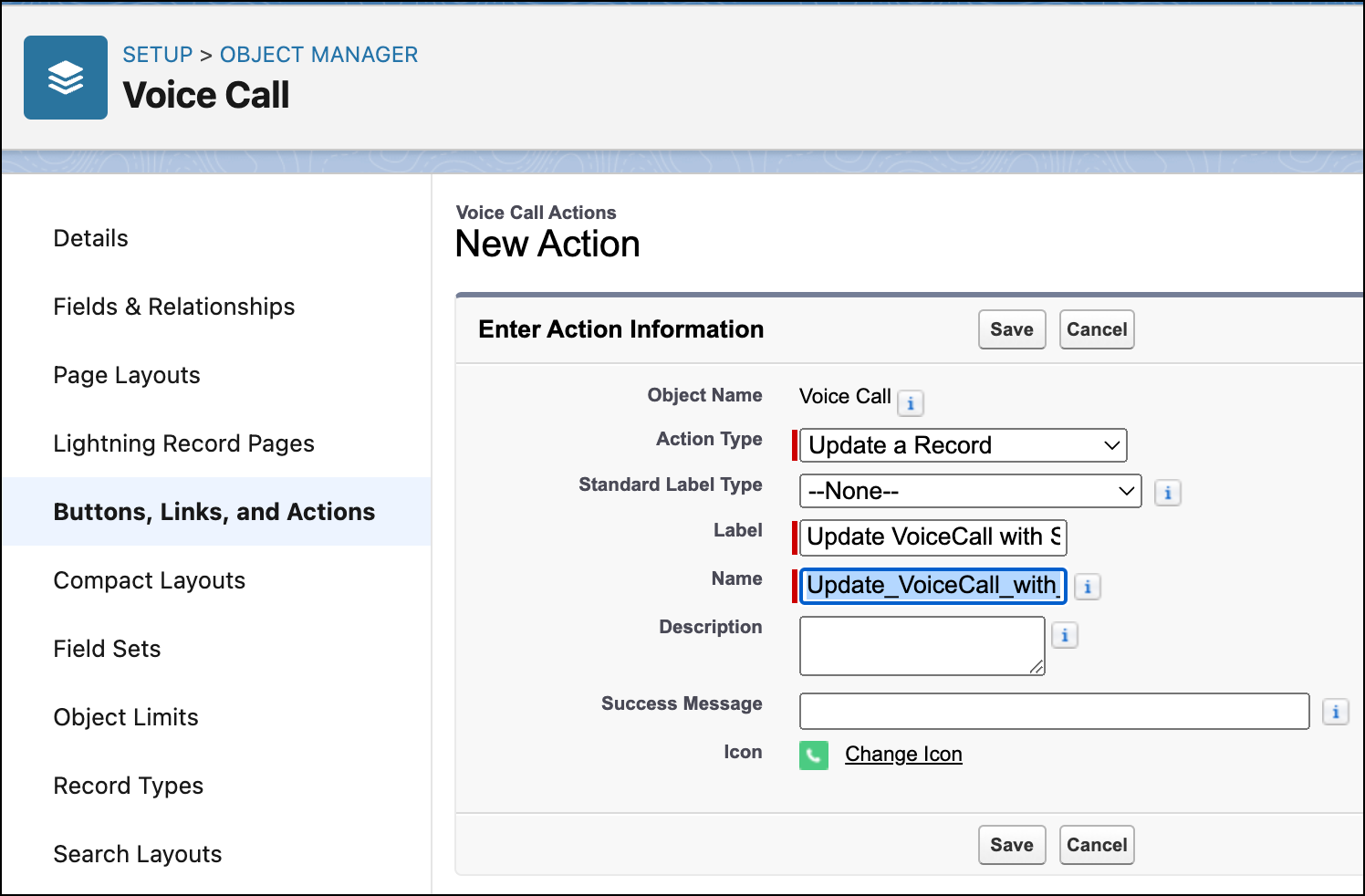
- Click Save.
-
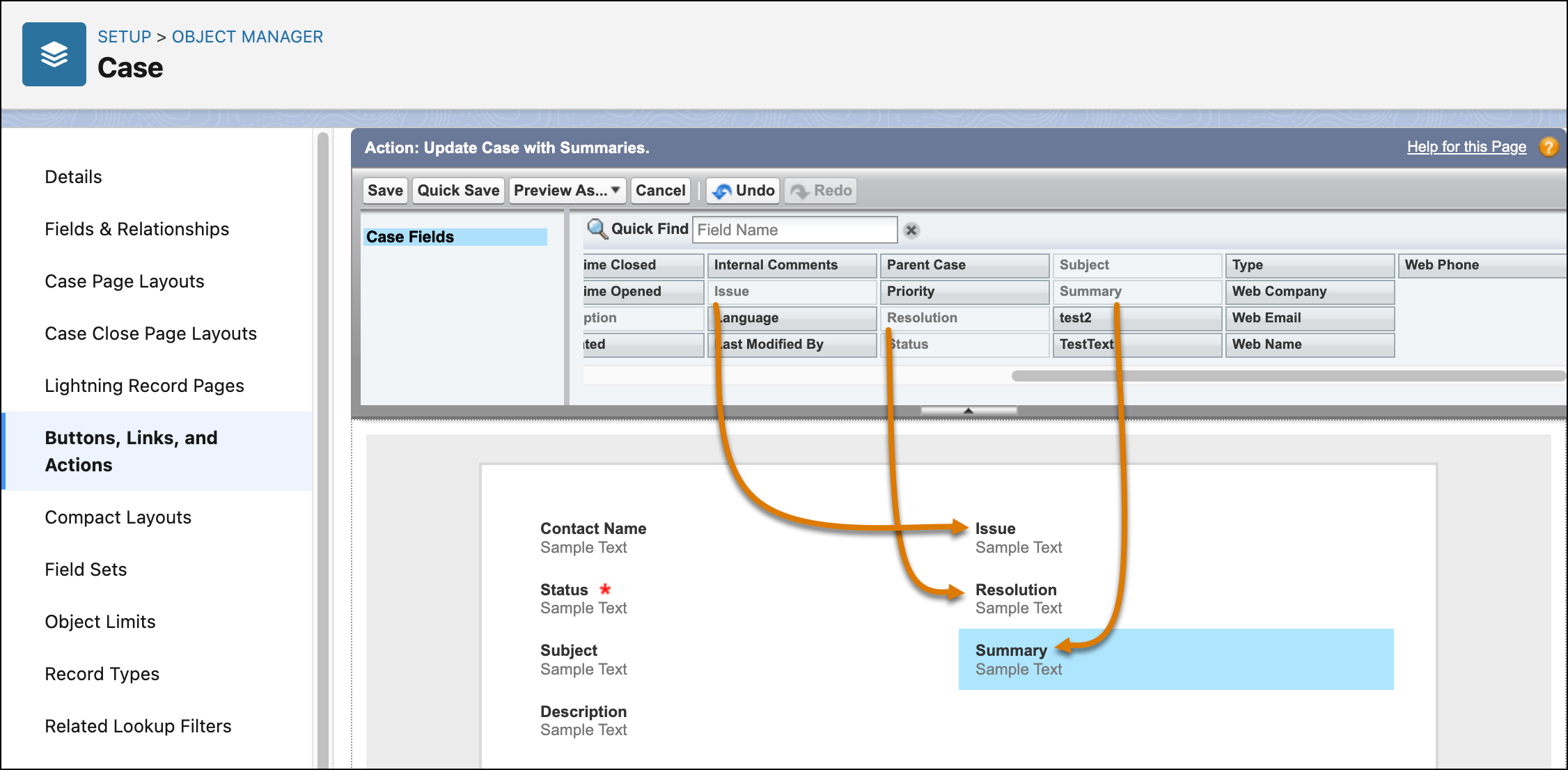
In the Action screen, select the fields that store the generated summaries, and drag them
to the layout.
If you are using custom fields, ensure that they have a Text Area or Text Area (Long) data type. Fields with other data types can’t store summaries.
- Click Save.