---
schema_version: "1"
id: 4d256d1cd7da370af6d14f1b7576ca1d749e36ff0cd47d8542918d2acf52d899
title: Create a Quick Action to Store the Generated Messaging Session Summaries
collection: admin
version: current
locale: en-us
portal_url: https://docs.salesforce.com/admin/current/en-us/service/264-0-0/work_summaries_messaging_quick_action.md
canonical_url: https://help.salesforce.com/s/articleView?id=service.work_summaries_messaging_quick_action.htm&release=264.0.0&type=5
source_site: help.salesforce.com
content_type: documentation
content_hash: ad541b8034efa0c260edc95de93d040cceebd1b223ad884cae4061cc2e539bb7
description: Create a quick action that stores the generated enhanced messaging session summaries in the fields of a Salesforce object. For example, the action stores messaging session summaries in Case object fields.
products:
- Service Cloud
- Service Intelligence
release: "264"
---
# Create a Quick Action to Store the Generated Messaging Session Summaries
Create a quick action that stores the generated enhanced messaging session summaries in the fields of a Salesforce object. For example, the action stores messaging session summaries in Case object fields.
### Required Editions
| User Permissions
Needed |
| To create quick actions: |
Customize Application |
You can store the generated summaries in standard or custom fields of the MessagingSession object or one of its related objects. To store the summary in custom fields, first, create the Summary, Issue, and Resolution fields with Text Area or Text Area (Long) field types.
1. In the Object Manager in Setup, open the Salesforce object that store the generated summaries.
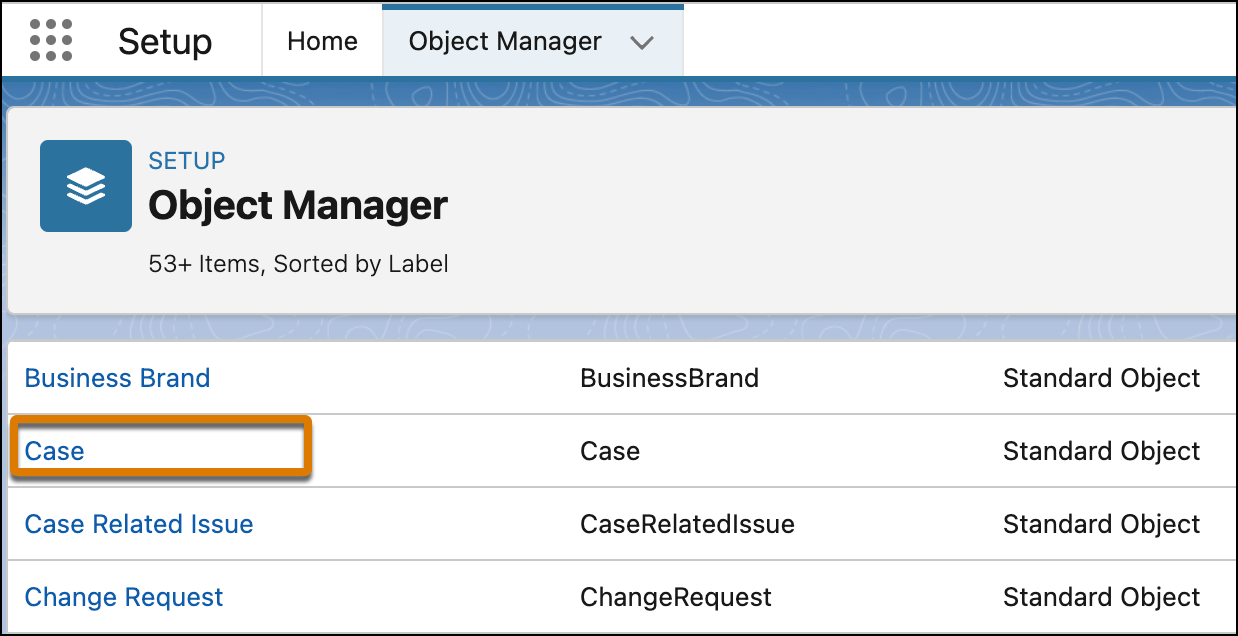
2. In the Details page, click **Buttons, Links, and Actions**.
3. Click **New Action**.
4. In the Action Type field, select **Update a Record**, and enter a label.
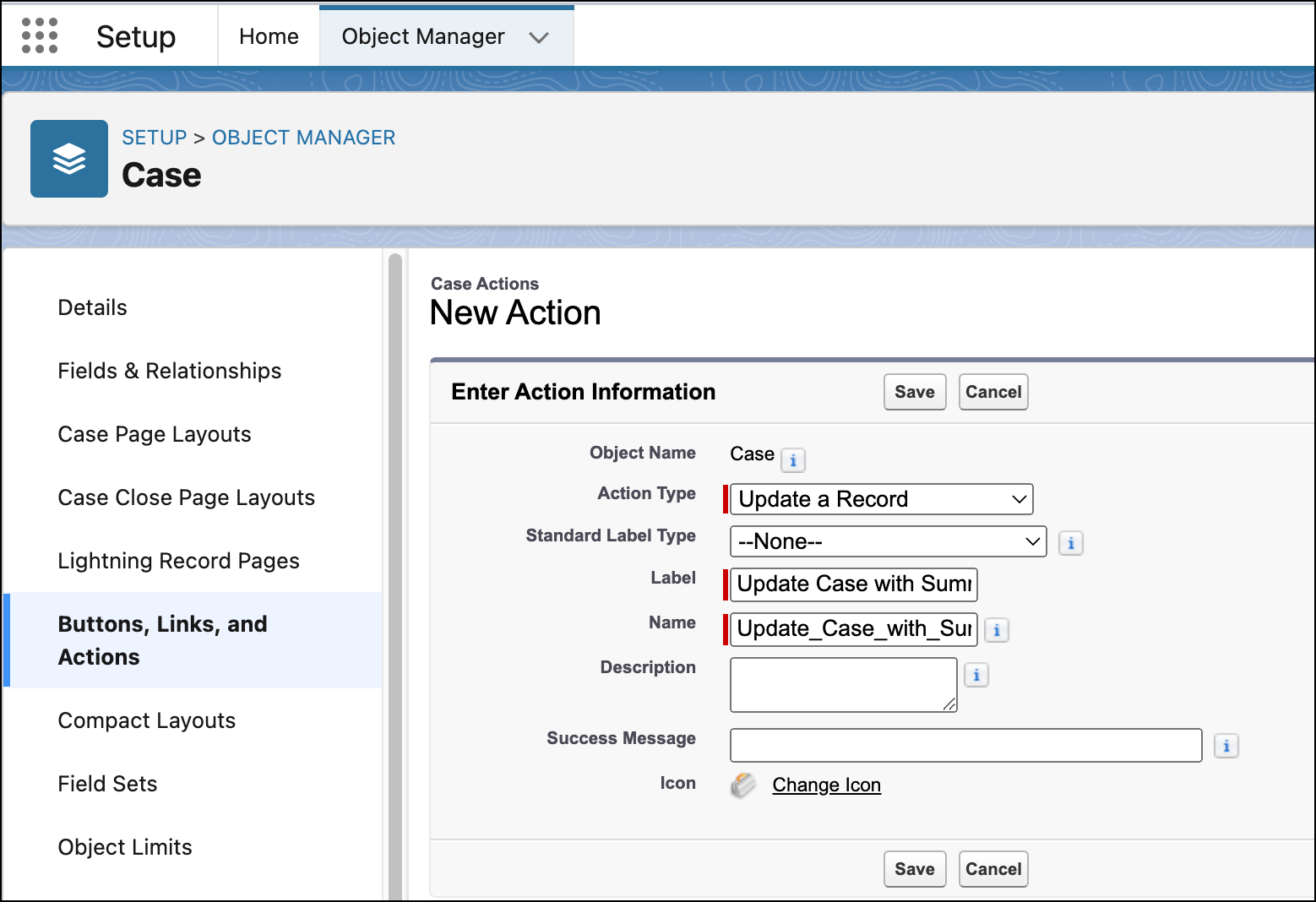
5. Click **Save**.
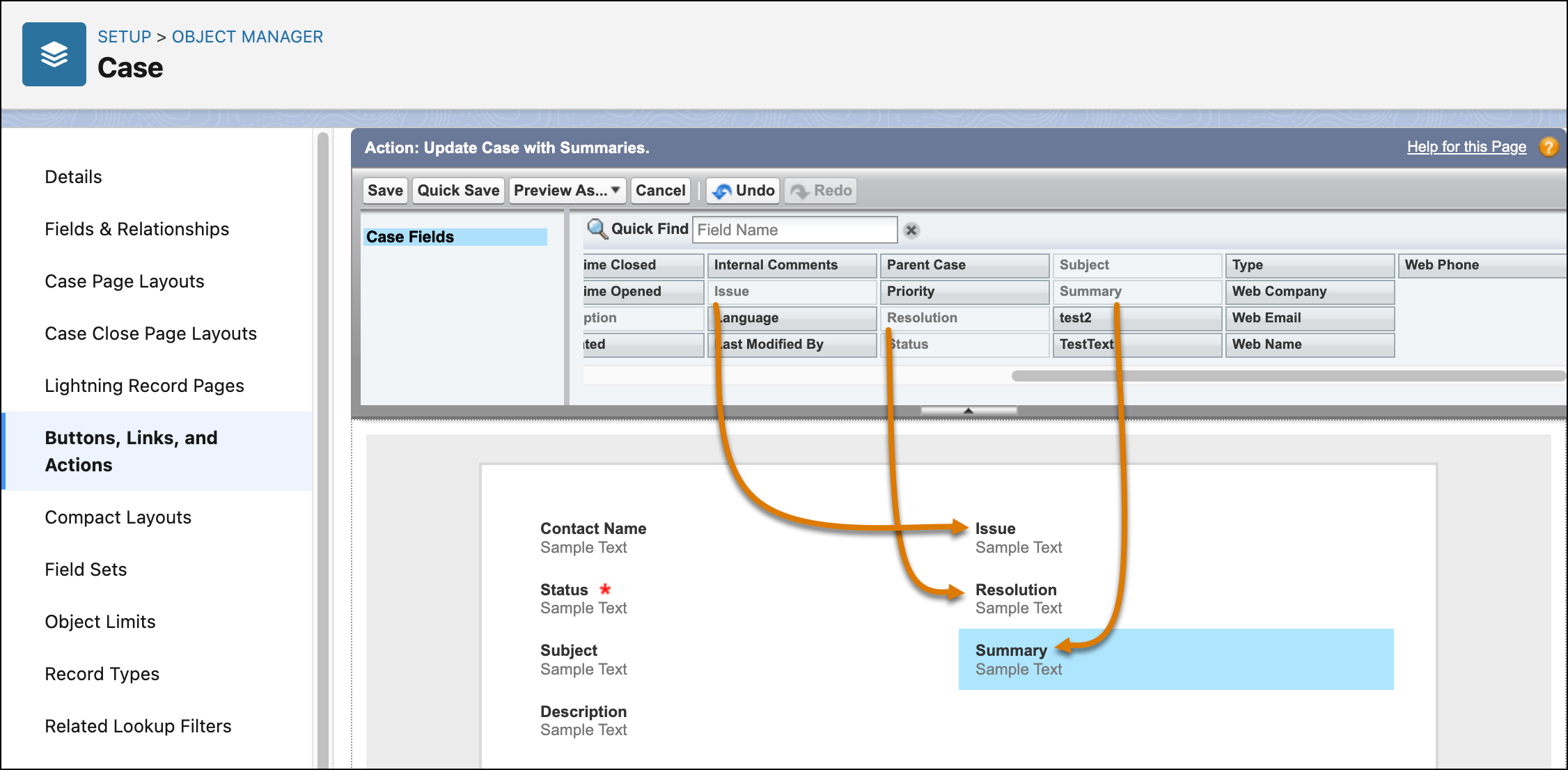
6. In the Action screen, select the three fields that store the generated summaries, and drag them to the layout.
If you are using custom fields, ensure that they have a Text Area or Text Area (Long) data type. Fields with other data types can’t store summaries.
7. Click **Save**.
#### See Also
- [Create Custom Fields](https://help.salesforce.com/s/articleView?id=platform.adding_fields.htm&type=5&language=en_US)