View the Sentiments of a Call Conversation

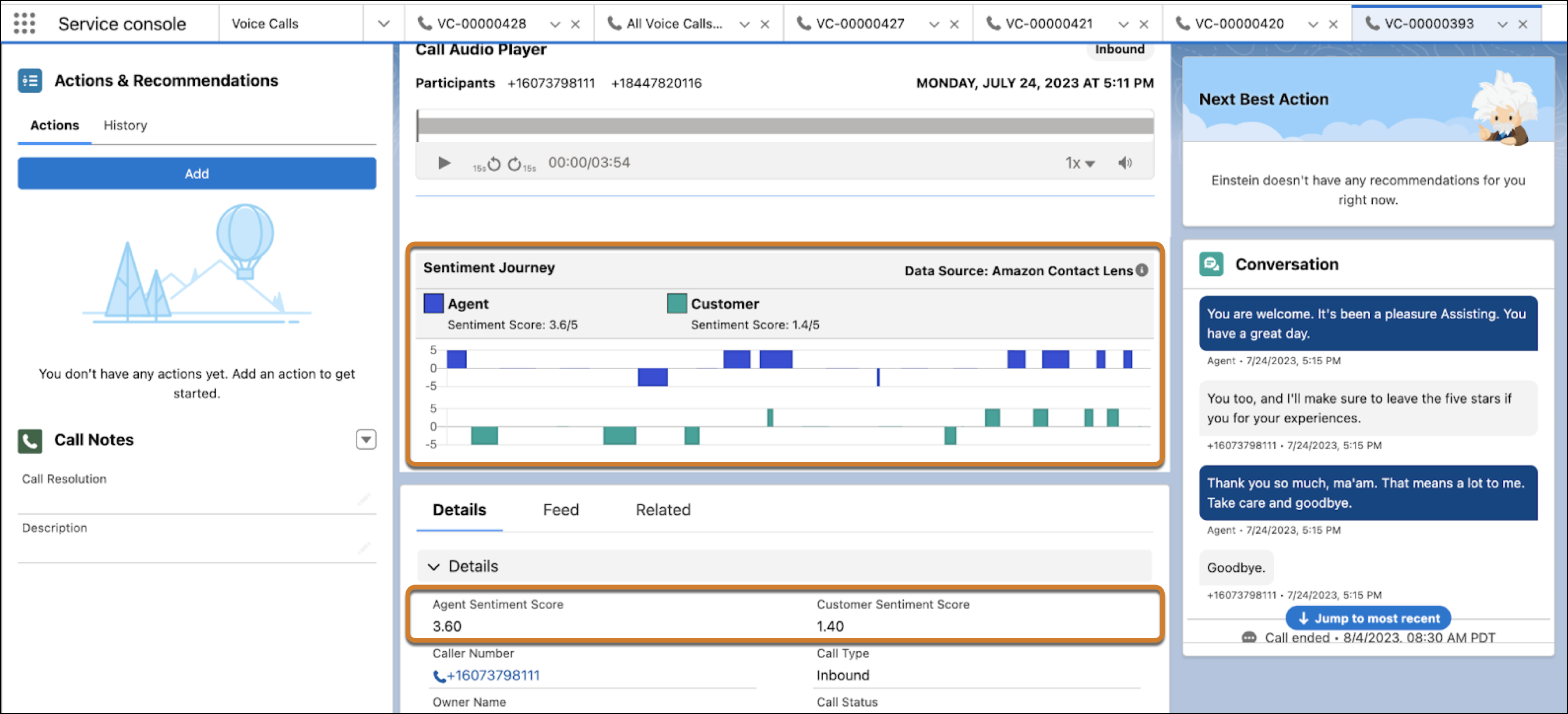
After a call ends, view the customer and rep sentiments in the Call Audio Player. Each utterance can have a positive, negative, or neutral sentiment. To identify what was said when negative sentiments occur, play the recording at those moments. To turn a negative experience into a positive one, a rep can then follow up with the customer. A supervisor can also coach the rep to improve the way they handle calls.
Required Editions

This article applies to:

  • Salesforce Voice with Amazon Connect
  • Salesforce Voice with Partner Telephony
  • Salesforce Voice with Partner Telephony from Amazon Connect
View supported editions.
  1. Open the voice call.
  2. In the Call Audio Player component, view the sentiment of each rep and customer utterance alongside the call recording from a previous conversation. 
    The customer and agent sentiment scores show on the Voice Call record if configured that way.
  3. To hear what was said during the call, play the recording.