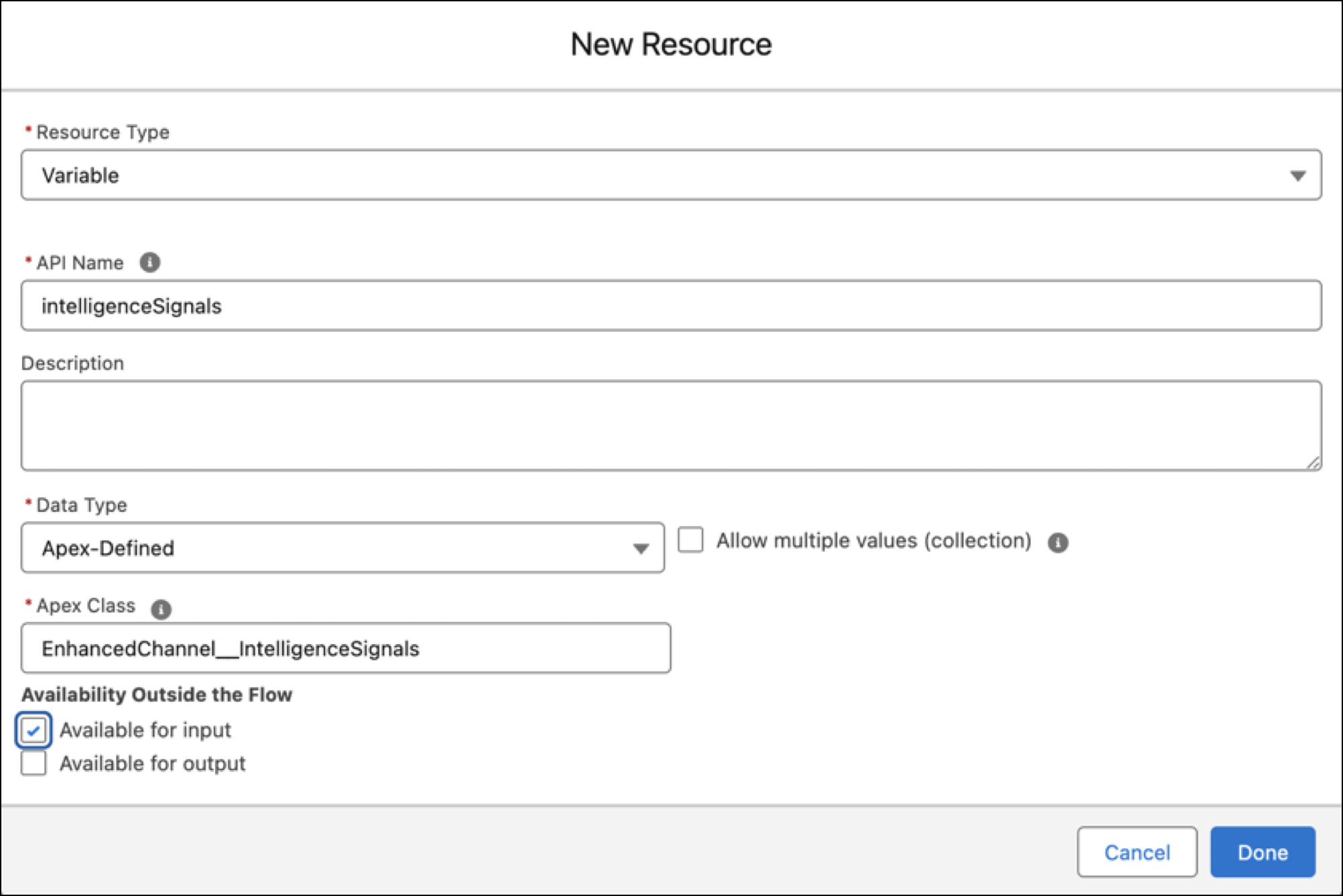
To pass input to the Recommendation Strategy flow, add variables to the flow. Creating a Recommendation Strategy flow adds the recordId and outputRecommendations variables, by default.
You can add these types of input variables to the flow.
| Variable API Name | Description |
|---|---|
| intelligenceSignals | Stores a collection of intelligence signal types. Required if you’re passing intelligence signals to the flow. To use an intelligenceSignals input variable for a Next Best Action flow, turn on the Use an Apex-Defined Variable for All Intelligence Signal Types release update. The update is available starting in Summer ’24 and will be enforced in Spring ’25. |
| ruleDevName | Dev name of the Conversation Intelligence rule. Required for keyword rules only. To use a rule input variable for a Next Best Action or autolaunched flow, turn on the feature. See Pass the Rule Name as Input to a Flow. |
Depending on the type of variable, enter these variable settings.
| Variable Setting | intelligenceSignals variable | ruleDevName variable |
| Resource Type | Variable | Variable |
|
API Name (case-sensitive) |
intelligenceSignals This setting applies if you declaratively created the Conversation Intelligence rule. If you programmatically created the rule with Service Cloud Voice Toolkit API, set the API name to the name of the attribute in the updateNextBestActions method payload. |
ruleDevName |
| Data Type | Apex-Defined | Text |
| Allow multiple values (collection) | false | false |
| Apex Class |
EnhancedChannel__IntelligenceSignals Don’t use EnhancedChannel__EinsteinIntelligenceSignals. |
n/a |
| Available for input | true | true |
| Available for output | false | false |
Here’s a sample definition for the intelligenceSignals variable.