
You must create the AWS artifacts before creating the contact center.
Required Editions
This article applies to:
- Salesforce Voice with Partner Telephony from Amazon Connect (Voice manually integrated with your Amazon Connect instance by importing the contact center definition XML file)
| View supported editions. |
- Provide a unique name of your choice for CallCenter Name. If you have a multi-org setup, make sure that a callCenter with the same name doesn’t exist in any other org.
-
If you’re using the Salesforce identity provider for SAML assertion, get the SAML metadata
document from Salesforce and upload it to
<CustomerPrefereds3bucketPrefix>-scv-saml-metadataS3 Bucket.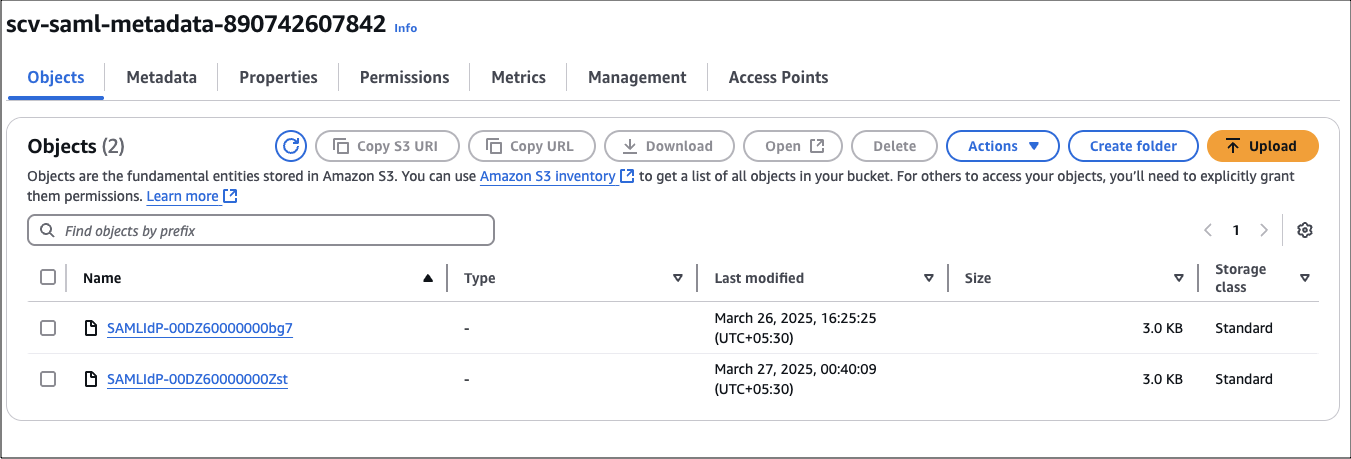 Note the uploaded object name, and use this name as the value for the SAMLFileInS3 parameter in BYOAIDPStack.yaml.
 -
Execute TenantStack with the correct values for the input parameters. The value of the
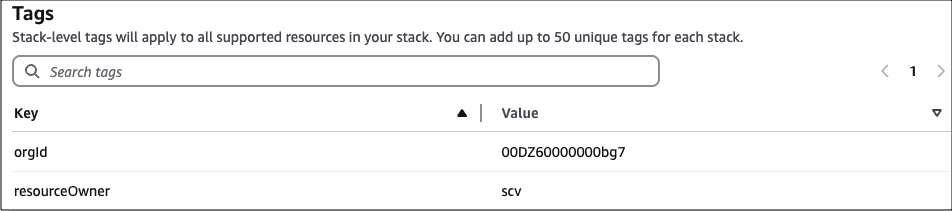
S3BucketForScvResourcesfield must beprod-byoa-scv-resources, and that ofMpaIdmust be 793525387755. The value of theresourceOwnertag must bescv.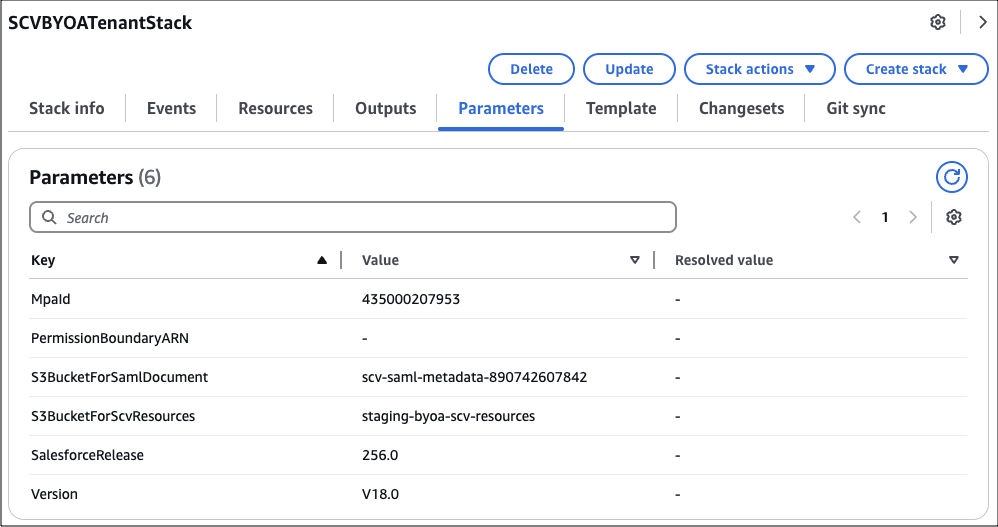
-
Execute
BYOAIDPStackto createSalesforceVoiceIDPStack. The value of theresourceOwnertag must bescv.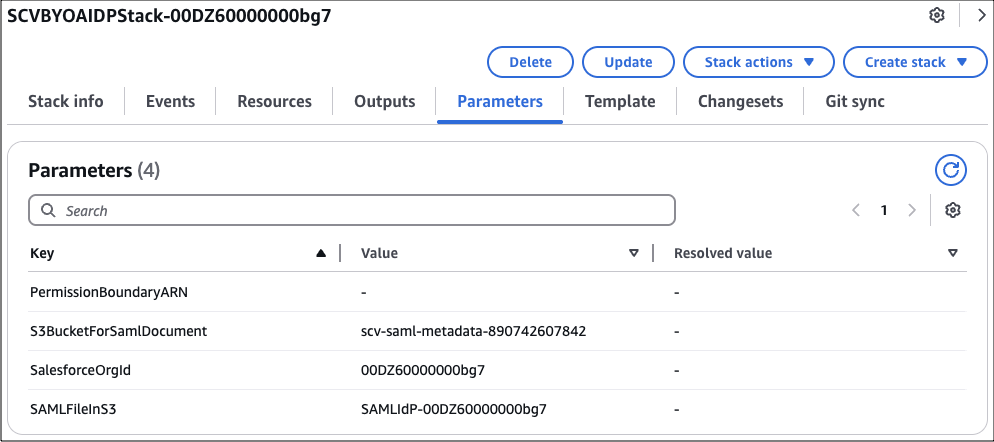
-
Execute
ContactCenterStackwith the correct values for the input parameters. The value of theS3BucketForScvResourcesfield must beprod-byoa-scv-resources, and that ofMpaIdmust be 793525387755. TheCallCentername must be the same as the one you have provided in step 1.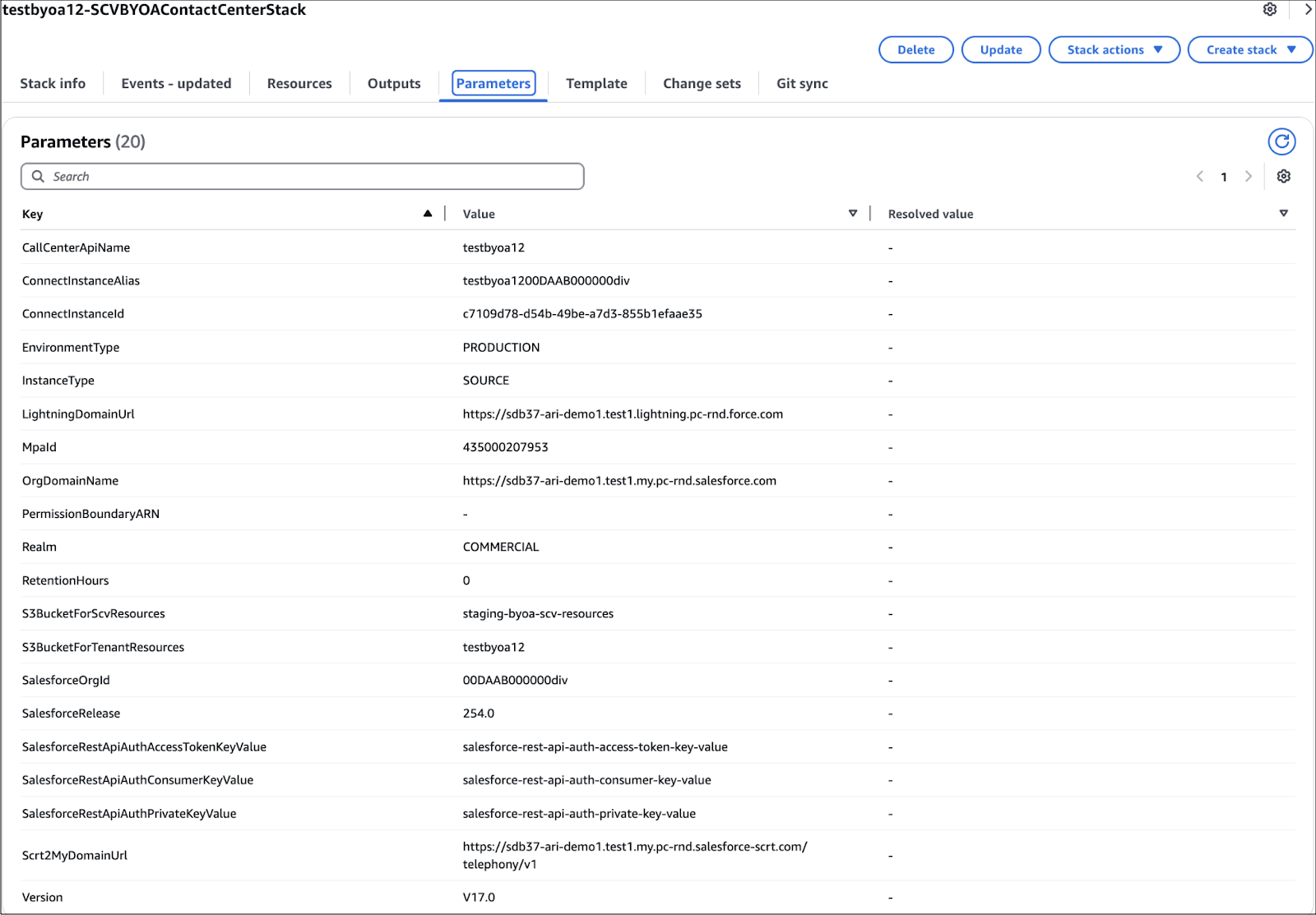

Note The value of the S3BucketForScvResources field must be prod-byoa-scv-resources, and that of
MpaId must be 793525387755.
The Salesforce release must support the contact center version. See Salesforce Voice Contact Center Updates.