Change a Swarm Record’s Slack Channel Name

When a swarm record is created in Salesforce, the swarm record’s name appears in the Collaboration Room field. If the Slack channel name contains sensitive information, consider changing the name in Slack or updating the Collaboration Room field. You can also choose to hide the Collaboration Room field from certain users.

Required Editions

View supported editions.
Note
Note Swarm records created before the Summer ’23 release show the Collaboration Room ID from the Collaboration Room field.
  1. Open the swarm record in Salesforce.
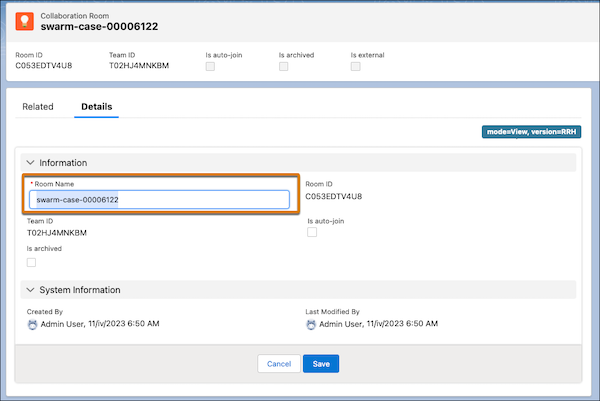
  2. Select the Collaboration Room.
  3. Under Room Name, select Edit.
    Slack Channel Room Name field highlighted
  4. Enter a new name that doesn’t contain sensitive information.
  5. Save your changes.