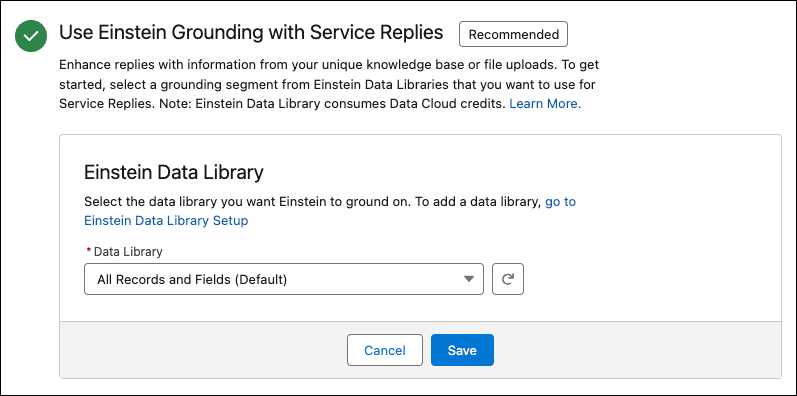
To get grounded replies and use prompt templates, assign a data library. Data libraries index your knowledge articles and fields, or file uploads, so that Einstein knows which information to base responses on.
Required Editions
| Available in: Lightning Experience |
| Available in: Enterprise and Unlimited editions with the Einstein for Service add-on. |
To use Einstein Service Replies with a data library, you must have Data 360 enabled. Agentforce data library consumes Data Cloud credits.

After assigning a data library, you can’t revert Service Replies to use context only or to use Service AI Grounding.
-
To ground Service Replies in your knowledge base or uploaded files, under Use Agentforce
Data Library with Service Replies, select a data library. To create a data library, go to
Agentforce Data Library Setup. See Agentforce Data Library.
When you select a data library, consider the type of information you want Einstein to use as a basis for replies. Libraries that are configured to use your knowledge base can consider different fields or settings. Likewise, for libraries that configured with uploaded files, consider the information contained in the library’s file set before assigning it to Service Replies. Some considerations:
- Field-level security limits the grounded responses users can see. Users only see grounded responses for fields they can access.
- Users only see grounded responses for knowledge article versions that they can access.
- Encrypted fields aren't supported for grounding.
- Give agents access to the Agentforce Data Library.
- Click Save.