---
schema_version: "1"
id: a5a579e1ff66a4592df1df7b674307bd710d5164d9e844b26bf7366c40bfcf7b
title: Build Your Recommendation Model
collection: admin
version: current
locale: en-us
portal_url: https://docs.salesforce.com/admin/current/en-us/service/264-0-0/reply_rec_build.md
canonical_url: https://help.salesforce.com/s/articleView?id=service.reply_rec_build.htm&release=264.0.0&type=5
source_site: help.salesforce.com
content_type: documentation
content_hash: c4984810d0956f6f0ec9701f978ca594f1909b98839834a64f4b5deca42a5083
description: After you enable Einstein Reply Recommendations, you can build your model if you have enough closed chats.
products:
- Service Cloud
- Service Intelligence
release: "264"
---
# Build Your Recommendation Model
After you enable Einstein Reply Recommendations, you can build your model if you have enough closed chats.
### Required Editions
To build the Einstein Reply Recommendations model:
Customize Application
1. From Setup, in the Quick Find box, enter Einstein Reply Recommendations, and then select **Einstein Reply Recommendations**.
2. On the Einstein Reply Recommendations Setup page, click **Let’s Go**. If you don’t have [enough closed chats](https://help.salesforce.com/s/articleView?id=service.reply_rec_prepare.htm&release=264.0.0&type=5 "Before you set up Einstein Reply Recommendations, review the data requirements and testing tips. Reply recommendations are included in the Service Cloud Einstein add-on license.") to build a model, you get a message here.
3. To let Einstein analyze your chat data and generate a list of replies, click **Build Model**.
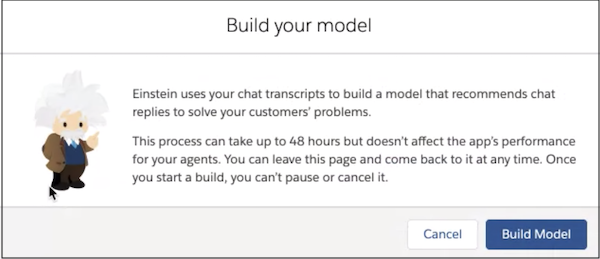
Einstein creates two models from this initial build. One identifies potential reply templates from past chats and service rep utterances. A second model identifies data patterns in live chats and then recommends that reply to service reps in real time.
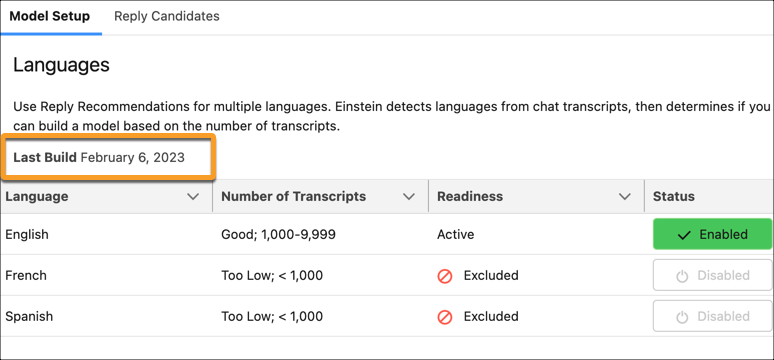
After the initial build, each month Einstein retrains the model that recommends replies to your service reps in real time. To see your last build date, in the Einstein Reply Recommendations page in Setup, select **Model Setup**.