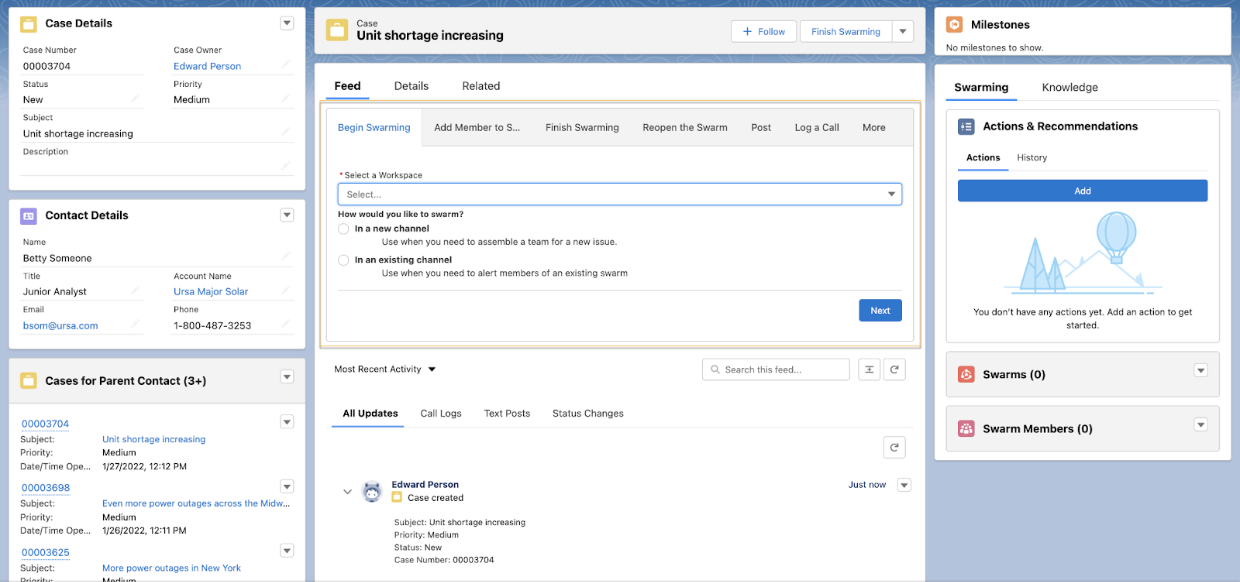
Swarming with quick actions runs the flow in the publisher under the Feed component
instead of in a tab or window. When support reps use a quick action to run a flow, they can view
exterior Lightning page components while running a flow so that they can see and access more
information about a record.
Required Editions
-
Create a quick action of action type Flow for each flow that you want to add to the
Console, such as Begin Swarming or Add Member to Swarm.
-
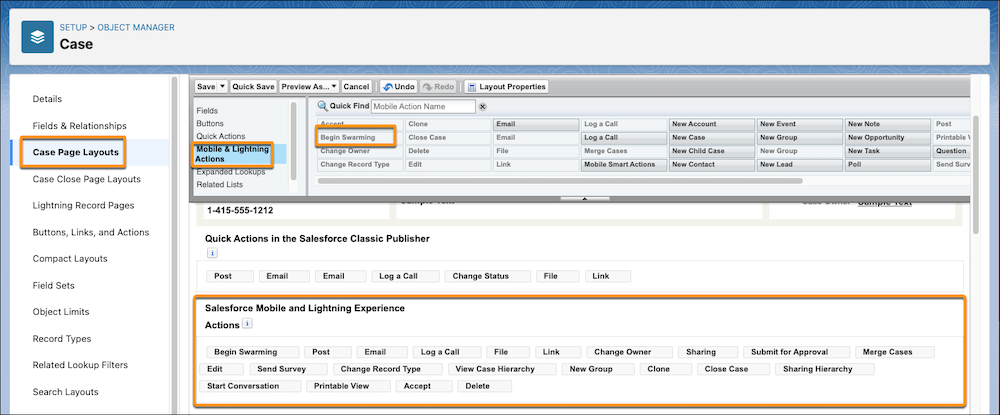
From the management settings of the object you created an action for, click Page
Layouts.
-
Drag your flow action from the Mobile & Lightning Actions section to the Salesforce
Mobile and Lightning Experience Actions section of your page layout.
-
Save your changes.
Support reps can now launch a swarming flow from the record’s Feed.