
Review the differences between Standard Omni-Channel and Enhanced Omni-Channel. Enhanced Omni-Channel is the recommended version.
| View supported editions. |

Important Standard Omni-Channel is retired with the Summer ’26 release. To make
sure that your users maintain their routing workflows and gain access to the latest
features, Salesforce automatically upgrades your org to Enhanced Omni-Channel during the
Summer '26 release rollout. Enhanced Omni-Channel provides the latest capabilities for
service reps and supervisors. See upgrade Standard Omni-Channel to Enhanced.
| Feature | Standard Omni-Channel | Enhanced Omni-Channel |
|---|---|---|
| Routing of work, Omni Flows, Command Center for Service, Interruptible Capacity, and basic functionality |

|
|
| Support for Voice, Case, Enhanced Messaging channels, and all other routable Salesforce objects |
|
|
| Custom report types for service rep work |
|
|
| Ability to transfer skills-based work from an Omni-Channel work list 1 |
|
(See next row) |
| Reassign work to a rep, skill, queue, or Omni-Channel flow from a record page |  |
|
| Monitor Agentforce Service Agents | |
|
| Omni Mobile2 | |
|
| Support for apps that use standard navigation3 |
|
|
| Omni-Channel Fallback Mode |
|
|
| Supervisor Wallboard |
|
|
| Agent Inbox View |
|
|
| Paused status for status-based capacity |
|
|
| Sidebar layout for the Omni-Channel component |
|
|
| Customizable tabs and tab layout in Command Center for Service |
|
|
| Higher maximum of queued work items |
|
|
| All future Omni-Channel features and enhancements |
|
|
| Ability to prioritize work by Acceptance Due Date | |
|
| Unified Routing for end-to-end voice calls | |
|
| Support for Chat (Live Agent) and standard Messaging channels |
|
|
| Salesforce Classic |
|
|
| Lightning Experience |
|
|
Also take note of the differences in Omni-Channel behavior, especially if you migrate from Standard to Enhanced Omni-Channel.
| Behavior | Standard Omni-Channel | Enhanced Omni-Channel |
|---|---|---|
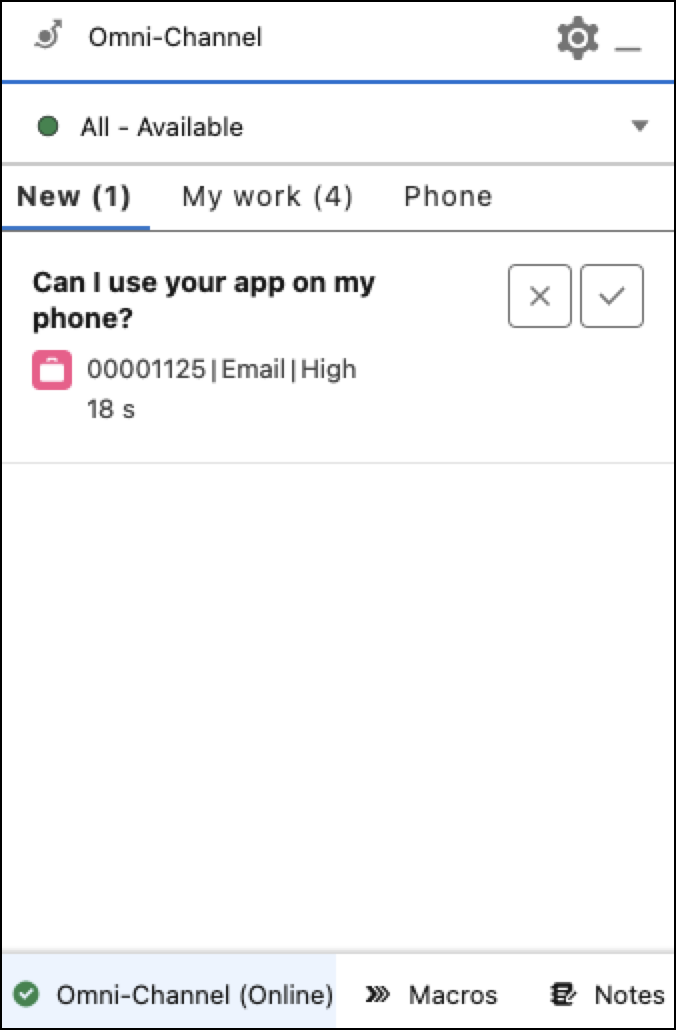
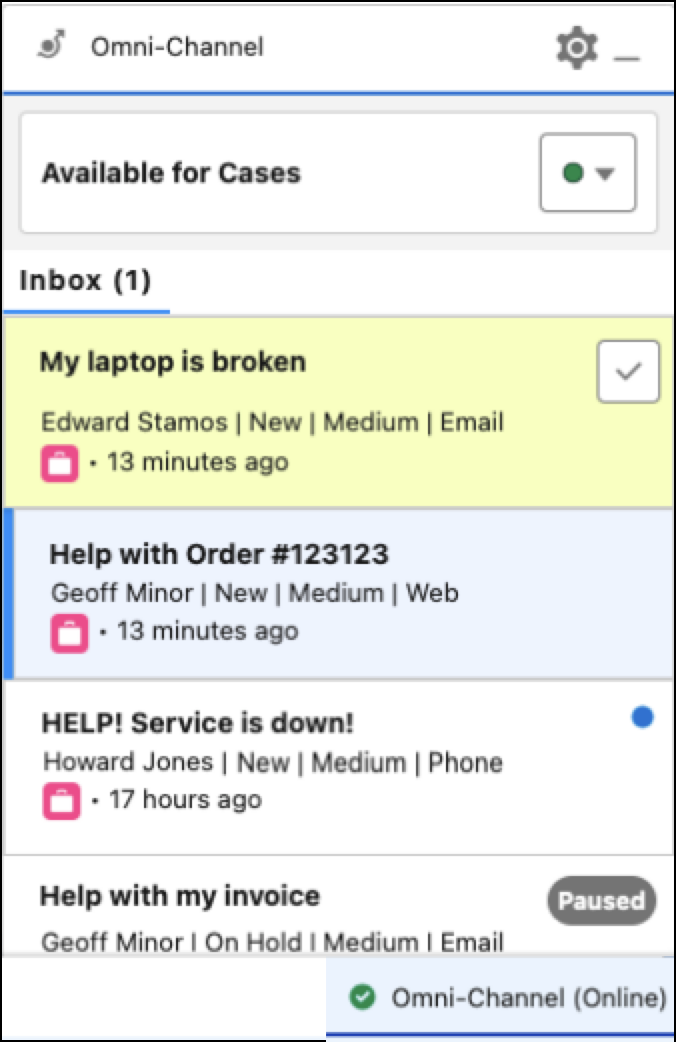
| Location of new and existing work items |
In the Omni-Channel widget, new work items appear in the New tab and existing
work items appear in the My Work tab. |
New and existing work both appear in the Inbox tab. |
| Sort order of the work items assigned to the rep | My Work tab sorts work items by priority. | Inbox sorts work items by their most recent creation or update date. You can use the sort options to change the sort order as described in Search and Sort in Omni-Channel Inbox. |
| Decline when busy | If a rep changes their presence status to Busy, then assigned Messaging sessions are canceled and re-routed. | They will remain assigned to the current user until they accept, decline, or go offline. |
| Wallboard | The Wallboard isn’t available. | Unless it’s hidden in the supervisor configuration, the Wallboard tab shows in Command Center for Service. |
1 With Enhanced Omni-Channel, add the Reassign action to a record page to transfer
skills-based work. See Set Up Work Reassignment.
2 Omni-Channel users, such as sales and service reps, can handle
work requests from all enhanced channels, except Voice, from their mobile device.
3 Only status-based capacity
models work with standard apps. Tab-based capacity models don’t work in such
apps.