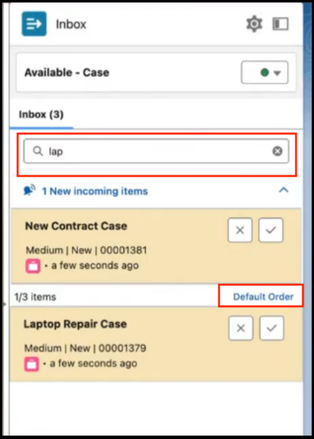
To efficiently prioritize and manage work items in Omni-Channel inbox, you can search and sort them according to your preference.
Required Editions
| View supported editions. |
| User Permissions Needed | |
|---|---|
| To access Omni Inbox in the Salesforce Mobile app: | Messaging Agent |
Search: Use the search menu at the top of the inbox to find specific work items. While you're using the search menu, newly assigned work items that need your action will appear as notifications in a collapsible field. If your search query matches any of the new work items, they'll be included in the search results.
Sort: Use the sort function in the search menu to organize work items.
- Alphabetical Order: sort alphabetically.
- Created Time: sort based on the time work items were created.
- Last Update Time: sort work items based on the most recent activity. Last updated time changes when a work item is accepted, when it is paused and when it is resumed.
- Routing Priority: sort from highest priority to highest secondary priority to oldest requested date.