
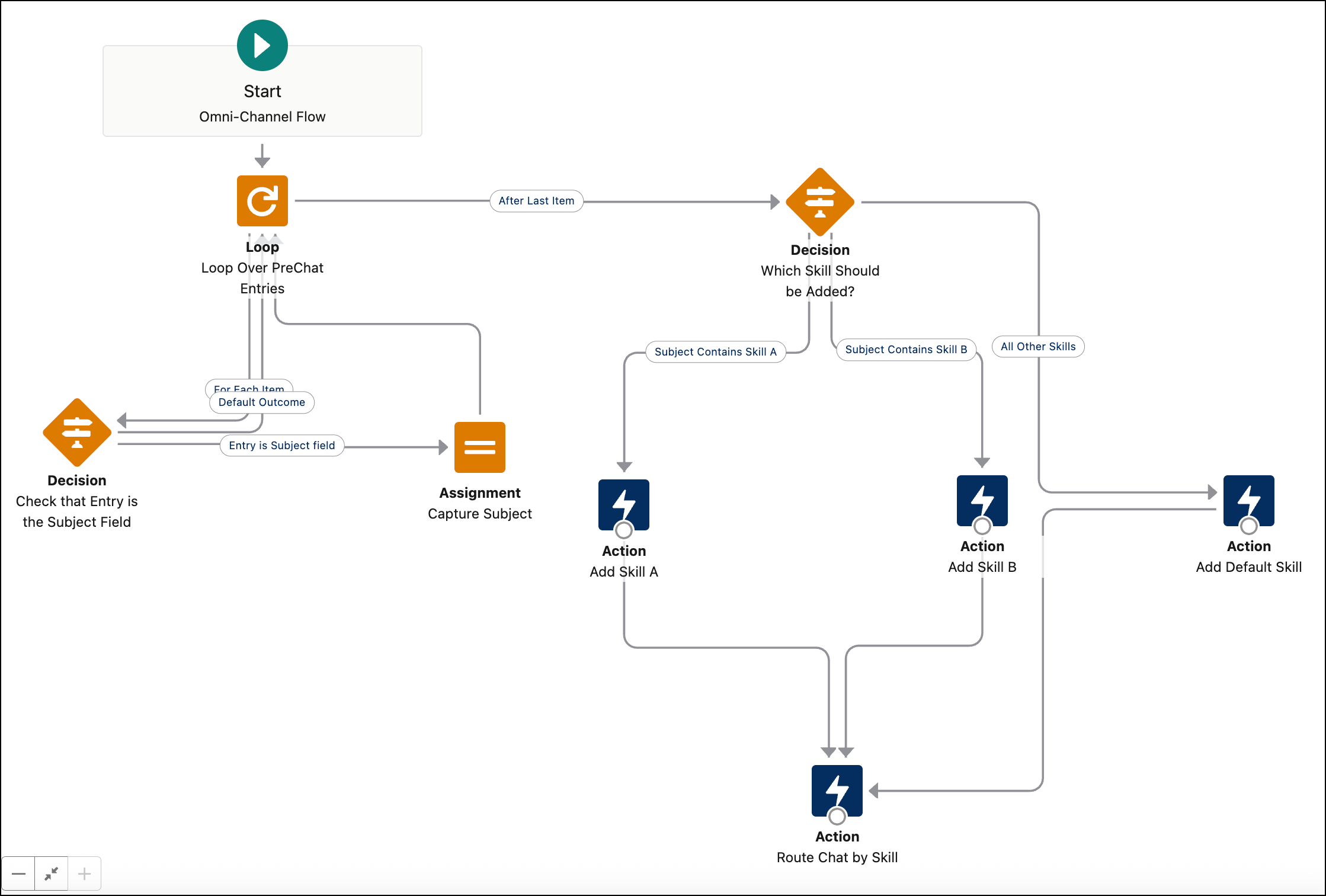
Automatically route work items to qualified support reps based on their specific skills. You can achieve this using skills-based routing rules, an Omni-Channel flow, or a combination of both. For instance, to conditionally assign specific skill requirements to work items using an Omni-Channel flow, add a Decision action to establish the conditions that determine which set of skills are applied to each work item and add a Skill Requirements action to define a set of skills.
| View supported editions. |

Note You can’t use skills-based routing for voice calls.
- Prerequisites to Route Work to Skills
Before you can route work items to skills using an Omni-Channel flow or skills-based routing rules, you must complete the prerequisites. - Add a Skill Requirement Action
Add skill requirements to your work items to ensure the work is routed to the best service rep for the customer’s issue. You can add up to 10 skills with the Add Skill Requirements action and can define 20 skills overall in the flow when routing an individual work item. - Add a Route Work Action
Route work items to service reps with specific skills using an Omni-Channel flow.