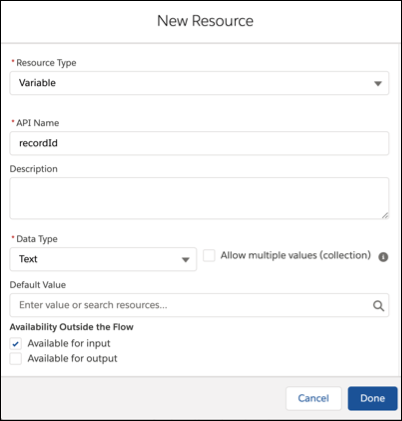
To store the ID of the work item in the flow, create the recordId variable.
- In the Flow Builder Toolbox, click Manager and then click New Resource.
- For Resource Type, select Variable.
- For API Name, enter recordId. Note: Make sure to use this name, specifically.
- For Data Type, select Text.
- Under Availability Outside the Flow, select Available for input.
-
Click Done.