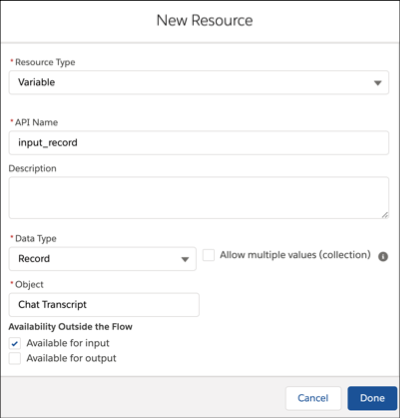
If you build a flow to route work based on field values in a Salesforce record, use a record variable to store the record.
- In the Flow Builder Toolbox, click Manager and then click New Resource.
- For Resource Type, select Variable.
- For API Name, enter input_record.
- For Data Type, select Record.
-
For Object, select the Salesforce object.
For example, to route chats based on the field values in the Chat Transcript record, select Chat Transcript. For calls, select Voice Call.
- Under Availability Outside the Flow, select Available for input.
-
Click Done.