If a rep's role changes or they switch teams, a supervisor can reassign them to a
different queue. How you reassign a rep to a Voice queue depends on whether your telephony
provider supports adding reps or groups of reps to queues. For example, Amazon Connect supports
adding only groups of reps (routing profiles) to a queue—you can't add reps directly to a queue.
This procedure applies to externally routed voice queues only.
Required Editions
This article applies to:
- Salesforce Voice with Amazon Connect
- Salesforce Voice with Partner Telephony
- Salesforce Voice with Partner Telephony from Amazon Connect
-
In the Queues Backlog tab of Command Center for Service, click Assign
Agents.
-
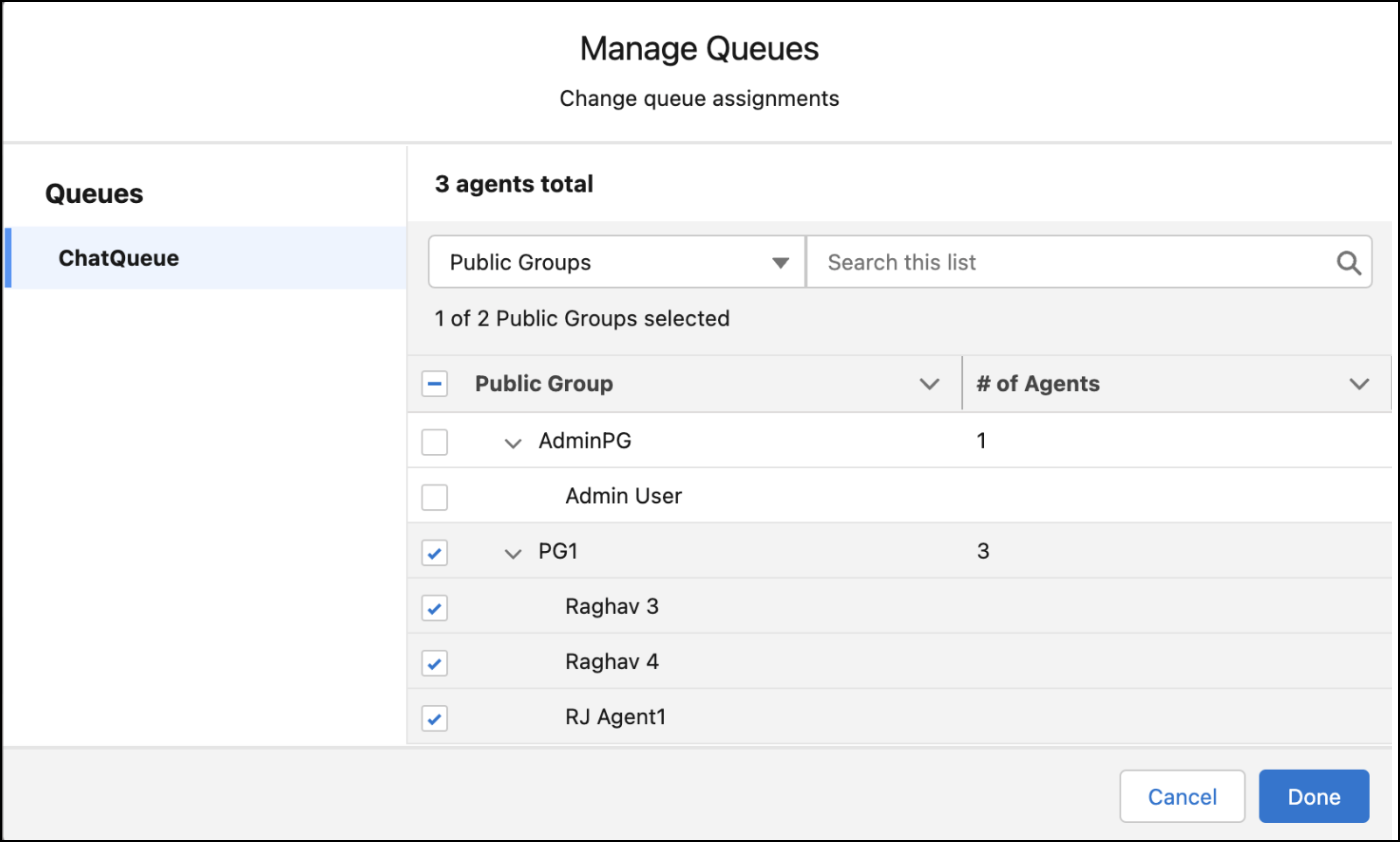
Based on what your telephony provider supports, you can add reps or groups to the
selected queue. Use the dropdown to filter the list of reps or groups that appear in the
Manage Queues dialog box.
-
Select the reps or groups that you want to add to the queue.
For example, to assign reps directly to the queue, in the dropdown of the Manage
Queues window, select Agents, and then select the rep.
-
Click Done.