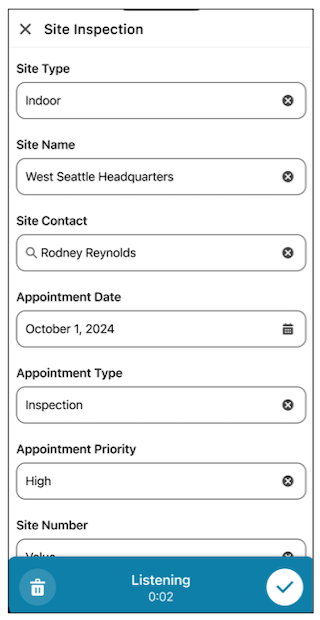
Set up Voice to Record Edit to allow your Field Service mobile users to efficiently edit records using voice input, powered by Einstein Generative AI.
Required Editions
| Available in: Lightning Experience |
| Available in: The Field Service core features, managed package, and mobile app are available in Enterprise, Unlimited, and Developer Editions. |

Important
To access the Field Service mobile app, users need the Field Service Mobile User license. To use Voice to Record Edit users need the Einstein for Field Service license.
| User Permissions Needed | |
|---|---|
| To use Voice to Record Edit and Field Service Einstein features | Einstein Field Service User |
Before you begin the setup process, make sure the following conditions are met:
- Complete all the steps outlined in Set Up Einstein Generative AI.
- Mobile workers must have the Summer '25 version of the Field Service Mobile App or later.
- Assign Einstein Field Service User permissions to all users.
To use Voice to Record Edit on the mobile app, mobile workers tap the microphone icon on the Record Edit screen and speak. The system intelligently captures information and populates the correct fields.