Ways to Access Discovery Framework-Based Data Capture Forms on the Field Service Mobile App

Ways to Access Discovery Framework-Based Data Capture Forms on the Field Service Mobile App

After you build your forms through Discovery Framework Data Capture flows in Flow Builder, mobile workers can access the forms on the Field Service mobile app.

Required Editions

Available in: Lightning Experience
Available in: Enterprise, Unlimited, and Developer Editions where Field Service, Discovery Framework, Discovery Framework Import or Export, and Discovery Framework Data Capture Flow are enabled

Access Forms Directly from the Forms Tab

Your mobile workers can access the forms directly from the Forms tab on Work Order Overview.
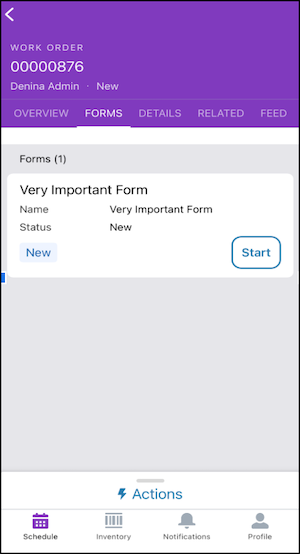
Forms tab on work order

Note
Note

For the Forms tab to appear on Work Order Overview, the related list must be on the work order.

Access Forms from the Related List

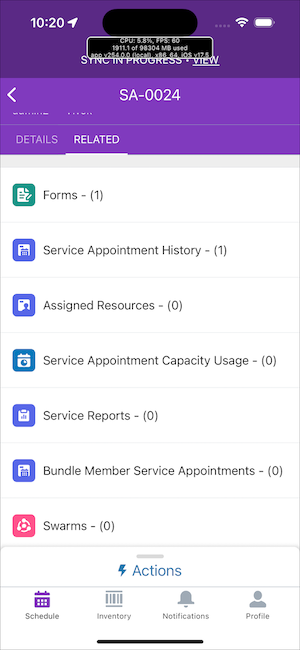
Your mobile workers can access the forms from the related list on a work order, work order line item, or service appointment.

Forms tab on service appointment related list

Note
Note

For Forms to appear as related records in a work order, work order line item, or a service appointment record, you must add the Form junction object to the record page layouts.

After mobile workers submit forms on the Field Service mobile app, Salesforce creates the assessment and assessment question response records. These records store the responses that are submitted to a form.