Add your own icons to mark the team member’s and the customer’s locations on the
map.
Required Editions
| Available in: both Salesforce Classic (not available in all orgs) and Lightning
Experience |
| The Field Service core features, managed package, and mobile app are available in
Enterprise, Unlimited, and Developer Editions.
|
| The Field Service Appointment Assistant managed package and permission set
license are required. |
| User Permissions Needed |
| To customize component settings: |
Create and Set Up Experience Sites AND View Setup and Configuration |
-
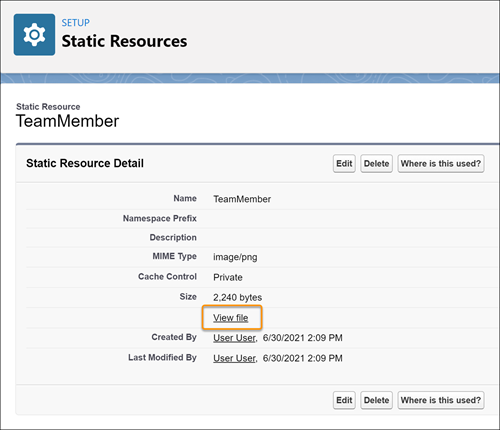
From Setup, in the Quick Find box, enter Custom Code, and then
select Static Resources.
-
Click New.
-
Name the resource, and choose a file that contains the icon that you want to use for the
team member’s location.
-
For Cache Control, select Private.
-
Save your changes.
-
In the new static resource, click View File.
-
Copy the URL from the browser’s address bar.
-
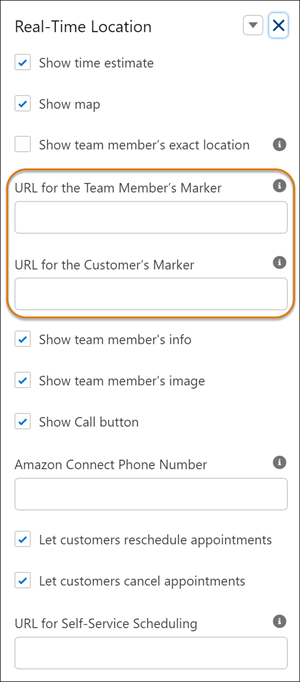
In the Real-Time Location’s component settings, paste the URL into the URL for the Team
Member’s Marker field.
-
Repeat this procedure for the customer’s location marker.