
If something goes wrong when a flow tries to send a message notification in an enhanced Messaging channel, review the Enhanced Messaging Log to find out what happened.
Required Editions
| View supported editions. | |
 This article applies to:
|
Enhanced In-App Chat, Enhanced Web Chat v1, Enhanced Web Chat v2, Enhanced WhatsApp, Enhanced Facebook Messenger, Enhanced SMS, Enhanced Apple Messages for Business, Enhanced LINE, and Bring Your Own Channel |
 This article doesn’t apply to:
|
Standard SMS channels |
| User Permissions Needed | |
|---|---|
| To create messaging templates and view errors: | Configure Messaging |
| To view channels: | View Setup and Configuration |

Note
If the page fails to load, your admin must reload the page.
- From Setup in Lightning Experience, enter Enhanced Messaging in the Quick Find box, and select Enhanced Messaging Log.
-
.
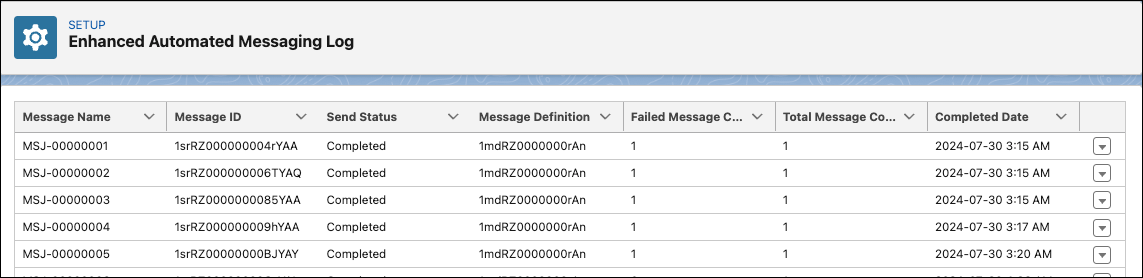
- To view an error’s details, click the down arrow in the error’s action menu and select View.