---
schema_version: "1"
id: cd902533a33af7f3381f23f0a570a263cc900f1c612d6cde25c2b8f74e7fd5f3
title: Messaging Component Types and Formats
collection: admin
version: current
locale: en-us
portal_url: https://docs.salesforce.com/admin/current/en-us/service/264-0-0/messaging_component_formats.md
canonical_url: https://help.salesforce.com/s/articleView?id=service.messaging_component_formats.htm&release=264.0.0&type=5
source_site: help.salesforce.com
content_type: documentation
content_hash: 6fb92d81db07c904afc534745986fb334520a642a334225ac2f3dbe6957104b9
description: With messaging components, you can send structured content such as questions with options in enhanced Messaging channels and Enhanced Chat. Learn the purpose, format, and setup process of each component type.
products:
  - Service Cloud
  - Digital Engagement
release: "264"
---
# Messaging Component Types and Formats

With messaging components, you can send structured content such as questions with options in enhanced Messaging channels and Enhanced Chat. Learn the purpose, format, and setup process of each component type.

### Required Editions

<table class="slds-table slds-table_bordered slds-max-medium-table_stacked slds-m-bottom_small edition">
        <colgroup>
          <col style="width:50%">
          <col style="width:50%">
        </colgroup>
        <tbody>
          <tr class="">
            <td class="slds-cell-wrap" colspan="2" style="vertical-align:top;"><a href="https://help.salesforce.com/s/articleView?id=service.messaging_editions.htm&amp;type=5&amp;language=en_US" target="_blank">View supported editions.</a></td>

          </tr>
          <tr class="">
            <td class="slds-cell-wrap" style="vertical-align:top;">
              <a name="messaging_component_formats__d302e784"><!-- --></a><span style="vertical-align:text-bottom;display:inline-block;"><img style="margin-bottom:0;" id="messaging_component_formats__d302e784" src="https://sf-zdocs-cdn-prod.zoominsoftware.com/tdta-service-support_channels-264-0-0-production-enus/f3c4b3d2-ff86-4f7c-9fe2-3d8b23d35109/resources-global/_corporate/images/checkmark.png" alt="Checkmark"></span>
              <strong>This article applies to:</strong>
            </td>

            <td class="slds-cell-wrap" style="vertical-align:top;">Enhanced In-App Chat, Enhanced Web Chat v1, Enhanced Web Chat v2, Enhanced
              WhatsApp, Enhanced Facebook Messenger, Enhanced SMS, Enhanced Apple Messages for
              Business, Enhanced LINE, and Bring Your Own Channel</td>

          </tr>
          <tr class="">
            <td class="slds-cell-wrap" style="vertical-align:top;">
              <span style="vertical-align:text-bottom;display:inline-block;"><img style="margin-bottom:0;" src="https://sf-zdocs-cdn-prod.zoominsoftware.com/tdta-service-support_channels-264-0-0-production-enus/f3c4b3d2-ff86-4f7c-9fe2-3d8b23d35109/resources-global/_corporate/images/crossmark.png" alt="X icon"></span>
              <strong>This article doesn’t apply to:</strong>
            </td>

            <td class="slds-cell-wrap" style="vertical-align:top;">Standard SMS channels</td>

          </tr>
        </tbody>
      </table>

A messaging component’s appearance in a messaging session varies depending on three things.

- The type of channel where it’s used—for example, an enhanced Facebook Messenger channel versus an enhanced WhatsApp channel.
- The formats that you select when you create the component. You can add and customize one or more formats to control how a component appears to customers. Some formats are available only in certain channels or look different depending on the channel. If you don’t add any formats or your selected formats aren’t available, your component appears in the default text-only format.
- The capabilities of the device that the customer is using to exchange messages. For example, in Apple Messages for Business channels, the Quick Replies format isn't supported in some older iOS versions, and the Form format isn't supported in the Messages app on Mac computers.

## Messaging Component Types

<table class="slds-table slds-table_bordered slds-max-medium-table_stacked slds-m-bottom_small ">
        <colgroup>
          <col style="width:20%">
          <col style="width:30%">
          <col style="width:30%">
          <col style="width:20%">
        </colgroup>
        <thead class="slds-text-title_caps ">
          <tr class="">
            <th scope="col" class="slds-cell-wrap" style="vertical-align:top;" id="d99443e126">Component Type</th>
            <th scope="col" class="slds-cell-wrap" style="vertical-align:top;" id="d99443e129">Description</th>
            <th scope="col" class="slds-cell-wrap" style="vertical-align:top;" id="d99443e132">Supported Channel Types and Formats</th>
            <th scope="col" class="slds-cell-wrap" style="vertical-align:top;" id="d99443e135">Setup</th>
          </tr>
        </thead>
        <tbody>
          <tr class="">
            <td data-label="Component Type" class="slds-cell-wrap" style="vertical-align:top;" headers="d99443e126 ">Enhanced link</td>

            <td data-label="Description" class="slds-cell-wrap" style="vertical-align:top;" headers="d99443e129 ">
              <p>Web page link that includes an image and custom link text.</p>
              <p style="margin-bottom:0;">Ideal for: Sharing
                frequently visited web pages, such as your company’s home page or a product
                profile.</p>
            </td>

            <td data-label="Supported Channel Types and Formats" class="slds-cell-wrap" style="vertical-align:top;" headers="d99443e132 ">
              <p>Enhanced Chat: Rich Link, Text</p>
              <p>Enhanced WhatsApp:
                Text</p>
              <p>Enhanced Facebook Messenger: Media, Text</p>
              <p>Enhanced SMS:
                Text</p>
              <p>Enhanced Apple Messages for Business: Rich Link, Text</p>
              <p>Enhanced
                LINE: Text</p>
              <p style="margin-bottom:0;">Bring Your Own Channel: Rich Link, Media, Text</p>
            </td>

            <td data-label="Setup" class="slds-cell-wrap" style="vertical-align:top;" headers="d99443e135 ">Basic (under 5 minutes).</td>

          </tr>
          <tr class="">
            <td data-label="Component Type" class="slds-cell-wrap" style="vertical-align:top;" headers="d99443e126 ">Question with static options</td>

            <td data-label="Description" class="slds-cell-wrap" style="vertical-align:top;" headers="d99443e129 ">
              <p>Question with a list of predefined clickable choices.</p>
              <p style="margin-bottom:0;">Ideal for:
                Standardizing common introductory questions, such as the reason for a customer’s
                inquiry.</p>
            </td>

            <td data-label="Supported Channel Types and Formats" class="slds-cell-wrap" style="vertical-align:top;" headers="d99443e132 ">
              <p>Enhanced Chat: Card Carousel, Buttons, Quick Replies,
                Text</p>
              <p>Enhanced WhatsApp: Buttons, List Selector, Text</p>
              <p>Enhanced Facebook
                Messenger: Buttons, Card Carousel, Quick Replies, Text</p>
              <p>Enhanced SMS:
                Text</p>
              <p>Enhanced Apple Messages for Business: List Selector, Quick Replies,
                Text</p>
              <p>Enhanced LINE: Card Carousel, Buttons, Quick Replies, Text</p>
              <p style="margin-bottom:0;">Bring
                Your Own Channel: Card Carousel, Buttons, List Selector, Quick Replies,
                Text</p>
            </td>

            <td data-label="Setup" class="slds-cell-wrap" style="vertical-align:top;" headers="d99443e135 ">Intermediate (about 10 minutes).</td>

          </tr>
          <tr class="">
            <td data-label="Component Type" class="slds-cell-wrap" style="vertical-align:top;" headers="d99443e126 ">Question with dynamic options</td>

            <td data-label="Description" class="slds-cell-wrap" style="vertical-align:top;" headers="d99443e129 ">
              <p>Question with a list of customer-specific records.</p>
              <p style="margin-bottom:0;">Ideal for: Identifying the
                record that the customer is asking about. For example, ask customers to choose
                from a list of their recent orders or cases.</p>
            </td>

            <td data-label="Supported Channel Types and Formats" class="slds-cell-wrap" style="vertical-align:top;" headers="d99443e132 ">
              <p>Enhanced Chat: Card Carousel, Buttons, Quick Replies,
                Text</p>
              <p>Enhanced WhatsApp: Buttons, List Selector, Text</p>
              <p>Enhanced Facebook
                Messenger: Buttons, Card Carousel, Quick Replies, Text</p>
              <p>Enhanced SMS:
                Text</p>
              <p>Enhanced Apple Messages for Business: List Selector, Quick Replies,
                Text</p>
              <p>Enhanced LINE: Card Carousel, Buttons, Quick Replies, Text</p>
              <p style="margin-bottom:0;">Bring
                Your Own Channel: Card Carousel, Buttons, List Selector, Quick Replies,
                Text</p>
            </td>

            <td data-label="Setup" class="slds-cell-wrap" style="vertical-align:top;" headers="d99443e135 ">
              <p>Advanced (30 or more minutes).</p>
              <p style="margin-bottom:0;">Requires flows.</p>
            </td>

          </tr>
          <tr class="">
            <td data-label="Component Type" class="slds-cell-wrap" style="vertical-align:top;" headers="d99443e126 ">Time selector</td>

            <td data-label="Description" class="slds-cell-wrap" style="vertical-align:top;" headers="d99443e129 ">
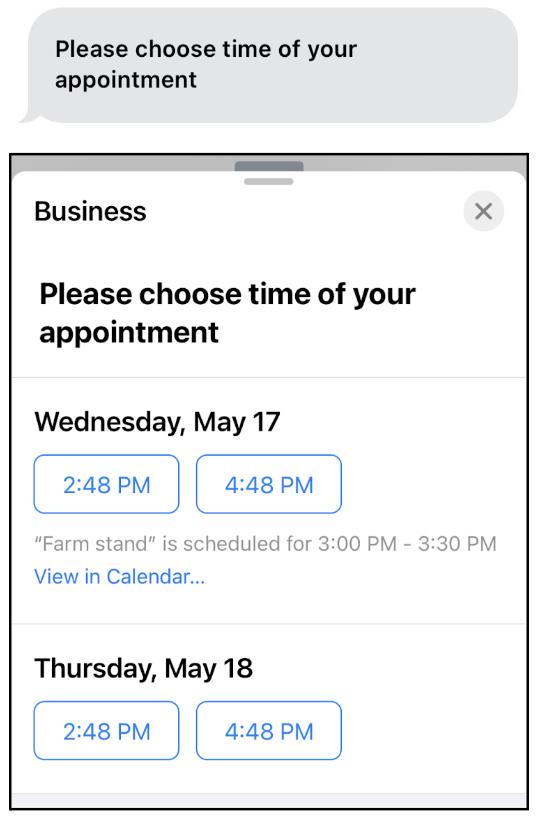
              <p>Prompt with a list of open time slots.</p>
              <p style="margin-bottom:0;">Ideal for: Scheduling appointments.
                For example, ask customers to select a time for a service visit or
                delivery.</p>
            </td>

            <td data-label="Supported Channel Types and Formats" class="slds-cell-wrap" style="vertical-align:top;" headers="d99443e132 ">
              <p>Enhanced Chat: Buttons, Quick Replies, Text</p>
              <p>Enhanced WhatsApp:
                Buttons, List Selector, Text</p>
              <p>Enhanced Facebook Messenger: Buttons, Quick
                Replies, Text</p>
              <p>Enhanced SMS: Text</p>
              <p>Enhanced Apple Messages for Business:
                Time Selector, Quick Replies, Text</p>
              <p>Enhanced LINE: Text</p>
              <p style="margin-bottom:0;">Bring Your Own
                Channel: Buttons, Time Selector, Quick Replies, Text</p>
            </td>

            <td data-label="Setup" class="slds-cell-wrap" style="vertical-align:top;" headers="d99443e135 ">
              <p>Advanced (30 or more minutes).</p>
              <p style="margin-bottom:0;">Requires flows and Apex.</p>
            </td>

          </tr>
          <tr class="">
            <td data-label="Component Type" class="slds-cell-wrap" style="vertical-align:top;" headers="d99443e126 ">Auto-response</td>

            <td data-label="Description" class="slds-cell-wrap" style="vertical-align:top;" headers="d99443e129 ">
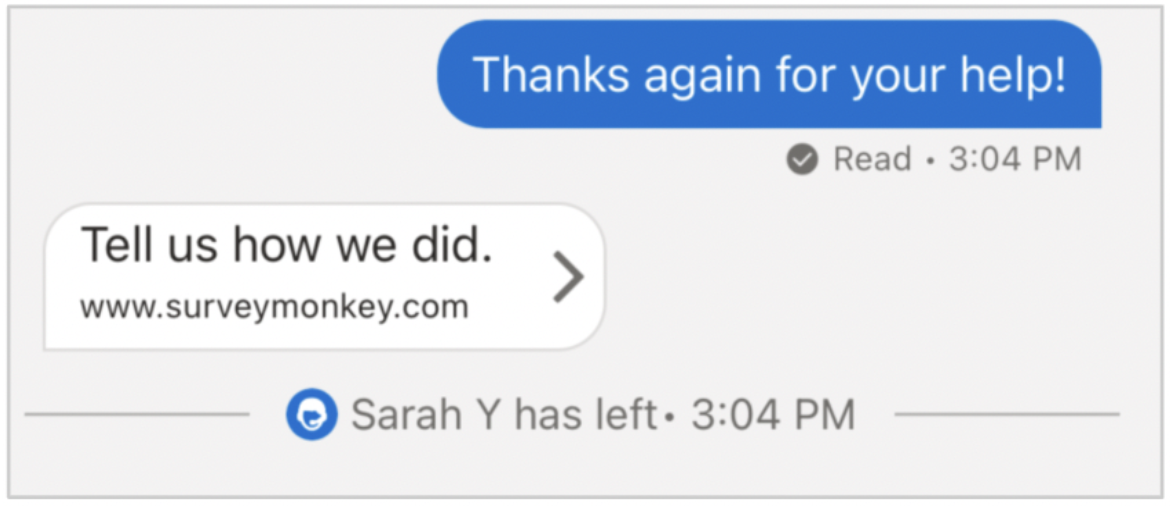
              <p>Text or web page link that’s sent automatically in specific scenarios.</p>
              <p style="margin-bottom:0;">Ideal
                for: Sending personalized greetings and goodbyes.</p>
            </td>

            <td data-label="Supported Channel Types and Formats" class="slds-cell-wrap" style="vertical-align:top;" headers="d99443e132 ">
              <p>Enhanced Chat: Web Page, Text</p>
              <p>Enhanced WhatsApp: Web Page,
                Text</p>
              <p>Enhanced Facebook Messenger: Web Page, Text</p>
              <p>Enhanced SMS: Web
                Page, Text</p>
              <p>Enhanced LINE: Web Page, Text</p>
              <p>Enhanced Apple Messages for
                Business: Web Page, Text</p>
              <p style="margin-bottom:0;">Bring Your Own Channel: Web Page, Text</p>
            </td>

            <td data-label="Setup" class="slds-cell-wrap" style="vertical-align:top;" headers="d99443e135 ">Intermediate (about 10 minutes).</td>

          </tr>
          <tr class="">
            <td data-label="Component Type" class="slds-cell-wrap" style="vertical-align:top;" headers="d99443e126 ">Form</td>

            <td data-label="Description" class="slds-cell-wrap" style="vertical-align:top;" headers="d99443e129 ">
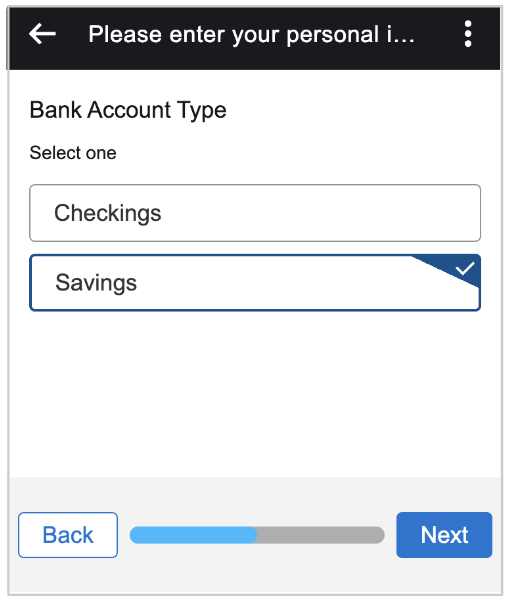
              <p>List of secure fields for customers to complete.</p>
              <p style="margin-bottom:0;">Ideal for: Generating
                records from customer responses, such as contacts or work orders.</p>
            </td>

            <td data-label="Supported Channel Types and Formats" class="slds-cell-wrap" style="vertical-align:top;" headers="d99443e132 ">
              <p>Enhanced Chat: Form, Text</p>
              <p>Enhanced WhatsApp: Flow,
                Text</p>
              <p>Enhanced Facebook Messenger: Text</p>
              <p>Enhanced SMS:
                Text</p>
              <p>Enhanced Apple Messages for Business: Form, Text</p>
              <p>Enhanced LINE:
                Text</p>
              <p style="margin-bottom:0;">Bring Your Own Channel: Form, Text</p>
            </td>

            <td data-label="Setup" class="slds-cell-wrap" style="vertical-align:top;" headers="d99443e135 ">Intermediate (about 10 minutes).</td>

          </tr>
          <tr class="">
            <td data-label="Component Type" class="slds-cell-wrap" style="vertical-align:top;" headers="d99443e126 ">Notification</td>

            <td data-label="Description" class="slds-cell-wrap" style="vertical-align:top;" headers="d99443e129 ">
              <p>Informational message, such as a delivery update.</p>
              <p style="margin-bottom:0;">Ideal for: Notifying
                customers about case or order updates.</p>
            </td>

            <td data-label="Supported Channel Types and Formats" class="slds-cell-wrap" style="vertical-align:top;" headers="d99443e132 ">
              <p>Enhanced In-App Chat: Rich Link, Text</p>
              <p>Enhanced WhatsApp: External Template,
                Text</p>
              <p>Enhanced Facebook Messenger: Text, Media</p>
              <p>Enhanced SMS:
                Text</p>
              <p>Enhanced Apple Messages for Business: Rich Link, Text</p>
              <p>Enhanced
                LINE: Text</p>
              <p style="margin-bottom:0;">Bring Your Own Channel: Rich Link, Text</p>
            </td>

            <td data-label="Setup" class="slds-cell-wrap" style="vertical-align:top;" headers="d99443e135 ">Advanced (30 or more minutes).</td>

          </tr>
          <tr class="">
            <td data-label="Component Type" class="slds-cell-wrap" style="vertical-align:top;" headers="d99443e126 ">Authentication</td>

            <td data-label="Description" class="slds-cell-wrap" style="vertical-align:top;" headers="d99443e129 ">
              <p>Screen where customers enter login credentials for an authentication service
                such as Google.</p>
              <p style="margin-bottom:0;">Ideal for: Verifying a customer’s identity.</p>
            </td>

            <td data-label="Supported Channel Types and Formats" class="slds-cell-wrap" style="vertical-align:top;" headers="d99443e132 ">
              <p>Enhanced Chat: Text</p>
              <p>Enhanced WhatsApp: Text</p>
              <p>Enhanced
                Facebook Messenger: Text</p>
              <p>Enhanced SMS: Text</p>
              <p>Enhanced Apple Messages
                for Business: Authentication, Text</p>
              <p style="margin-bottom:0;">Enhanced LINE: Text</p>
            </td>

            <td data-label="Setup" class="slds-cell-wrap" style="vertical-align:top;" headers="d99443e135 ">
              <p>Advanced (30 or more minutes).</p>
              <p style="margin-bottom:0;">Requires Apex.</p>
            </td>

          </tr>
          <tr class="">
            <td data-label="Component Type" class="slds-cell-wrap" style="vertical-align:top;" headers="d99443e126 ">Payment</td>

            <td data-label="Description" class="slds-cell-wrap" style="vertical-align:top;" headers="d99443e129 ">
              <p>Request to complete a payment using Apple Pay.</p>
              <p style="margin-bottom:0;">Ideal for: Gathering payments
                during Apple Messages for Business messaging sessions.</p>
            </td>

            <td data-label="Supported Channel Types and Formats" class="slds-cell-wrap" style="vertical-align:top;" headers="d99443e132 ">
              <p>Enhanced Chat: Text</p>
              <p>Enhanced WhatsApp: Text</p>
              <p>Enhanced
                Facebook Messenger: Text</p>
              <p>Enhanced SMS: Text</p>
              <p>Enhanced Apple Messages
                for Business: Payment, Text</p>
              <p style="margin-bottom:0;">Enhanced LINE: Text</p>
            </td>

            <td data-label="Setup" class="slds-cell-wrap" style="vertical-align:top;" headers="d99443e135 ">
              <p>Advanced (30 or more minutes).</p>
              <p style="margin-bottom:0;">Requires flows and Apex.</p>
            </td>

          </tr>
          <tr class="">
            <td data-label="Component Type" class="slds-cell-wrap" style="vertical-align:top;" headers="d99443e126 ">Custom</td>

            <td data-label="Description" class="slds-cell-wrap" style="vertical-align:top;" headers="d99443e129 ">
              <p>External app embedded in a messaging session.</p>
              <p style="margin-bottom:0;">Ideal for: Sharing an app with
                customers, such as your own mobile app.</p>
            </td>

            <td data-label="Supported Channel Types and Formats" class="slds-cell-wrap" style="vertical-align:top;" headers="d99443e132 ">
              <p>Enhanced Chat: Text</p>
              <p>Enhanced WhatsApp: Text</p>
              <p>Enhanced
                Facebook Messenger: Text</p>
              <p>Enhanced SMS: Text</p>
              <p>Enhanced Apple Messages
                for Business: External Application, Text</p>
              <p>Enhanced LINE: Text</p>
              <p style="margin-bottom:0;">Bring
                Your Own Channel: External Application, Text</p>
            </td>

            <td data-label="Setup" class="slds-cell-wrap" style="vertical-align:top;" headers="d99443e135 ">Intermediate (about 10 minutes).</td>

          </tr>
        </tbody>
      </table>

If you add multiple formats to a messaging component, Salesforce uses the most suitable format while trying to respect your priority order.

![Example](https://sf-zdocs-cdn-prod.zoominsoftware.com/tdta-service-support_channels-264-0-0-production-enus/f3c4b3d2-ff86-4f7c-9fe2-3d8b23d35109/images/icon_example.png)

Example Create a question with options component with five options. Add the Buttons and Quick Replies formats, with Buttons as the highest-priority format. In a Facebook Messenger conversation, the component appears in the Quick Replies format because the Buttons format supports only three options. If the component includes only three options, the higher-priority format is used.

![Messaging component builder, with the Component Formats section of a component's settings highlighted](https://sf-zdocs-cdn-prod.zoominsoftware.com/tdta-service-support_channels-264-0-0-production-enus/f3c4b3d2-ff86-4f7c-9fe2-3d8b23d35109/support_channels/images/messaging/messaging_formats.png)

## Messaging Component Formats

You can add the following formats to messaging components. The Text format is added by default.

<table class="slds-table slds-table_bordered slds-max-medium-table_stacked slds-m-bottom_small ">
        <colgroup>
          <col style="width:20%">
          <col style="width:40%">
          <col style="width:40%">
        </colgroup>
        <thead class="slds-text-title_caps ">
          <tr class="">
            <th scope="col" class="slds-cell-wrap" style="vertical-align:top;" id="d99443e475">Format</th>
            <th scope="col" class="slds-cell-wrap" style="vertical-align:top;" id="d99443e478">Description</th>
            <th scope="col" class="slds-cell-wrap" style="vertical-align:top;" id="d99443e481">Appearance</th>
          </tr>
        </thead>
        <tbody>
          <tr class="">
            <td data-label="Format" class="slds-cell-wrap" style="vertical-align:top;" headers="d99443e475 ">Authentication</td>

            <td data-label="Description" class="slds-cell-wrap" style="vertical-align:top;" headers="d99443e478 ">
              <ul>
                <li>Used for: Authentication components</li>

                <li>Supported in: Enhanced Apple Messages for Business</li>

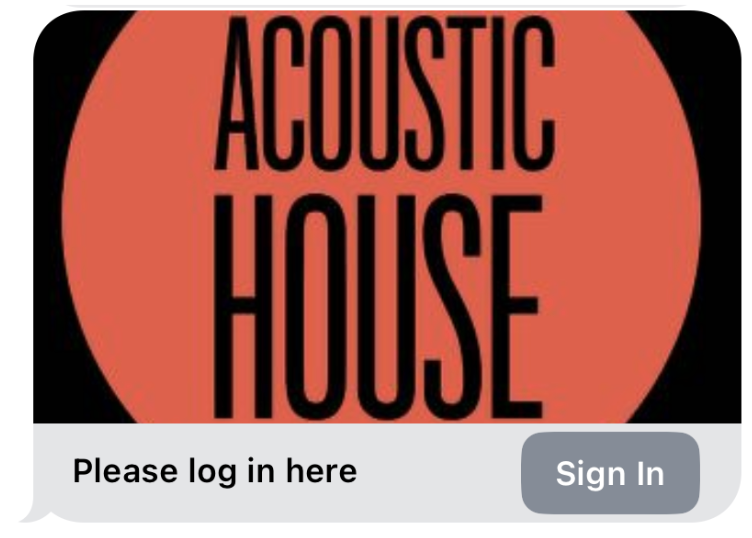
                <li>Displays a link for the customer to log into an authentication provider to
                  verify their identity.</li>

              </ul>
            </td>

            <td data-label="Appearance" class="slds-cell-wrap" style="vertical-align:top;" headers="d99443e481 "><span style="vertical-align:text-bottom;display:inline-block;"><img style="width:250px;margin-bottom:0;" src="https://sf-zdocs-cdn-prod.zoominsoftware.com/tdta-service-support_channels-264-0-0-production-enus/f3c4b3d2-ff86-4f7c-9fe2-3d8b23d35109/support_channels/images/messaging/messaging_comp_auth.png" alt="Authentication format"></span></td>

          </tr>
          <tr class="">
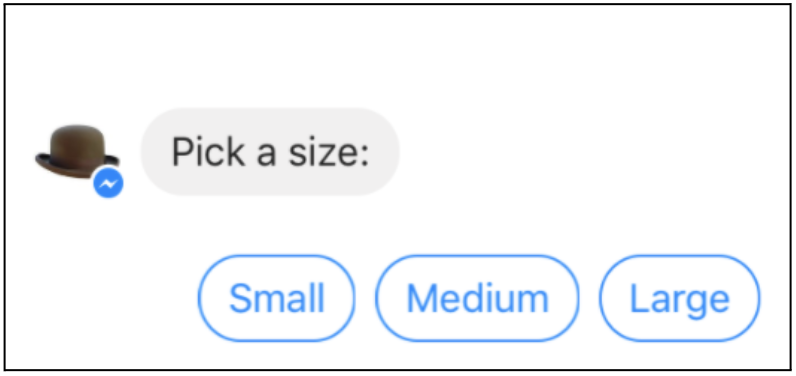
            <td data-label="Format" class="slds-cell-wrap" style="vertical-align:top;" headers="d99443e475 ">Buttons</td>

            <td data-label="Description" class="slds-cell-wrap" style="vertical-align:top;" headers="d99443e478 ">
              <ul>
                <li>Used for: Question with options components, time selector components</li>

                <li>Supported in: Enhanced Chat, enhanced WhatsApp, enhanced
                  Facebook Messenger, enhanced LINE, and Bring Your Own Channel</li>

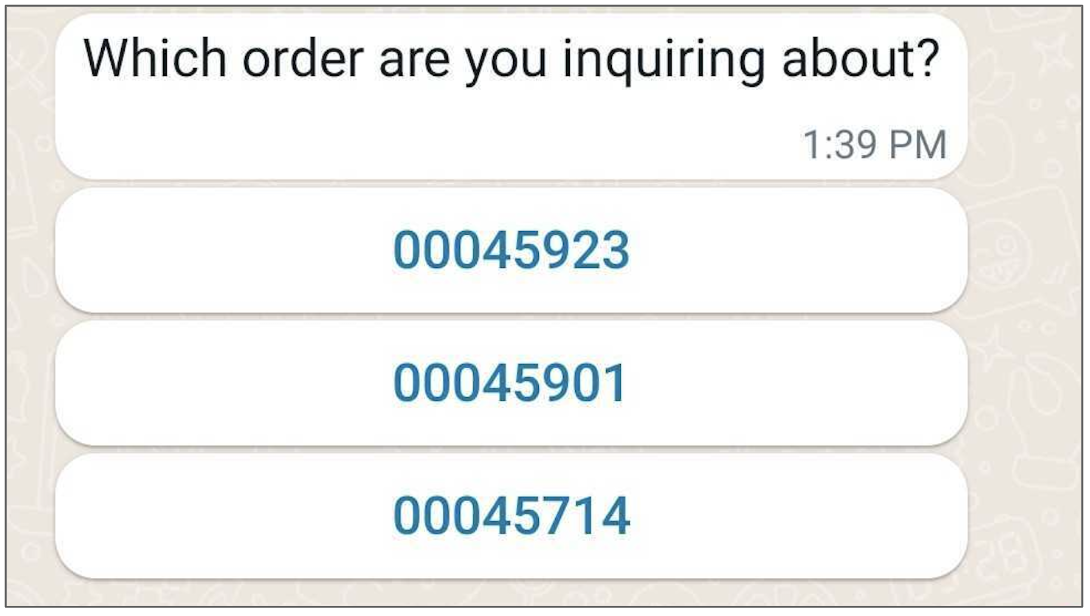
                <li>Displays a text prompt and clickable button options. Enhanced WhatsApp and
                  enhanced Facebook Messenger channels support up to 3 options, and LINE supports
                  4 options. Buttons can appear horizontally or vertically depending on the
                  channel type and word length.</li>

              </ul>
              <p style="margin-bottom:0;">For components sent by service reps or bots in enhanced WhatsApp channels, if a
                list option is over 24 characters, the option text is truncated in the Buttons
                format.</p>
            </td>

            <td data-label="Appearance" class="slds-cell-wrap" style="vertical-align:top;" headers="d99443e481 "><span style="vertical-align:text-bottom;display:inline-block;"><img style="width:250px;margin-bottom:0;" src="https://sf-zdocs-cdn-prod.zoominsoftware.com/tdta-service-support_channels-264-0-0-production-enus/f3c4b3d2-ff86-4f7c-9fe2-3d8b23d35109/support_channels/images/messaging/messaging_buttons.png" alt="Buttons format"></span></td>

          </tr>
          <tr class="">
            <td data-label="Format" class="slds-cell-wrap" style="vertical-align:top;" headers="d99443e475 ">Card Carousel</td>

            <td data-label="Description" class="slds-cell-wrap" style="vertical-align:top;" headers="d99443e478 ">
              <ul>
                <li>Used for: Question with options components</li>

                <li>Supported in: Enhanced Chat, enhanced Facebook Messenger,
                  enhanced LINE, and Bring Your Own Channel</li>

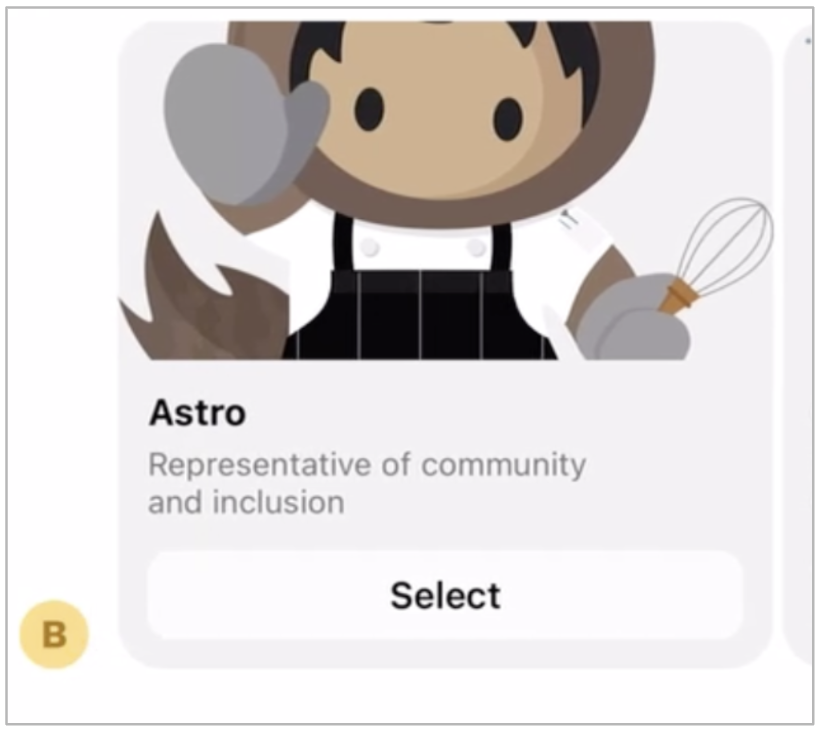
                <li>Displays a text prompt and up to 10 clickable option cards (in Enhanced
                  Facebook Messenger) or up to 5 clickable option cards (in Enhanced Chat),
                  each with an image and text label.</li>

              </ul>
            </td>

            <td data-label="Appearance" class="slds-cell-wrap" style="vertical-align:top;" headers="d99443e481 "><span style="vertical-align:text-bottom;display:inline-block;"><img style="width:250px;margin-bottom:0;" src="https://sf-zdocs-cdn-prod.zoominsoftware.com/tdta-service-support_channels-264-0-0-production-enus/f3c4b3d2-ff86-4f7c-9fe2-3d8b23d35109/support_channels/images/messaging/messaging_card_carousel.png" alt="Cars carousel format"></span></td>

          </tr>

          <tr class="">
            <td data-label="Format" class="slds-cell-wrap" style="vertical-align:top;" headers="d99443e475 ">External Application</td>

            <td data-label="Description" class="slds-cell-wrap" style="vertical-align:top;" headers="d99443e478 ">
              <ul>
                <li>Used for: Custom components</li>

                <li>Supported in: Enhanced Apple Messages for Business, Bring Your Own
                  Channel</li>

                <li>Displays a link to an external application or iOS extension.</li>

              </ul>
            </td>

            <td data-label="Appearance" class="slds-cell-wrap" style="vertical-align:top;" headers="d99443e481 "><span style="vertical-align:text-bottom;display:inline-block;"><img style="width:250px;margin-bottom:0;" src="https://sf-zdocs-cdn-prod.zoominsoftware.com/tdta-service-support_channels-264-0-0-production-enus/f3c4b3d2-ff86-4f7c-9fe2-3d8b23d35109/support_channels/images/messaging/messaging_externalapp.png" alt="External application"></span></td>

          </tr>
          <tr class="">
            <td data-label="Format" class="slds-cell-wrap" style="vertical-align:top;" headers="d99443e475 ">External Template</td>

            <td data-label="Description" class="slds-cell-wrap" style="vertical-align:top;" headers="d99443e478 ">
              <ul>
                <li>Used for: Notification components</li>

                <li>Supported in: Enhanced WhatsApp</li>

                <li>Displays a template message that was created and approved in WhatsApp Business
                  Manager. Templates can contain interactive buttons to copy code, configurable
                  buttons for static or dynamic URL, interactive reply buttons, or footers.
                  <p>When adding a document or video in the template header, use the
                    <samp class="parmname">RecordId</samp> parameter and
                    <samp class="parmname">ContentAsset</samp> object type.
                  </p>
                </li>

              </ul>
            </td>

            <td data-label="Appearance" class="slds-cell-wrap" style="vertical-align:top;" headers="d99443e481 ">No image available.</td>

          </tr>
          <tr class="">
            <td data-label="Format" class="slds-cell-wrap" style="vertical-align:top;" headers="d99443e475 ">Form</td>

            <td data-label="Description" class="slds-cell-wrap" style="vertical-align:top;" headers="d99443e478 ">
              <ul>
                <li>Used for: Form components</li>

                <li>Supported in: Enhanced Chat, enhanced Apple Messages for
                  Business, Bring Your Own Channel</li>

                <li>Displays a list of fields for customers to complete.</li>

              </ul>
            </td>

            <td data-label="Appearance" class="slds-cell-wrap" style="vertical-align:top;" headers="d99443e481 ">
              <span style="vertical-align:text-bottom;display:inline-block;"><img style="width:250px;margin-bottom:0;" src="https://sf-zdocs-cdn-prod.zoominsoftware.com/tdta-service-support_channels-264-0-0-production-enus/f3c4b3d2-ff86-4f7c-9fe2-3d8b23d35109/support_channels/images/messaging/form_miaw.png" alt="Form screen in an Enhanced Chat session"></span>
              <span style="vertical-align:text-bottom;display:inline-block;"><img style="width:250px;margin-bottom:0;" src="https://sf-zdocs-cdn-prod.zoominsoftware.com/tdta-service-support_channels-264-0-0-production-enus/f3c4b3d2-ff86-4f7c-9fe2-3d8b23d35109/support_channels/images/messaging/messaging_form.png" alt="Form in Apple Messages for Business"></span>
            </td>

          </tr>
          <tr class="">
            <td data-label="Format" class="slds-cell-wrap" style="vertical-align:top;" headers="d99443e475 "><a href="https://help.salesforce.com/s/articleView?id=service.whatsapp_flows.htm&amp;language=en_US" target="_blank">Flow</a></td>

            <td data-label="Description" class="slds-cell-wrap" style="vertical-align:top;" headers="d99443e478 ">
              <ul>
                <li>Used for: Form components</li>

                <li>Supported in: Enhanced WhatsApp channels</li>

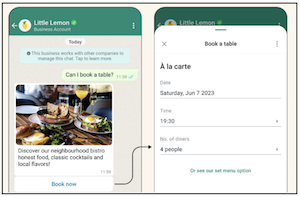
                <li>Use rich, customizable fields to guide customers through a structured business
                  interaction.</li>

              </ul>
            </td>

            <td data-label="Appearance" class="slds-cell-wrap" style="vertical-align:top;" headers="d99443e481 "><a name="messaging_component_formats__image_dc2_c5r_1fc"><!-- --></a><span style="vertical-align:text-bottom;display:inline-block;"><img style="margin-bottom:0;" id="messaging_component_formats__image_dc2_c5r_1fc" src="https://sf-zdocs-cdn-prod.zoominsoftware.com/tdta-service-support_channels-264-0-0-production-enus/f3c4b3d2-ff86-4f7c-9fe2-3d8b23d35109/support_channels/images/messaging/WA_flow.png" alt="WhatsApp Flow"></span></td>

          </tr>
          <tr class="">
            <td data-label="Format" class="slds-cell-wrap" style="vertical-align:top;" headers="d99443e475 ">List Selector</td>

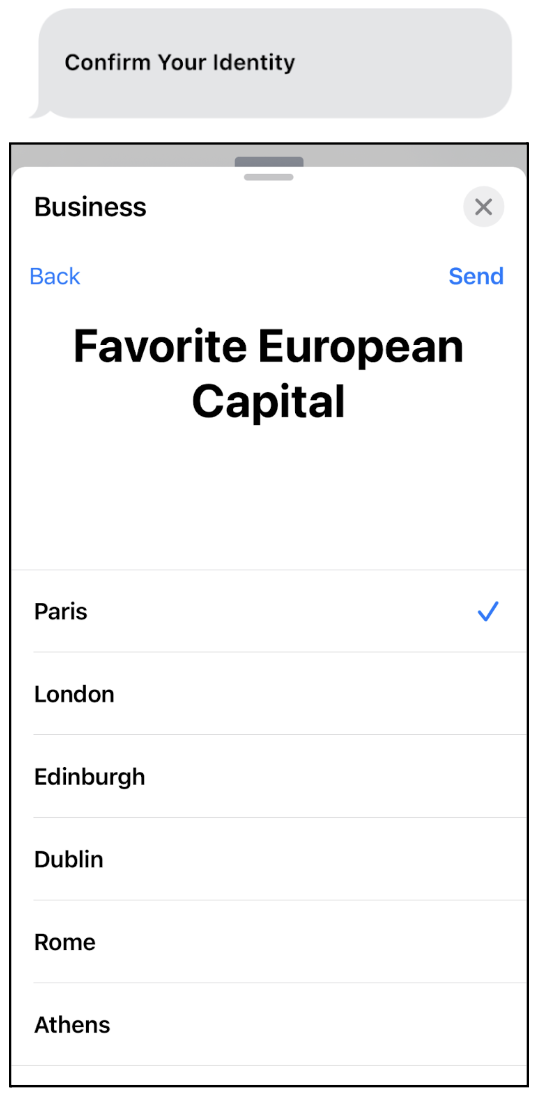
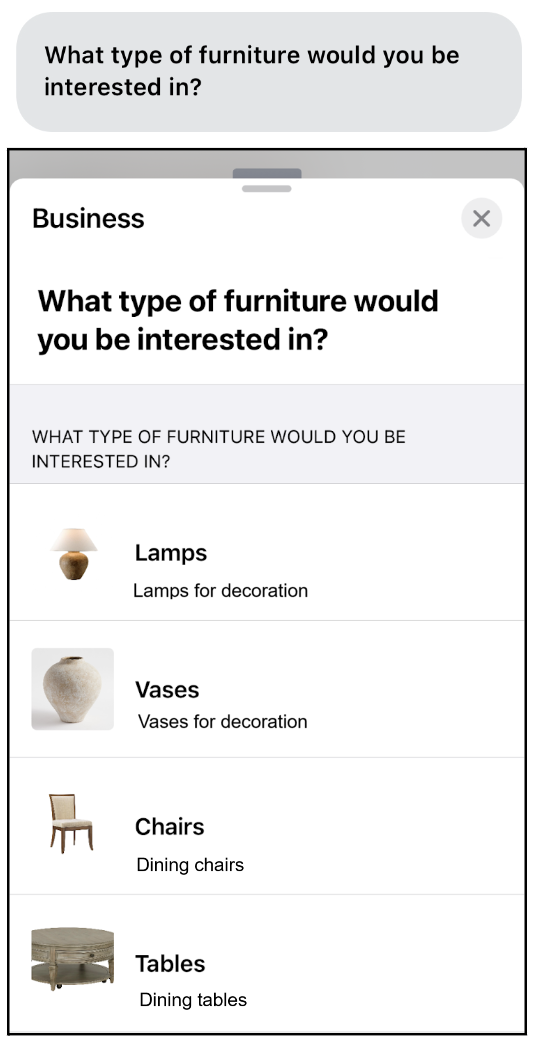
            <td data-label="Description" class="slds-cell-wrap" style="vertical-align:top;" headers="d99443e478 ">
              <ul>
                <li>Used for: Question with options components, time selector components</li>

                <li>Supported in: Enhanced WhatsApp, enhanced Apple Messages for Business, Bring
                  Your Own Channel</li>

                <li>Displays a clickable text prompt that leads to a vertical list of up to 10
                  clickable options.</li>

                <li>Displays option labels and their descriptions. Supported only in Messaging for
                  WhatsApp and Apple Messages for Business.</li>

              </ul>
              <p>These limits apply to components sent by service reps or bots in enhanced
                WhatsApp channels:</p>
              <ul>
                <li>If the question or title of a component is over 20 characters, the List
                  Selector format can’t be used and the component appears in the next available
                  format—usually, the Text format.</li>

                <li>If a list option is over 24 characters, the option text is truncated in the
                  List Selector format.</li>

                <li>If the option description is over 72 characters, the text is truncated in the
                  List Selector format.</li>

              </ul>
            </td>

            <td data-label="Appearance" class="slds-cell-wrap" style="vertical-align:top;" headers="d99443e481 "><span style="vertical-align:text-bottom;display:inline-block;"><img style="width:250px;margin-bottom:0;" src="https://sf-zdocs-cdn-prod.zoominsoftware.com/tdta-service-support_channels-264-0-0-production-enus/f3c4b3d2-ff86-4f7c-9fe2-3d8b23d35109/support_channels/images/messaging/messaging_list_selector.png" alt="List selector"></span></td>

          </tr>
          <tr class="">
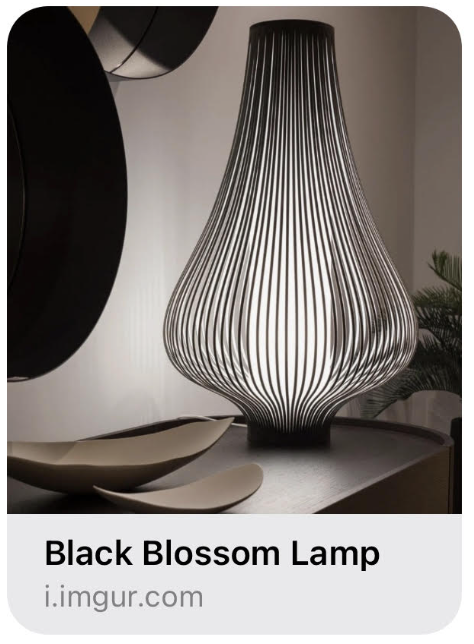
            <td data-label="Format" class="slds-cell-wrap" style="vertical-align:top;" headers="d99443e475 ">Media</td>

            <td data-label="Description" class="slds-cell-wrap" style="vertical-align:top;" headers="d99443e478 ">
              <ul>
                <li>Used for: Enhanced link components</li>

                <li>Supported in: Enhanced Facebook Messenger, Bring Your Own Channel</li>

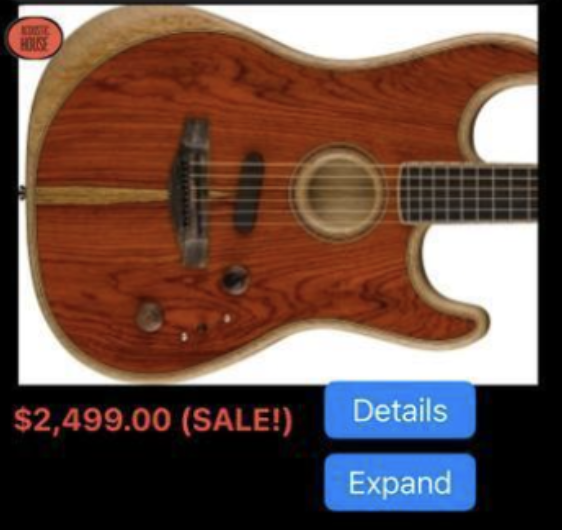
                <li>Displays a link name and image.</li>

              </ul>
            </td>

            <td data-label="Appearance" class="slds-cell-wrap" style="vertical-align:top;" headers="d99443e481 "><span style="vertical-align:text-bottom;display:inline-block;"><img style="width:250px;margin-bottom:0;" src="https://sf-zdocs-cdn-prod.zoominsoftware.com/tdta-service-support_channels-264-0-0-production-enus/f3c4b3d2-ff86-4f7c-9fe2-3d8b23d35109/support_channels/images/messaging/messaging_media.png" alt="Media format"></span></td>

          </tr>
          <tr class="">
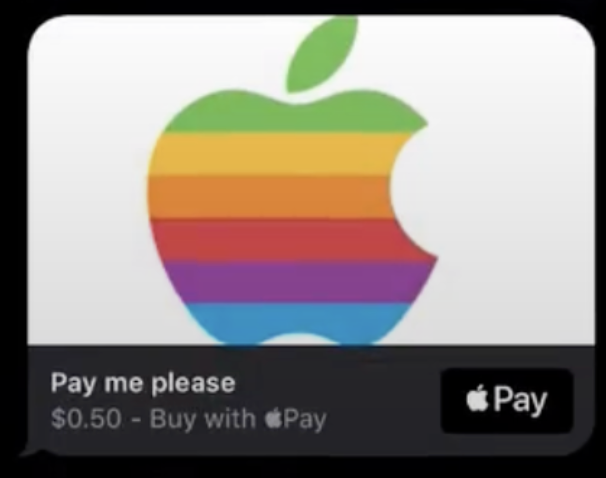
            <td data-label="Format" class="slds-cell-wrap" style="vertical-align:top;" headers="d99443e475 ">Payment</td>

            <td data-label="Description" class="slds-cell-wrap" style="vertical-align:top;" headers="d99443e478 ">
              <ul>
                <li>Used for: Payment components</li>

                <li>Supported in: Enhanced Apple Messages for Business</li>

                <li>Displays a link for the customer to make a payment using Apple Pay.</li>


              </ul>
            </td>

            <td data-label="Appearance" class="slds-cell-wrap" style="vertical-align:top;" headers="d99443e481 "><span style="vertical-align:text-bottom;display:inline-block;"><img style="width:250px;margin-bottom:0;" src="https://sf-zdocs-cdn-prod.zoominsoftware.com/tdta-service-support_channels-264-0-0-production-enus/f3c4b3d2-ff86-4f7c-9fe2-3d8b23d35109/support_channels/images/messaging/messaging_payment.png" alt="Payment"></span></td>

          </tr>
          <tr class="">
            <td data-label="Format" class="slds-cell-wrap" style="vertical-align:top;" headers="d99443e475 ">Quick Replies</td>

            <td data-label="Description" class="slds-cell-wrap" style="vertical-align:top;" headers="d99443e478 ">
              <ul>
                <li>Used for: Question with options components, time selector components</li>

                <li>Supported in: Enhanced Chat, enhanced Facebook Messenger,
                  enhanced Apple Messages for Business, enhanced LINE, Bring Your Own Channel</li>

                <li>Displays a text prompt and clickable button options. Enhanced Facebook
                  Messenger channels support up to 13 options. Buttons can appear horizontally or
                  vertically depending on the channel type and word length.</li>

              </ul>
            </td>

            <td data-label="Appearance" class="slds-cell-wrap" style="vertical-align:top;" headers="d99443e481 "><span style="vertical-align:text-bottom;display:inline-block;"><img style="width:250px;margin-bottom:0;" src="https://sf-zdocs-cdn-prod.zoominsoftware.com/tdta-service-support_channels-264-0-0-production-enus/f3c4b3d2-ff86-4f7c-9fe2-3d8b23d35109/support_channels/images/messaging/messaging_quick_replies.png" alt="Quick replies format"></span></td>

          </tr>
          <tr class="">
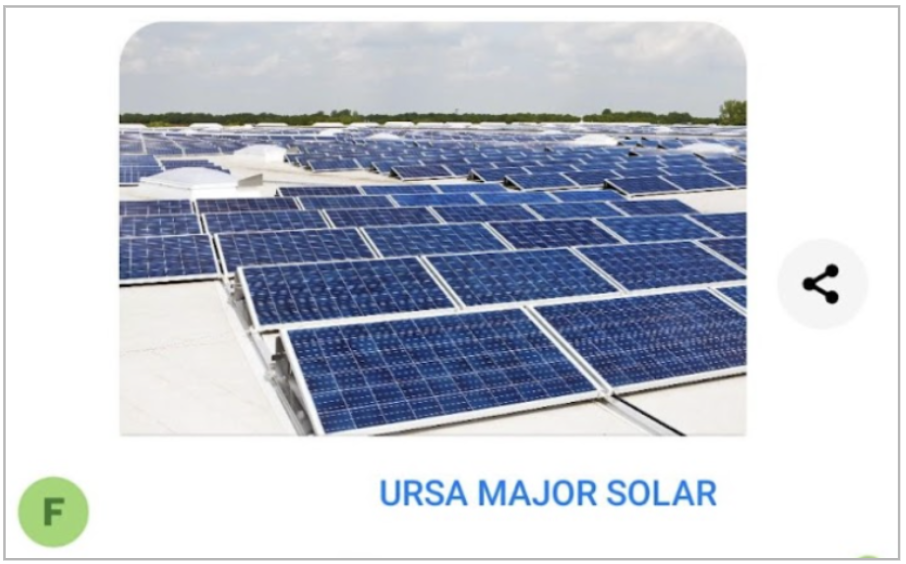
            <td data-label="Format" class="slds-cell-wrap" style="vertical-align:top;" headers="d99443e475 ">Rich Link</td>

            <td data-label="Description" class="slds-cell-wrap" style="vertical-align:top;" headers="d99443e478 ">
              <ul>
                <li>Used for: Enhanced link components, notification components</li>

                <li>Supported in: Enhanced Chat, enhanced Apple Messages for
                  Business, Bring Your Own Channel</li>

                <li>Displays a link name and image.</li>

              </ul>
            </td>

            <td data-label="Appearance" class="slds-cell-wrap" style="vertical-align:top;" headers="d99443e481 "><span style="vertical-align:text-bottom;display:inline-block;"><img style="width:250px;margin-bottom:0;" src="https://sf-zdocs-cdn-prod.zoominsoftware.com/tdta-service-support_channels-264-0-0-production-enus/f3c4b3d2-ff86-4f7c-9fe2-3d8b23d35109/support_channels/images/messaging/messaging_autoresponse_rich_link.png" alt="Auto response"></span></td>

          </tr>
          <tr class="">
            <td data-label="Format" class="slds-cell-wrap" style="vertical-align:top;" headers="d99443e475 ">Text</td>

            <td data-label="Description" class="slds-cell-wrap" style="vertical-align:top;" headers="d99443e478 ">
              <ul>
                <li>Used for: All types of components</li>

                <li>Supported in: All types of channels</li>

                <li>Displays a customizable plain text version of a messaging component. The Text
                  format is the default format for messaging components, and is used if the
                  formats added to the component aren’t available or supported in a channel. The
                  Text format of a messaging component is automatically added when you create the
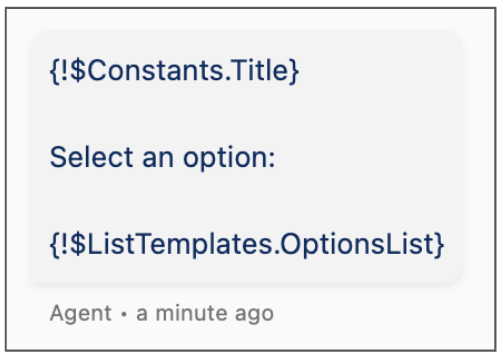
                  component, and uses formula templates to display the same text as other formats.
                  For an SMS channel, the text can’t exceed 912 bytes.</li>

              </ul>
            </td>

            <td data-label="Appearance" class="slds-cell-wrap" style="vertical-align:top;" headers="d99443e481 ">
              <p>Here’s what the auto-generated Text format of a question with static options
                looks like in the Messaging Component Builder. <span style="vertical-align:text-bottom;display:inline-block;"><img style="width:200px;margin-bottom:0;" src="https://sf-zdocs-cdn-prod.zoominsoftware.com/tdta-service-support_channels-264-0-0-production-enus/f3c4b3d2-ff86-4f7c-9fe2-3d8b23d35109/support_channels/images/messaging/messaging_text_format.png" alt="Text format of a messaging component"></span>When the component is sent in text format, customers see the question and
                options that you provided when you created the
                component:</p>
              <pre class="line-numbers slds-box slds-box_x-small slds-theme_shade slds-m-top_medium slds-m-bottom_medium slds-scrollable_x"><code>Where are you located?
Select an option:
California
Arizona
Nevada
New Mexico
Somewhere else</code></pre>
            </td>

          </tr>
          <tr class="">
            <td data-label="Format" class="slds-cell-wrap" style="vertical-align:top;" headers="d99443e475 ">Time Selector</td>

            <td data-label="Description" class="slds-cell-wrap" style="vertical-align:top;" headers="d99443e478 ">
              <ul>
                <li>Used for: Time Selector components</li>

                <li>Supported in: Enhanced Apple Messages for Business, Bring Your Own
                  Channel</li>

                <li>Displays a prompt and a list of clickable time slots.</li>

              </ul>
            </td>

            <td data-label="Appearance" class="slds-cell-wrap" style="vertical-align:top;" headers="d99443e481 "><span style="vertical-align:text-bottom;display:inline-block;"><img style="width:250px;margin-bottom:0;" src="https://sf-zdocs-cdn-prod.zoominsoftware.com/tdta-service-support_channels-264-0-0-production-enus/f3c4b3d2-ff86-4f7c-9fe2-3d8b23d35109/support_channels/images/messaging/messaging_timesel.png" alt="Time selector"></span></td>

          </tr>
          <tr class="">
            <td data-label="Format" class="slds-cell-wrap" style="vertical-align:top;" headers="d99443e475 ">Web Page</td>

            <td data-label="Description" class="slds-cell-wrap" style="vertical-align:top;" headers="d99443e478 ">
              <ul>
                <li>Used for: Auto-response components</li>

                <li>Supported in: Enhanced Chat, Bring Your Own Channel</li>

                <li>Displays a link name and URL.</li>

              </ul>
            </td>

            <td data-label="Appearance" class="slds-cell-wrap" style="vertical-align:top;" headers="d99443e481 "><span style="vertical-align:text-bottom;display:inline-block;"><img style="width:250px;margin-bottom:0;" src="https://sf-zdocs-cdn-prod.zoominsoftware.com/tdta-service-support_channels-264-0-0-production-enus/f3c4b3d2-ff86-4f7c-9fe2-3d8b23d35109/support_channels/images/messaging/messaging_auto_response_customer.png" alt="Web page format"></span></td>

          </tr>
        </tbody>
      </table>

#### See Also

- [Supported Functions in Messaging Component Formulas](https://help.salesforce.com/s/articleView?id=service.messaging_components_formula_functions.htm&release=264.0.0&type=5 "Before you customize components in the Messaging Component Builder, review which functions are and aren’t supported.")
- [_Facebook Documentation:_ Quick Replies](https://developers.facebook.com/docs/messenger-platform/send-messages/quick-replies)
- [_Facebook Documentation:_ Buttons](https://developers.facebook.com/docs/messenger-platform/send-messages/buttons)
- [_Facebook Documentation:_ Generic Template (Carousel)](https://developers.facebook.com/docs/messenger-platform/send-messages/template/generic)
- [_Facebook Documentation:_ Media Template](https://developers.facebook.com/docs/messenger-platform/send-messages/template/media)
- [_WhatsApp Documentation:_ Interactive Object](https://developers.facebook.com/docs/whatsapp/cloud-api/reference/messages#interactive-object)
- [_Apple Documentation:_ Interactive Message Types](https://register.apple.com/resources/messages/msp-rest-api/type-interactive#interactive-message-types)