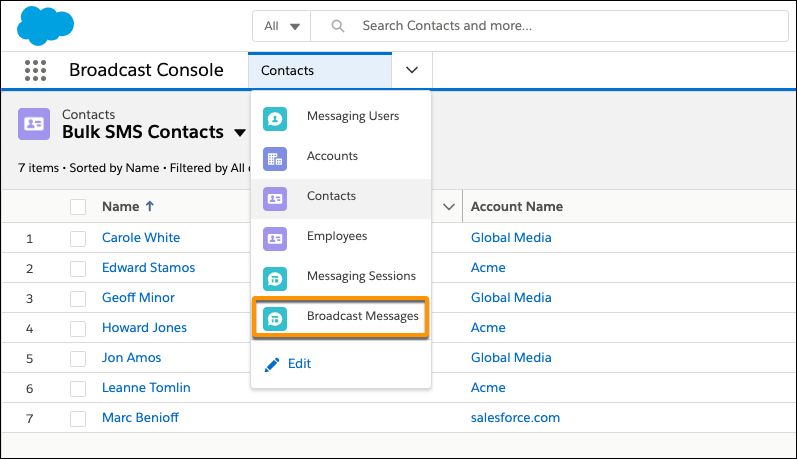
If you’re using broadcasting in your standard SMS channel in Agentforce Service (formerly Service Cloud), let your broadcasters view your company’s sent messages on the Broadcast Messages tab.
Required Editions
| View supported editions. | |
 This article applies to:
|
Standard SMS channels |
 This article doesn’t apply to:
|
Enhanced In-App Chat, Enhanced Web Chat v1, Enhanced Web Chat v2, Enhanced WhatsApp,Enhanced Facebook Messenger, Enhanced SMS, Enhanced Apple Messages for Business, Enhanced LINE, and Bring Your Own Channel |
| User Permissions Needed | |
|---|---|
| To view apps: | View Setup and Configuration |
| To manage apps: | Customize Application |

Important Standard SMS channels were retired on February 14, 2026. To avoid
service interruptions, upgrade your standard SMS channels to enhanced channels now. Enhanced
SMS offers many of the standard SMS
features you love plus session transfers and AI agent support. See Upgrading from Standard to Enhanced SMS Messaging.
The Broadcast Messages tab displays the name, template, content, and number of recipients for each sent message. You can add the tab to both standard and console navigation apps.
- Go to Setup | Apps | App Manager.
- Open the menu next to a Lightning app, and click Edit.
- In Lightning App Builder, click Navigation Items.
- Select Broadcast Messages, and move it to the Selected Items list.
- Click Save.
- To return to the App Manager page, click Back.
To confirm that Broadcast Messages was added to your app, open the app using the App Launcher. You can open Broadcast Messages from the navigation menu.