To quickly see the sections in Knowledge articles and improve navigation, add the Table
of Contents (TOC) component to new and existing articles in your knowledge base. You can add the
TOC only to articles in HTML format, not PDFs or other nonHTML formats.
Required Editions
-
From the App Launcher, find and select Knowledge, and then open
a Knowledge article.
-
Click Setup and select Edit Page.
-
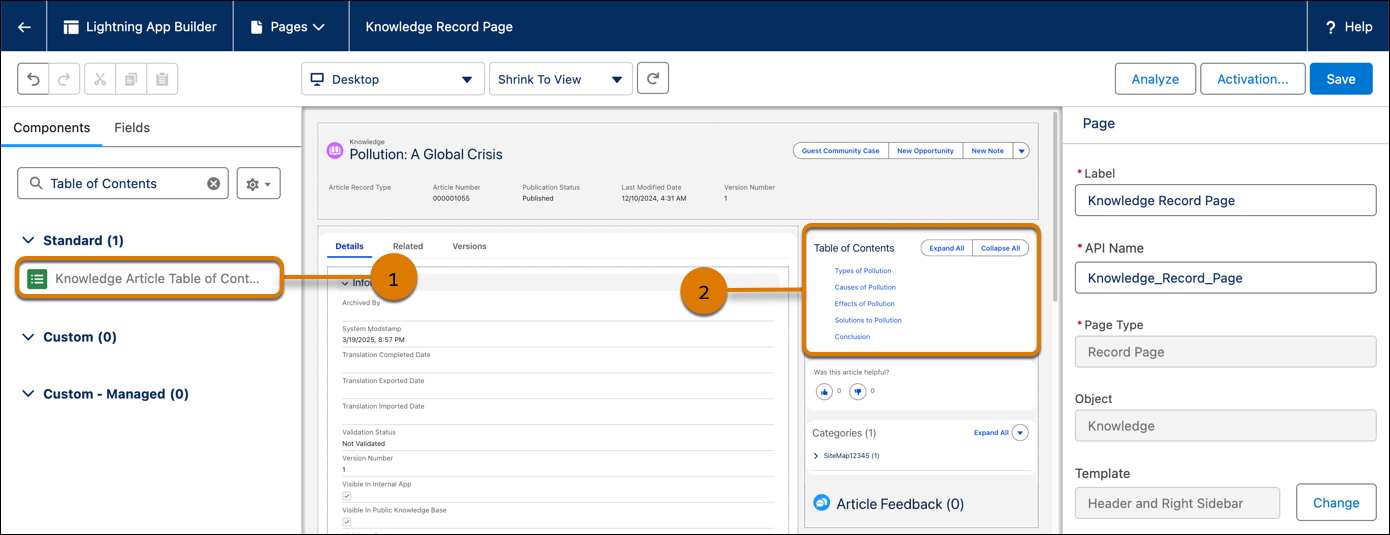
In the Lightning App Builder, from the Standard list of components, drag the Knowledge
Article Table of Contents component (1) onto an editable part of the Knowledge Article
page (2).
-
Save your changes.