---
schema_version: "1"
id: b42f9ebf874967c7ea39313e25dd84cd2d2cd05760f7c8841720238b102e651a
title: Enable Knowledge Blocks
collection: admin
version: current
locale: en-us
portal_url: https://docs.salesforce.com/admin/current/en-us/service/264-0-0/knowledge_blocks_enable.md
canonical_url: https://help.salesforce.com/s/articleView?id=service.knowledge_blocks_enable.htm&release=264.0.0&type=5
source_site: help.salesforce.com
content_type: documentation
content_hash: 629bc31a9adb1337308b5f37080db938d6ce41ef7380e7bc81a06a3d68b3e7b3
description: Turn on Knowledge Blocks from the Enhanced Knowledge Settings page in Setup. After you enable it, knowledge managers and authors can access the Knowledge Blocks and Knowledge Block Versions apps from the App Launcher.
products:
  - Service Cloud
release: "264"
---
# Enable Knowledge Blocks

Turn on Knowledge Blocks from the Enhanced Knowledge Settings page in Setup. After you enable it, knowledge managers and authors can access the Knowledge Blocks and Knowledge Block Versions apps from the App Launcher.

### Required Editions

<table class="slds-table slds-table_bordered slds-max-medium-table_stacked slds-m-bottom_small edition"><colgroup><col></colgroup><tbody><tr class=""><td class="slds-cell-wrap" style="vertical-align:top;">Available in Lightning Experience. <a href="https://help.salesforce.com/s/articleView?id=service.service_editions_reference.htm&amp;language=en_US" target="_blank">View supported editions</a>.</td></tr></tbody></table>

<table class="slds-table slds-table_bordered slds-max-medium-table_stacked slds-m-bottom_small permission">
        <colgroup>
          <col style="width:50%">
          <col style="width:50%">
        </colgroup>
        <thead class="slds-text-title_caps ">
          <tr class="">
            <th scope="colgroup" class="slds-cell-wrap" colspan="2" style="text-align:center;vertical-align:top;" id="d142339e56">User Permissions
              Needed</th>
          </tr>
        </thead>
        <tbody>
          <tr class="">
            <td data-label="User Permissions Needed" class="slds-cell-wrap" style="vertical-align:top;" headers="d142339e56 ">To enable Knowledge Blocks:</td>

            <td class="slds-cell-wrap" style="vertical-align:top;" headers="d142339e56 ">
              <p>Knowledge User license </p>
              <p>AND</p>
              <p style="margin-bottom:0;">Customize Application</p>
            </td>

          </tr>
        </tbody>
      </table>

![Important](https://sf-zdocs-cdn-prod.zoominsoftware.com/tdta-service-support-264-0-0-production-enus/dd14551c-a772-4db6-9a1d-d84df8df2980/images/icon_important.png)

Important After you turn on Knowledge Blocks, you can't turn it off.

1. From Setup, in the Quick Find box, enter Enhanced Knowledge Settings, and then select **Enhanced Knowledge Settings**.
2. Turn on **Knowledge Blocks**.
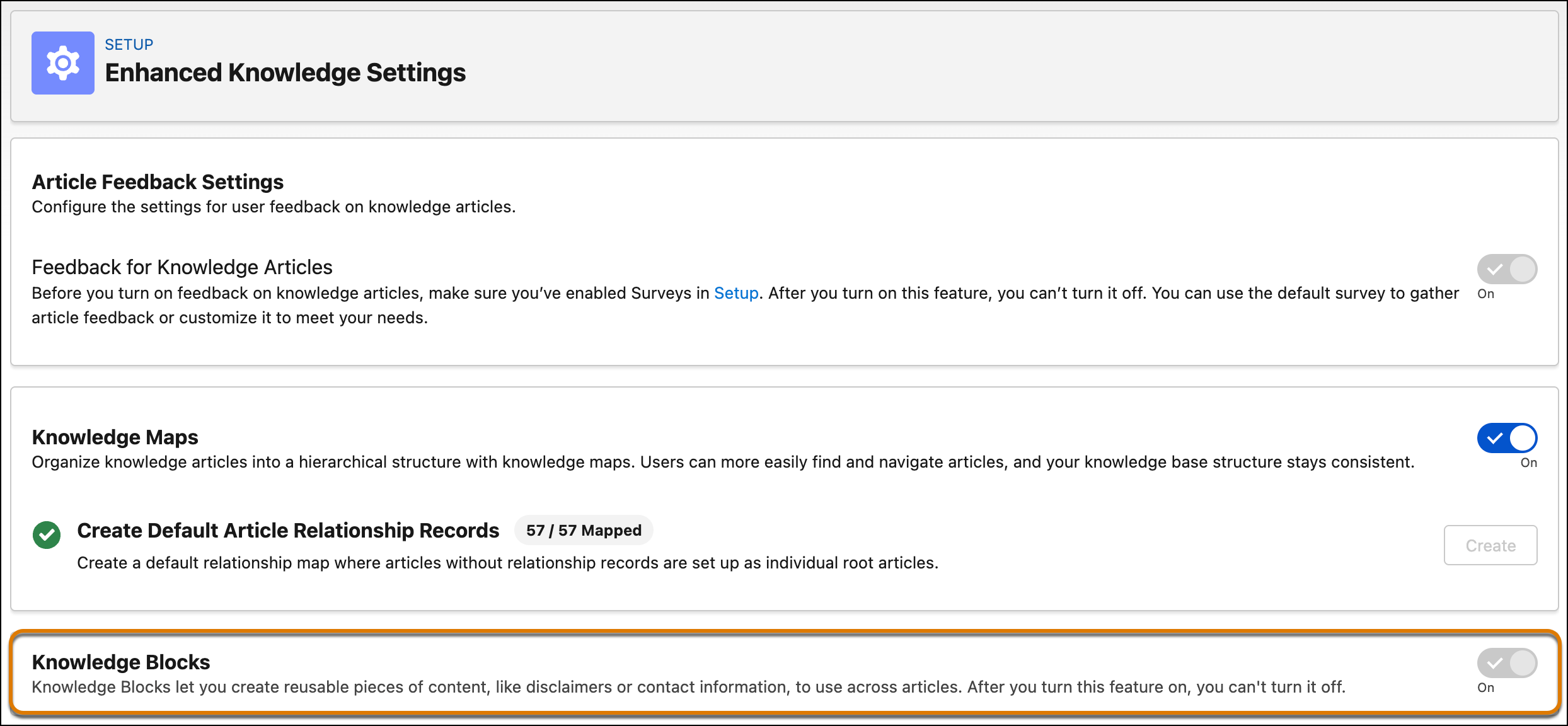
    
    ![The Enhanced Knowledge Settings page showing the Knowledge Blocks toggle enabled](https://sf-zdocs-cdn-prod.zoominsoftware.com/tdta-service-support-264-0-0-production-enus/dd14551c-a772-4db6-9a1d-d84df8df2980/support/images/knowledge/knowledge_block_setup.png)
3. Save your changes.

Knowledge managers and authors can now access two apps from the App Launcher:

- **Knowledge Blocks app.** Create and manage blocks.
- **Knowledge Block Versions app.** Create and manage block versions, including versions in different languages.

#### See Also

- [Create and Publish a Knowledge Block](https://help.salesforce.com/s/articleView?id=service.knowledge_blocks_create.htm&release=264.0.0&type=5 "Create a reusable content block, save it as a draft, and publish it so it's available to insert into articles.")