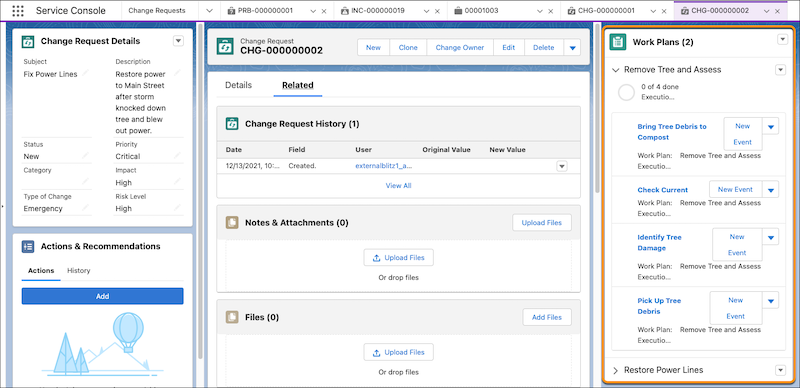
After you identify an incident’s problem and create a change request, create a work plan to outline the required steps to resolution.
Required Editions
-
Create a work plan from a work plan template with prescribed steps.
-
From a change request, click the dropdown, and select Add Work
Plans.
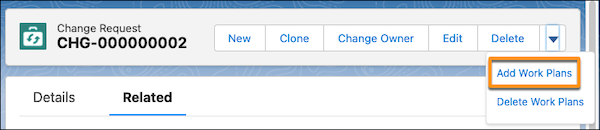
- Select a work plan template and click Add.
-
From a change request, click the dropdown, and select Add Work
Plans.
-
Create a work plan without a template.
-
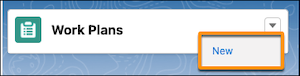
From a change request, select the dropdown next to the Work Plans component, and click
New.
-
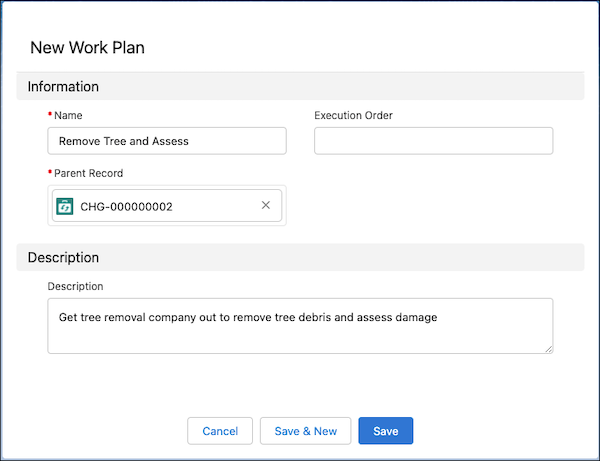
Enter the information and save your changes. By default, the parent record is set to the
current change request.
-
From a change request, select the dropdown next to the Work Plans component, and click
New.
-
To add work steps to the work plan from an existing set of work steps, click the dropdown
next to the work plan, and select Add Work Steps.
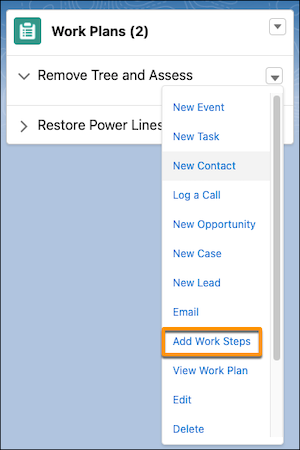
- Select the work steps you want to add to the plan and click Add.
-
To add new work steps to the work plan, go to the change request’s Related tab, find Work
Steps, and click New.
- Enter the information and save your changes.
After you add work plans to the change request, you can see the outlined work steps from the record and mark the steps as complete as you go.