Learn how cases and incidents help your service teams resolve customer issues of
different scale.
Required Editions
How Do Cases and Incidents Differ?
| |
Case |
Incident |
| Definition |
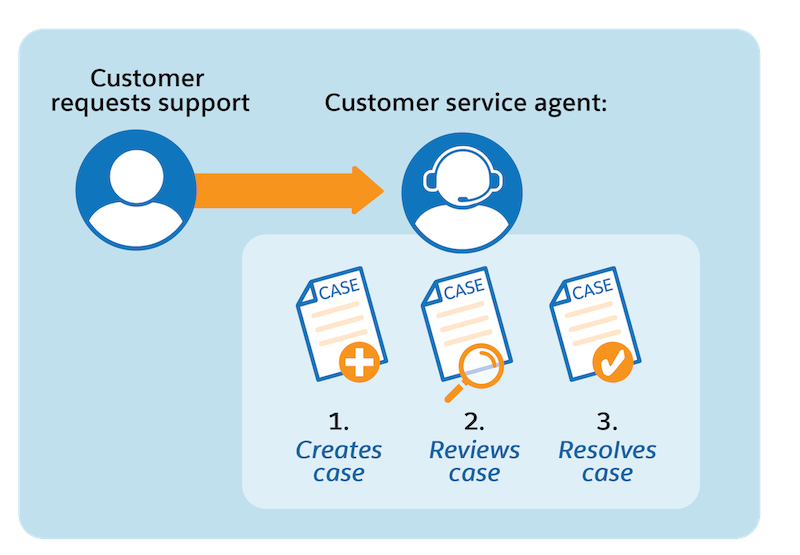
A case is one-off customer feedback or a question such as an order delay or
escalation that a customer service rep handles. |
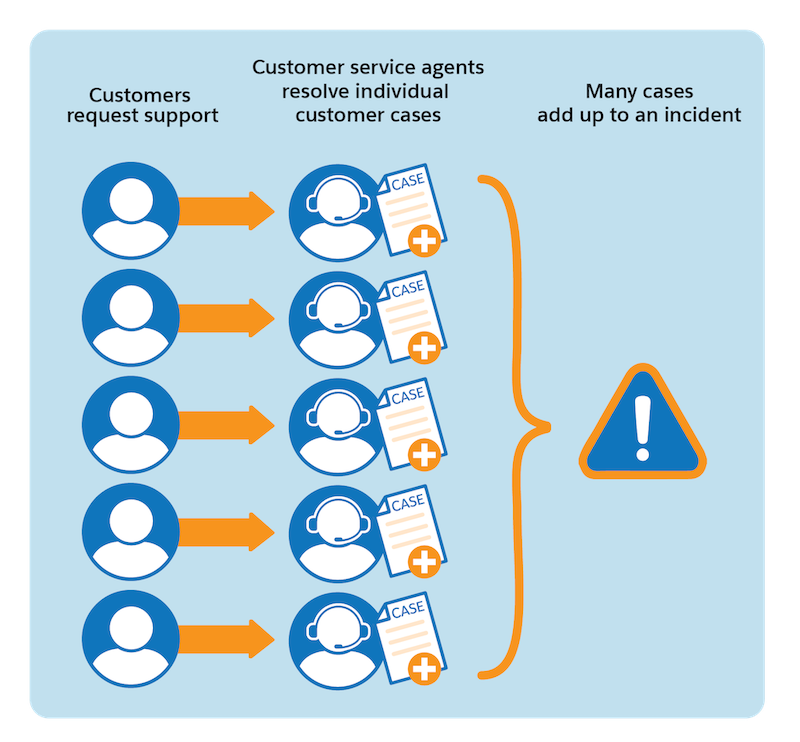
An incident is a disruption that involves many customers. Incidents often begin as an
influx of cases related to widespread disruption. Incidents are best used to resolve
customer issues that require teams to collaborate. |
| Handled By |
Customer Service Rep |
- Customer Service Rep and Service Operations
- Incident Managers
- IT Support
|
| Key Difference |
Cases are resolved by customer service reps through one-on-one customer
interactions. |
Incidents are multi-customer issues resolved through cross-team collaboration.
|
| Relationship |
Many cases to one incident |
One incident to many cases |
| Life Cycle |
Use a case to track a customer issue, from request to resolution. |
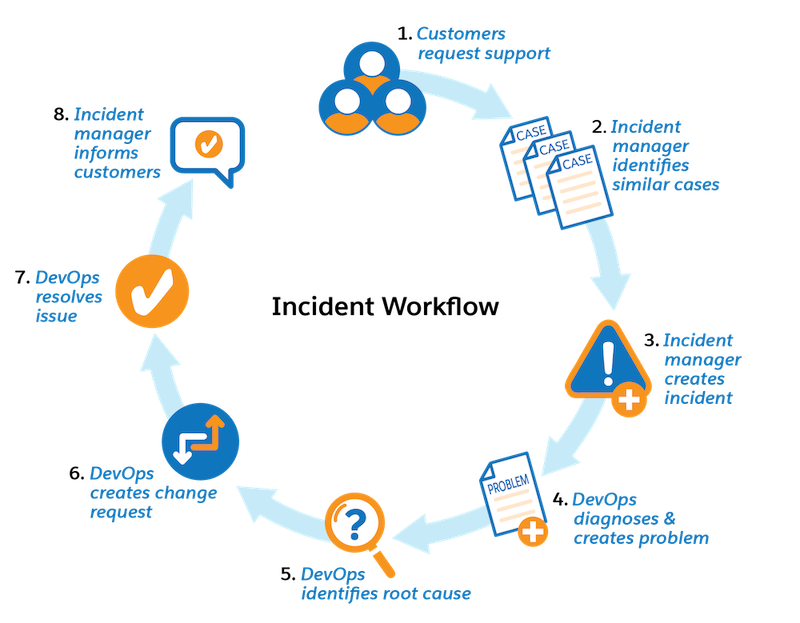
Use an incident for a service disruption. To diagnose an issue and resolve it, use
problems and change requests. |
| Creation Flow |
A customer or support rep creates a case via email, chat, or phone. |
An support rep or monitoring system creates an incident directly or from a
case. |
| Common Features |
- Knowledge Management
- SLA Management
|
- Knowledge Management
- SLA Management
|